You leave the exam room holding a squirming cat and a printed invoice, and three days later you cannot remember whether the antibiotic was twice a day or once. The vet said something about watching the incision, but the exact words are gone. The useful part of a vet visit is spoken, fast, and never written down in a form you can search.
A vet visit notes template fixes the structure. The harder problem is capture: you cannot type detailed notes while holding an animal and listening. This guide gives you the template and a faster way to fill it in.
Key takeaways
- A usable vet visit notes template has 7 fields: date, weight, reason, diagnosis, medications with exact dosing, follow-up date, and questions for next time.
- The field lost most often is dosing frequency (once vs twice daily), so write the exact words the vet used.
- Speaking a full visit summary takes about 40 seconds versus 3 to 4 minutes to type when your hands are full.
- Contextli is a desktop dictation app that types cleaned-up text into whatever note field you use, so your spoken summary lands as structured notes, not a raw transcript.
- With local models on, your pet's notes are processed on your own machine with the internet off.
The 7 fields a vet visit notes template actually needs
Most templates online are bloated with fields you never fill. Here is the short version, covering what you need to act on between visits.
- Date and clinic. Anchors everything and lets you space out future checkups.
- Weight. One number that tells you more about trends than almost anything else.
- Reason for visit, in your own words.
- Diagnosis or findings. What the vet actually concluded.
- Medications with exact dosing: name, amount, frequency, duration, and whether it is with food.
- Follow-up. The date or trigger for the next visit ("recheck in 2 weeks").
- Questions for next time, written while you remember them.
The fifth field is where people get burned. "Twice a day for a week" and "for two weeks" are different instructions, and a paraphrase from memory loses the difference. Capture the exact words.
Why typing fails in the exam room
The moment you most need to capture information is the moment your hands are least available. You are restraining an animal, watching the vet, and processing new terms. Typing means looking at a keyboard instead of your pet, so you capture less. Most people rely on memory plus the printed summary, which rarely includes the dosing nuance or the "watch for this" warnings.
Speaking is the natural fallback. You can say a full summary out loud in the parking lot in under a minute, while it is fresh. The catch with plain voice notes is that they pile up as audio you re-listen to, or as messy transcripts full of filler. A context-aware dictation tool closes that gap.
Speak the notes instead of typing them
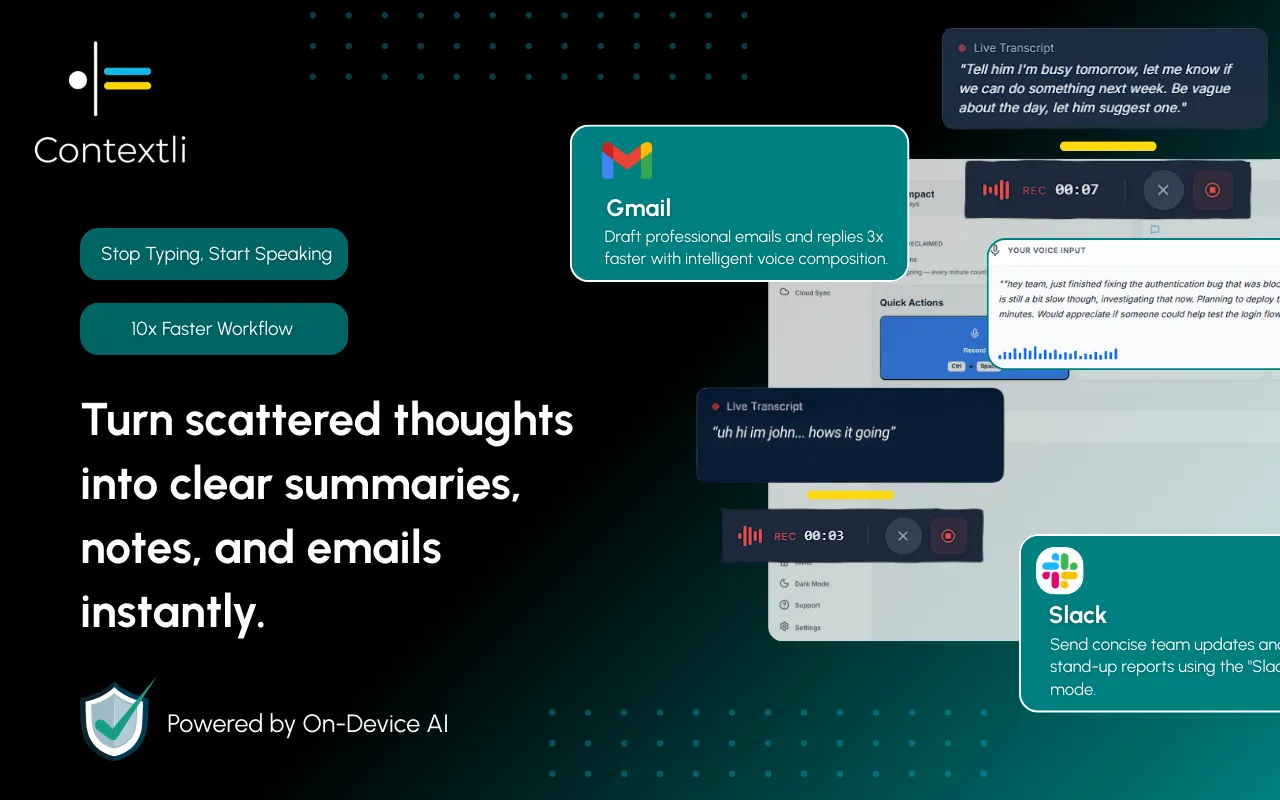
Contextli is a desktop speech-to-text app that types into whatever window you have focused. Open your notes app or pet health file, start Contextli, and talk. It types cleaned text straight into that field, with no separate transcript to copy over.
The relevant Mode here is Notes Mode. Give it 3 to 4 examples of how you want notes to read, or an instruction like "format vet notes as short labeled lines: weight, diagnosis, meds, follow-up." After that, every dictation for that Mode comes out in that shape: you speak a rambling summary and it lands as tidy labeled lines.
That customization-by-example step separates this from native dictation. Apple's built-in dictation and Windows Voice Typing transcribe your words literally, filler included. They do not know you want labeled note lines. Contextli does, once shown.
Pet health notes are private, and can stay that way
Plenty of people prefer that a health log or claim detail does not sit on a company's servers. Contextli gives you three privacy levels you can stack:
- Local models: transcription and cleanup run on your own machine. Turn the internet off and the app still works. The honest trade-off is that this needs a reasonably modern Mac or Windows laptop; older machines run the local models slowly.
- Bring your own key (BYOK): you supply your own provider API key, your audio goes machine to provider directly, and Contextli never sees the audio or text. You pay the provider directly.
- Disable cloud sync: turn it off and Contextli stores nothing in its database. Your notes live as local files.
Stack all three and the whole flow is offline and private. No competitor offers that combination.
How Contextli compares for exam-room note capture
What matters here is whether a tool produces structured notes and can run fully offline. Verify current pricing on each vendor's site.
| Tool |
Structured note output |
Fully offline option |
Types into any app |
| Contextli |
Yes, via customizable Notes Mode |
Yes, local models plus disabled sync |
Yes, system-level typing |
| Apple Dictation (macOS) |
No, literal transcript |
Yes, on-device |
Yes, system-level |
| Windows Voice Typing |
No, literal transcript |
Partial, on-device varies |
Yes, system-level |
| Wispr Flow |
No, fast raw transcript |
No |
Yes, system-level |
| Otter.ai |
Meeting-style summary, not note fields |
No, cloud-based |
No, its own app |
Wispr Flow is faster if all you want is raw transcription pasted somewhere. For this task you want the notes to land already shaped like your template, the appropriateness problem Contextli is built for.

A real exam-room scenario
Maria takes her senior dog in for a limp. The vet diagnoses early arthritis, prescribes a joint supplement once daily with food, an anti-inflammatory for 5 days, and a recheck in three weeks. Holding the leash, she cannot type.
In the car afterward she opens her pet health note, starts Contextli in Notes Mode, and speaks for about 40 seconds: date, weight, diagnosis, both medications with exact dosing, and the recheck date. It types in as clean labeled lines. Typing that on her phone would have taken 3 to 4 minutes, and she would likely have dropped the 5-day duration. Three weeks later she opens the note before the recheck and walks in prepared, not rebuilding it from a receipt.

FAQ
What should a vet visit notes template include?
Seven fields: date and clinic, weight, reason, diagnosis, medications with exact dosing, follow-up date or trigger, and questions for next time. The dosing field is worth capturing word for word.
Can I capture vet notes without typing during the appointment?
Yes. Speak a summary into your phone or laptop right after the visit while it is fresh. A dictation tool like Contextli types your spoken summary into your notes app as clean text, so you never type in the room or re-listen to audio.
How is this different from Apple or Windows dictation?
Native dictation transcribes your words literally, filler and all. Contextli's Notes Mode can be shown 3 to 4 examples of how you want notes formatted, then it shapes every dictation into labeled note lines.
Are my pet's health notes kept private?
They can be. With local models on, transcription and cleanup run on your own machine with the internet off. Disable cloud sync and Contextli stores nothing in its database, so notes stay local files.
Does Contextli work on both Mac and Windows?
It runs as a desktop app that types into the focused window on supported platforms. Confirm current platform support on the download page before installing; local models run slower on older machines.
How long does a spoken visit summary take?
Roughly 40 seconds. Typing the same detail on a phone usually takes 3 to 4 minutes, and the dosing duration is most often lost.
Keep the rest of your logs just as tight
The same speak-it-while-fresh habit works across every recurring log: a food diary app, a mood tracker app, or a car maintenance checklist app for service notes. To set up the formatting once, see how to customize Contextli Modes with examples, and read the dictation privacy guide for the full offline setup. All of these sit under the Contextli context library.
Try it on your next visit
Set up Notes Mode once with a two-line example of how you want vet notes to read, then dictate your summary in the parking lot after your next appointment. The dosing, the follow-up date, and the question you almost forgot all land in one clean note. Contextli gives you 100 credits/month on the free tier, no credit card required. See how it fits at contextli.com/features.




 Junaid Khalid