


Weekly Reflection TemplateAug 19, 2026
Weekly Review Template: Run Your Review in 15 Minutes
A weekly review template you can run in 15 minutes every Sunday. Six prompts, a scoring table, and a faster way to capture it by voice.
 Junaid Khalid
Feed each Contextli Mode three or four examples of how you actually write, and every dictation from then on matches that voice. A walkthrough for Email Mode, Messaging Mode, and LinkedIn Mode with real-world setups.
Most dictation tools hand you one tone of voice and ask you to live with it. Speak into the microphone, the same generic prose comes out the other end, and you spend the next two minutes editing it to sound like you. The promise of voice input quietly disappears in the rewrite.
Contextli is built around the opposite assumption. Each Mode can be customized with examples of how you actually write. Feed Email Mode three or four of your real client emails, and from then on every dictated email matches that voice. Same idea for Messaging Mode, Notes Mode, LinkedIn Mode, Marketing Copy Mode. This piece walks through how that works, what to feed it, and what to expect in return.
A 2026 estimate from the Radicati Group's Email Statistics Report puts the average business professional at about 126 sent and received emails per day, with C-suite executives often above 150 and middle managers between 100 and 150. Knowledge workers spend roughly 28% of the workweek processing email. That is a lot of writing being filtered through your specific voice, and the cost of an off-tone message is real, especially when the recipient is a client or an investor.
Generic dictation tools handle this badly. They transcribe what you said, format it lightly, and stop. You still have to do the work of making it sound like you. Modern tools have started adjusting tone per app, so a Slack message comes out shorter than an email. That is a start, not a finish.
Customizing a Contextli Mode with your own examples shortens the loop. You teach the Mode what your client emails actually look like once, then dictate against that for the next month. The Mode is doing the rewrite for you, in your voice, against the channel you are writing into.
The video below walks through how Contextli's Modes work in practice before the customization layer is added on top.
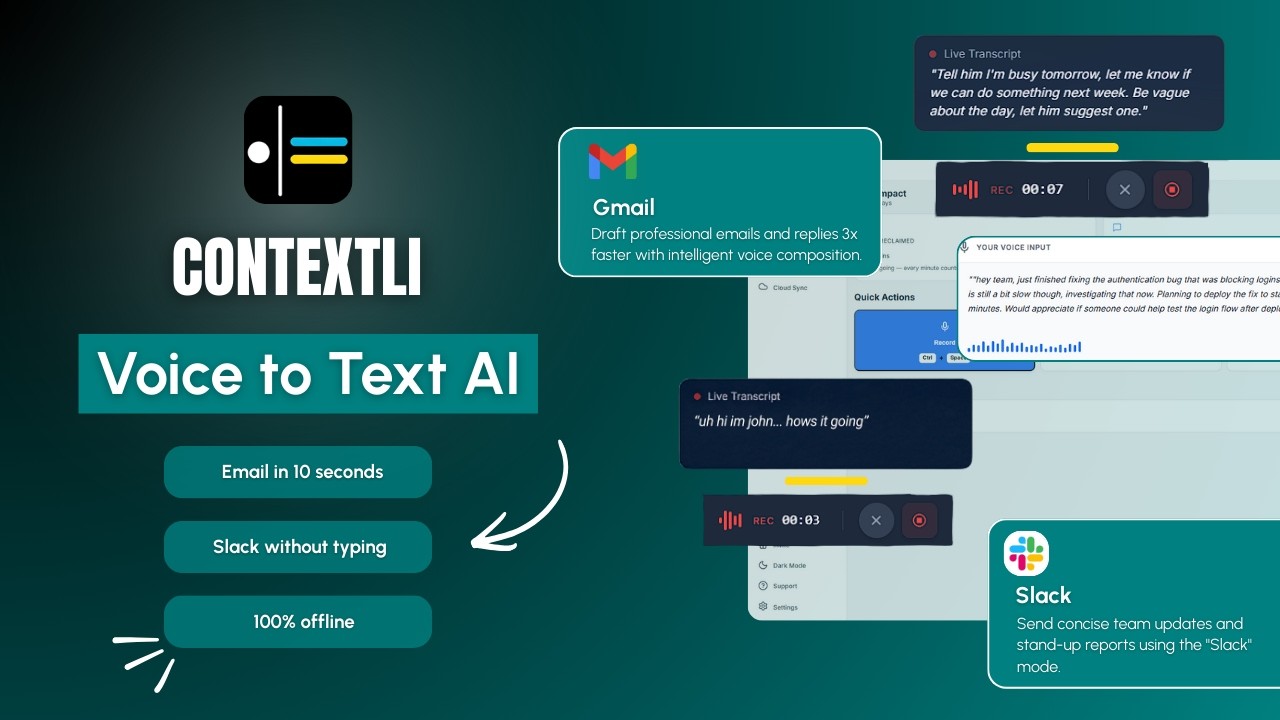
Contextli ships with six Modes out of the box:
Customization helps most on the four Modes that produce formal, voice-sensitive output: Email Mode, Messaging Mode, LinkedIn Mode, and Marketing Copy Mode. Notes Mode benefits less, since notes tend to be structural rather than tone-driven. General Dictation is designed to be untouched, so customization there is intentionally limited.

Notes Mode in particular shines when you capture into a tool like Notion; see dictation for Notion for a full walkthrough of turning spoken thoughts into structured notes.
The base Modes are the starting point. The actual win comes from making them yours.
Every Mode can be customized. Feed Email Mode three or four examples of how you actually write to clients, your sign-off style, your sentence length, your preferred opening, and from then on every dictated email matches that voice. You can give it specific instructions too: "always use UK spellings," "never start an email with the word I," "sign off as Junaid not Junaid Khalid." Same for Slack, same for LinkedIn, same for any Mode you customize.
If you turn on screen-awareness (off by default, you control it), Contextli can see what you are looking at when you dictate. You are reading a client's email with three questions in it. You hit the hotkey and say "let them know I am busy tomorrow and the day after, but I will have the thing ready in three days." Contextli already knows the client's name, your name, and the three questions. It writes the reply the way you would, complete with greeting and sign-off, addressing each question in order. You hit send.
Two things matter about that flow. First, the examples carry more weight than the instructions. Telling a tool "be professional" is vague. Showing it three professional emails you wrote last month is specific. Second, the screen-awareness layer never goes on by default, and the rest of the Modes still work without it. Users who have privacy concerns about that layer can simply leave it off and still get the customization benefit on the dictation side.
The fastest way to see what this looks like is to walk through three concrete setups.
Pick three or four recent client emails you are proud of. Long enough to show your sentence rhythm, short enough that they sit naturally as a sample. Paste them into Email Mode's examples field. Then add specific instructions: "never start an email with I, use Best, Junaid as the sign-off, use British English (organise not organize), keep paragraphs to 2-3 sentences."
From that point, when the consultant opens a client email and dictates "thanks for the deck, the three things that stood out to me are the segmentation slide, the pricing slide, and the timeline, I will have feedback by Thursday," Email Mode produces a fully formed reply in their voice, with the sign-off they specified and the paragraph rhythm they fed it.
The setup takes about five minutes. The voice match is recognizable from the first dictated email.
For a fuller walkthrough of how consultants put this to work across client emails and internal Slack, see the best voice-to-text tool for consultants guide.
Messaging Mode handles Slack, but Slack has its own rhythm. Engineering Slack tends to be short, lowercase, light on punctuation, code-fence-aware. The CTO drops in five of their actual Slack messages from the past week, then adds instructions: "lowercase by default, no email-style greetings or sign-offs, do not auto-capitalize the first word, keep messages under three sentences."
When they later dictate "tell jamie the deploy is blocked on the migration and we are going to ship the hotfix in a separate PR," Messaging Mode produces a short, lowercase Slack message that sounds like how the rest of their team writes, not like a formal email translated into Slack.
LinkedIn voice is particular. Most professionals who post on LinkedIn have a recognizable opener pattern, a particular length range, and a typical narrative shape. A marketing manager picks five of their highest-engagement LinkedIn posts from the past six months, drops them into LinkedIn Mode's examples field, and adds instructions: "open with a specific moment or number, no hashtags, three to four short paragraphs, end with a single clear takeaway."
When they dictate the rough idea for a new post, "I want to write about how we cut our SDR ramp from twelve weeks to seven, the key thing was changing the first-week shadowing format," LinkedIn Mode shapes it into a post that opens the way their best posts open, runs the length range they specified, and ends with the kind of takeaway their audience expects.
The point is not that the post lands ready to publish. It is that the first draft is already in your voice, not in a generic LinkedIn-coach voice, and the rest of the work is editing, not rewriting.
Most modern dictation tools have started adding lightweight customization. None of them offer per-Mode example training in the way Contextli does. The differences matter for anyone whose writing volume is high enough that voice consistency is non-trivial.
| Feature | Contextli | Wispr Flow | Willow Voice | Apple Native |
|---|---|---|---|---|
| Per-Mode examples of your past writing | Yes | No | No | No |
| Custom written instructions per Mode | Yes | Limited (custom dictionary, snippets) | No | No |
| Channel-aware tone (email vs Slack vs LinkedIn) | Yes | Partial | Partial (auto-detects formal vs casual) | No |
| Screen context (opt-in) | Yes, opt-in | No | No | No |
| Local model option | Yes | No | No | Yes (on-device base dictation) |
Wispr Flow lets you add custom vocabulary, snippets, and AI instructions. That is closer to a global dictionary than to per-Mode example training. Willow Voice supports custom vocabulary for industry terms and adapts to the way you write over time. Both are fine for what they do, neither lets you point at five of your past emails and say "match this voice, on email, from now on."
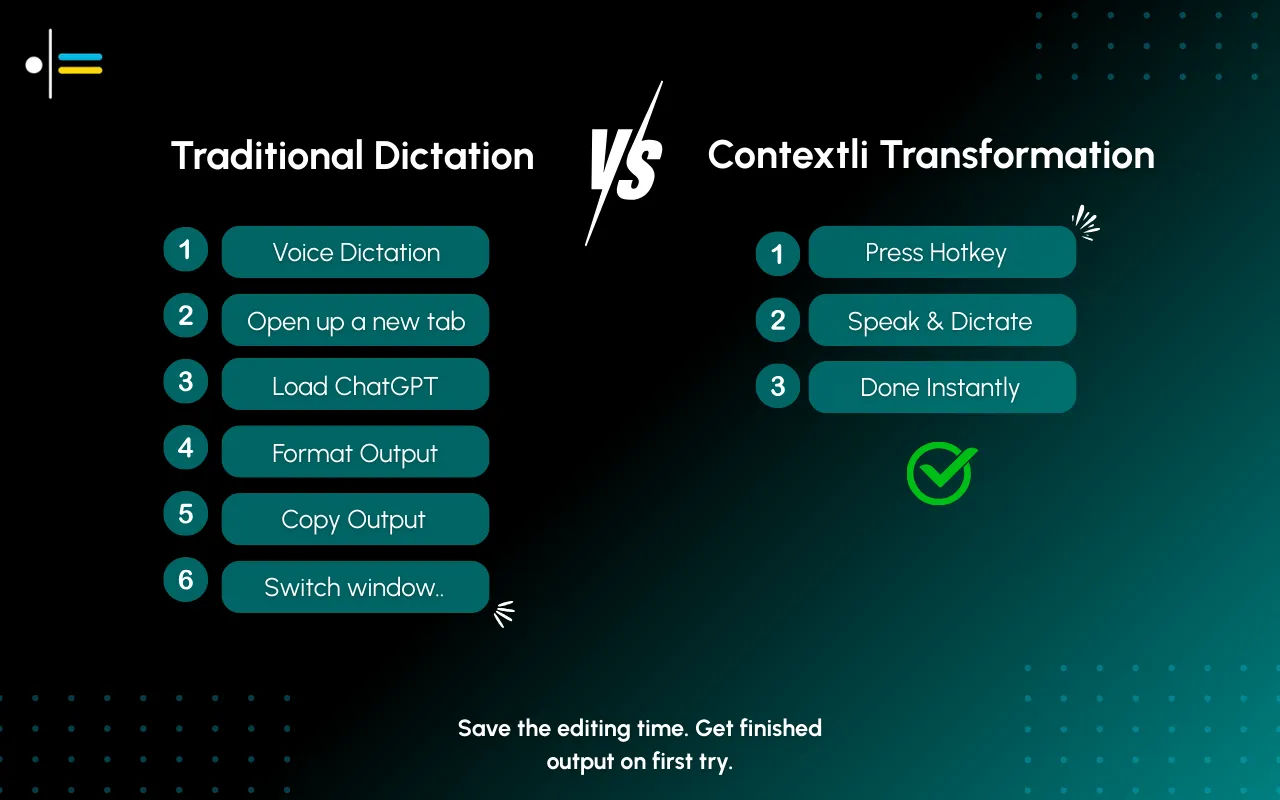 Customization examples are sensitive. The whole point is that they are real samples of how you write to real people. Contextli handles that on the same privacy stack as the rest of the product, with three levels of control you can stack or use individually.
Level 1: local models. Both transcription and the context-aware processing can run on your own machine. Internet off, app still works. You will need a modern Mac or Windows laptop, not a ten-year-old machine.
Level 2: bring your own key. You supply the API key for the transcription provider and the AI provider, and your data goes from your machine to the provider directly. Contextli never sees it. You pay the provider directly.
Level 3: disable cloud sync. Cloud sync is how Contextli lets you use the same notes and Modes across devices. Turn it off and Contextli stores nothing in our database. Your transcribed notes and your customization examples live as local files on your machine, where you can browse them yourself.
Combine all three and Contextli never makes a single request to our servers. That matters for anyone customizing a Mode with confidential client correspondence or internal strategy posts. No other dictation tool we know of offers this combination today.
A few honest limits, since "customize a Mode with examples" is the kind of phrase that invites overpromising:
Three or four real samples per Mode is usually enough to get a recognizable match. More helps, with diminishing returns past about ten. Quality matters more than quantity, pick examples you would be proud to write again.
The current Mode system is per-Mode, not per-recipient. The practical workaround is to use written instructions inside Email Mode that handle the general case and rely on screen-awareness (when enabled) to pick up the specific client context from the email thread.
The free tier includes 100 credits per month, no credit card required. Examples themselves do not consume credits, dictations do.
Yes. With cloud sync on, settings are stored in our database. With cloud sync off, settings live as local files on your machine that you can copy and back up yourself.
No. Screen-awareness is off by default. You enable it explicitly per session or per Mode, and you can leave it off entirely. The other Modes work without it.
Yes. The customization layer runs the same whether the underlying transcription and processing happen in the cloud or on your local machine. The voice match quality depends on the underlying model, which is honest to acknowledge.
Use General Dictation. It is the Mode for verbatim output, no voice matching, no rewriting, no formatting changes beyond basic capitalization and punctuation.
Custom vocabulary is a dictionary, it makes sure proper nouns and industry terms are transcribed correctly. Custom examples is voice training, it makes sure the output sounds like you, not just that the words are spelled right. Both are useful. They do different things.
If you are new to Contextli, customization is one of three pillars worth knowing about. The other two are the privacy stack covered above and the Mode-by-Mode framework that lets the same voice input produce the right output across email, Slack, LinkedIn, and personal notes. For a fuller walkthrough of how the Modes connect, the pillar guide to context-aware speech-to-text is the place to start. For the Email Mode customization flow in particular, the Email Mode walkthrough goes deeper into client-email setups. For the Messaging Mode story, the Slack and WhatsApp guide covers the casual-channel tone matching. And the Contextli speech-to-text overview is the shortest route into the product itself.
Pick one Mode where you write the most. For most readers that is Email Mode. Spend five minutes pasting in three or four real samples and one or two specific instructions. Use it for a week. The free tier includes 100 credits per month, no credit card required, which is enough to test the voice match across a normal week of writing.
Contextli is available on macOS and Windows. Download the app and customize your first Mode today.

Junaid Khalid
Founder & CEO
Founder and solopreneur writing about how modern businesses run leaner and faster with AI. I build software that turns everyday work, from capturing thoughts to writing and staying organized, into something effortless, and I share what I learn along the way.
A weekly review template you can run in 15 minutes every Sunday. Six prompts, a scoring table, and a faster way to capture it by voice.
Junaid KhalidA vet visit notes template that captures the diagnosis, dosing, and follow-up before you leave the exam room. Speak it into your notes instead of typing.
Junaid KhalidCounseling progress notes software that writes your notes by voice and keeps client data on your own machine, so counselors finish notes the same day.
Junaid Khalid