


Weekly Reflection TemplateAug 19, 2026
Weekly Review Template: Run Your Review in 15 Minutes
A weekly review template you can run in 15 minutes every Sunday. Six prompts, a scoring table, and a faster way to capture it by voice.
 Junaid Khalid
A practical walkthrough of Contextli speech to text software: how each context-aware Mode reshapes your voice per channel, and how the three privacy controls work.
Contextli is an innovative desktop application that transforms spoken language into context-aware, professionally formatted text, fundamentally changing how professionals use speech-to-text software. Unlike traditional dictation tools that offer raw transcription, Contextli intelligently adapts your speech to the specific requirements of different communication platforms and purposes, significantly reducing cognitive load and editing time. Learn more about context-aware speech-to-text.
Contextli is a desktop speech-to-text application designed for professionals that provides context-aware transcription. It features "Modes" that automatically adjust tone, structure, and formatting for various outputs like emails, messages, or notes. This unique approach minimizes editing and cognitive load, making communication more efficient and appropriate across different platforms. Contextli's AI-powered formatting reduces the need for manual editing, enhancing productivity. It offers multiple privacy options, including fully offline processing, ensuring data security.
Contextli is a pioneering desktop application that redefines the utility of speech to text for professionals. It moves beyond simple transcription, offering a sophisticated system that understands and adapts your spoken input to various writing contexts. This means that whether you are drafting a formal email, a quick Slack message, or detailed meeting notes, Contextli tailors the output to match the expected tone, structure, and formatting of that specific medium.
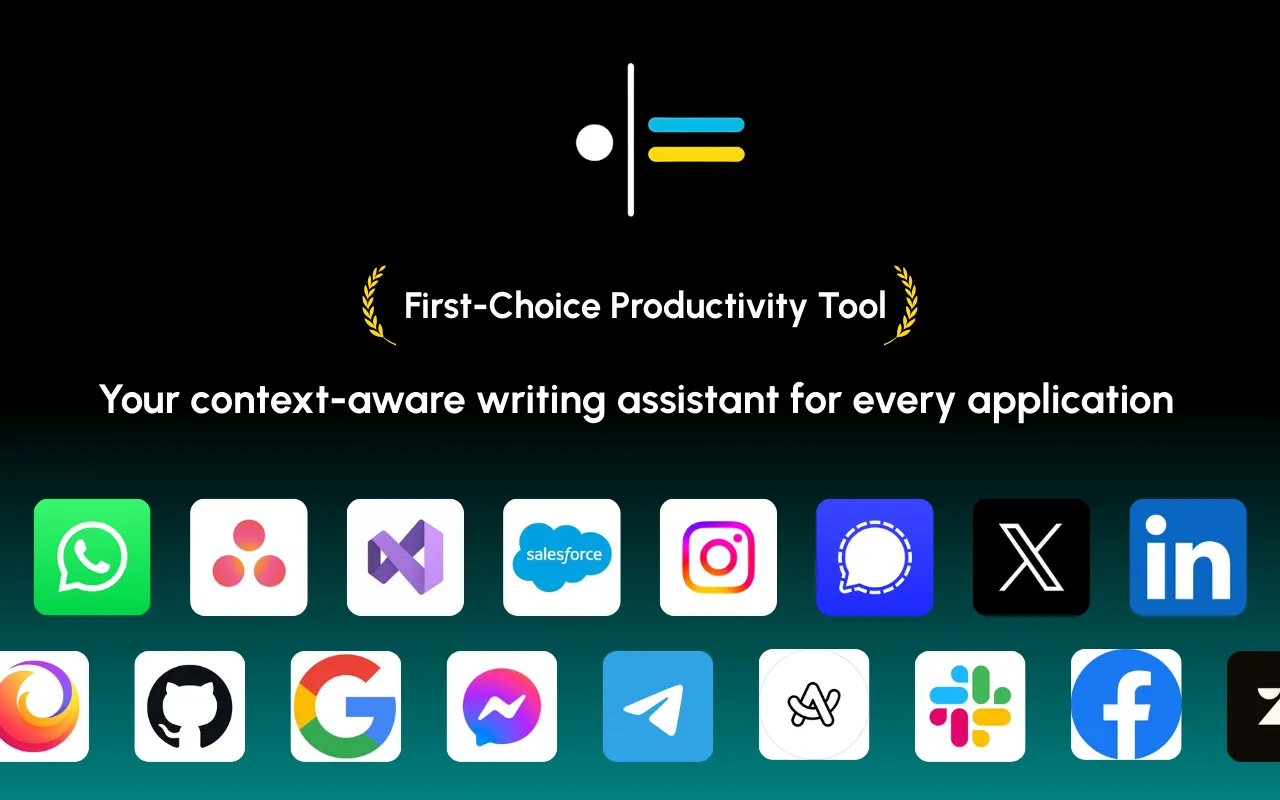
The core of Contextli's functionality lies in its "Modes." These are context-aware processing profiles that automatically apply rules for tone, structure, and formatting. For instance, when you activate "Email Mode," Contextli processes your speech with a professional, neutral tone and proper email structure. Switch to "Messaging Mode," and your spoken words are converted into conversational and concise text, ideal for platforms like Slack or WhatsApp. This adaptive capability is what sets Contextli apart, ensuring your voice becomes the right kind of text for each context. Learn more about context-aware speech-to-text.
The problem Contextli solves is prevalent among professionals: the mental friction of constantly switching communication styles. People naturally speak differently depending on their audience and platform. Traditional dictation tools fail to account for this, leaving users to manually adjust tone, add punctuation, and reformat text, leading to extra editing and increased cognitive load. Contextli eliminates this friction by automating these adjustments, allowing you to speak naturally and receive polished, context-appropriate output.
In today's fast-paced professional environment, effective communication is paramount. However, the demands of communicating across various platforms-from formal emails to casual chat messages and detailed notes-require constant mental shifts in tone, structure, and vocabulary. Traditional speech-to-text solutions, while offering speed, often fall short by providing raw, unformatted transcriptions that still require significant manual editing to fit the context. This is where context-aware speech-to-text becomes indispensable.
Context-aware speech-to-text matters because it bridges the gap between spoken thought and polished written communication. It recognizes that a professional's spoken words need to be treated differently depending on their ultimate destination. By automatically adjusting the output, it ensures that your communications are not only accurate but also appropriate and effective, saving valuable time and reducing the mental effort involved in adapting your message.
The constant need to adapt one's writing style to different platforms imposes a significant cognitive load on professionals. Imagine dictating a thought that needs to become a professional email, then a concise Slack message, and finally, a bulleted list of notes. With traditional speech-to-text software, you would dictate the same raw text and then spend considerable time editing each output to fit its respective context. This mental burden detracts from focus and overall productivity.
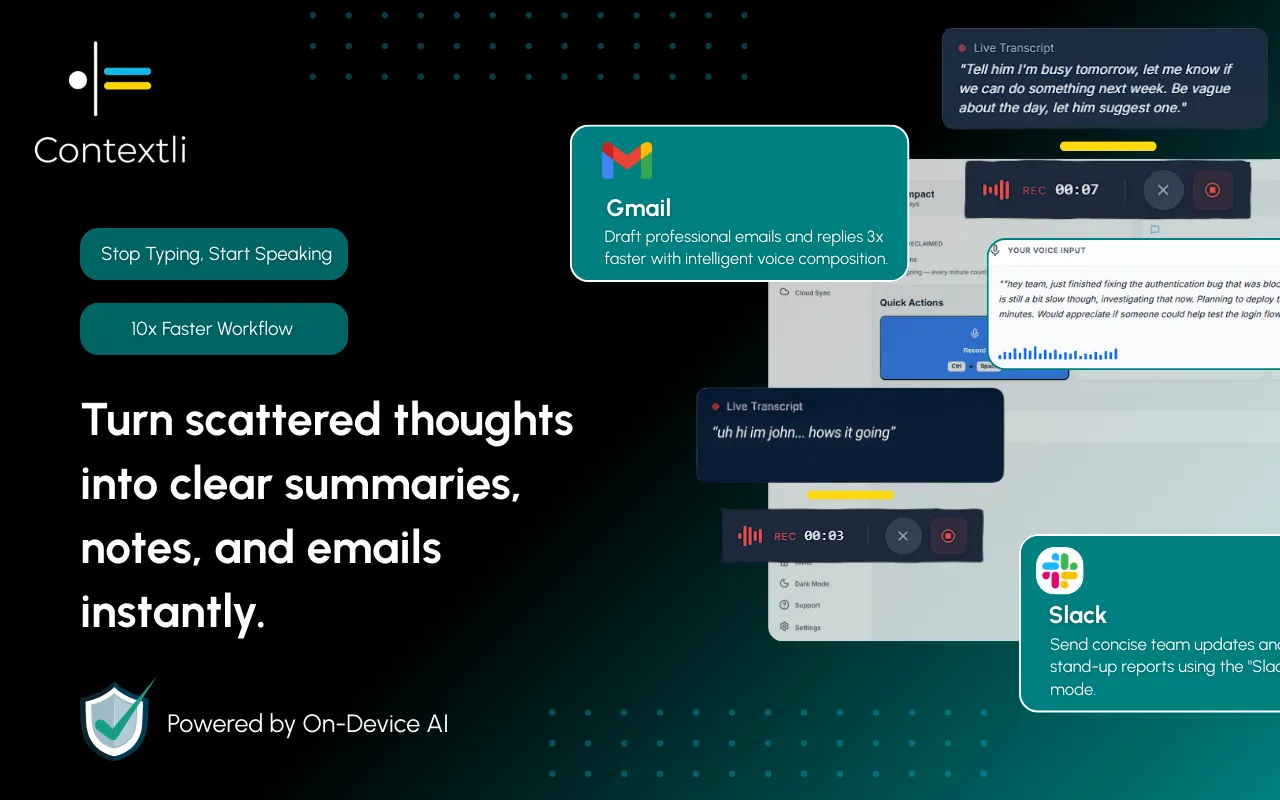
Contextli directly addresses this challenge by reducing cognitive load. By automatically handling the nuances of tone, structure, and formatting, it frees professionals from the mental gymnastics of context-switching. This allows users to focus on the content of their message rather than the mechanics of its presentation. The result is significantly enhanced communication efficiency. Contextli's voice-to-text processing is approximately three times faster than traditional typing for most users. Furthermore, Contextli's AI-powered formatting reduces the need for manual editing, enhancing productivity. This means less time spent on post-dictation cleanup and more time allocated to strategic tasks.
Here are the benefits of context-aware speech-to-text software for professionals:
Contextli's innovative "Modes" are the cornerstone of its context-aware functionality, providing tailored communication solutions for diverse professional needs. Each mode is specifically designed to adapt your spoken input into the appropriate format, tone, and structure for its intended use. This ensures that your dictated content is delivered polished and ready-to-send, minimizing the need for manual adjustments.
These modes collectively empower professionals to speak once and write appropriately everywhere, streamlining their communication workflow and ensuring every message hits the right note. For example, a professional drafts a cold email using Contextli's 'Cold Email' context, transforming a brief voice note into a personalized outreach message.
The six Modes (Email Mode, Messaging Mode, Notes Mode, LinkedIn Mode, Marketing Copy Mode, General Dictation) work out of the box in a neutral professional voice. The actual leverage comes from customizing each Mode with examples of how you actually write.
Open Email Mode customization in Contextli settings. Paste three to five recent emails you have sent to clients. They do not need to be your best emails, just representative. If you tend to open with "Hi Sarah," instead of "Hello Sarah,", paste an example with "Hi Sarah,". If you sign off with "Best, J." instead of "Best regards, Junaid Khalid", paste that too. If you use UK spellings, the examples will carry them.
From that moment on, every dictated email matches the voice in your examples. The sentence length, the formality, the opening, the closing. You can also pin explicit instructions in the customization panel: "never start an email with the word I," "always use UK spellings," "sign off as J., not Junaid," "default to Hi over Dear unless I name a specific title." These instructions are sticky and reliable for hard preferences.
The same setup applies to every Mode: paste five Slack messages into Messaging Mode customization, five posts into LinkedIn Mode, five landing-page headlines from your own brand into Marketing Copy Mode. After a few minutes of setup, you have six Modes that each write in your voice for their channel.
While many speech to text software options exist, their core functionality often revolves around raw transcription. This can be a significant limitation for professionals who require their dictated content to be immediately usable across various communication channels without extensive post-editing. Contextli distinguishes itself by prioritizing appropriateness and clarity over mere speed or basic accuracy.
Traditional speech-to-text tools, including many popular voice recognition software for Windows and dictation for Mac applications, typically focus on converting spoken words into text as accurately as possible. However, they generally lack the intelligence to understand the context or intended use of the dictated content. This means a user might dictate a sentence for an email and then need to manually reformat and rephrase it for a Slack message, and then again for a bulleted note. This manual adaptation introduces friction and consumes valuable time.
Contextli, on the other hand, is built on the premise that different communication contexts demand different writing styles. It doesn't just transcribe; it interprets and adapts. This fundamental difference makes Contextli a specialized tool for professionals who value efficiency without sacrificing the professionalism and appropriateness of their communications.
Contextli is the only consumer dictation tool that gives users a full three-rung ladder of privacy controls. Stack any of them, or all three.
Level 1: Local models. Transcription and the context-aware writing layer run on your own machine. Internet off, app still works. You will need a modern Mac or Windows laptop.
Level 2: Bring your own key (BYOK). You supply the API key for transcription or AI, and your data goes from your machine to the provider directly. Contextli never sees it.
Level 3: Disable cloud sync. Notes live as local files in a folder you control; Contextli's database stores nothing.
Stack all three and Contextli never makes a single request to external servers. Wispr Flow is cloud-only at every tier. Willow Voice is cloud-only. Otter is cloud-only. ChatGPT voice is cloud-only. Apple Dictation covers Level 1 only with generic transcription. MacWhisper covers Level 1 (transcription-only). Superwhisper covers Level 1 on Mac only. For confidential client emails, regulated industries, or anything you would not want on a vendor's database, the stack matters more than any single speed claim. Voice Typing in Google Docs and Windows Speech Recognition both fall short here: Google Docs is cloud-only, and Windows Speech Recognition has no customization layer.
Voice typing in Google Docs is a widely accessible and convenient feature for converting speech to text directly within the document editor. It offers a straightforward way to dictate content, enhancing productivity for many users. However, its primary function is transcription. While it's excellent for getting words onto a page quickly, it doesn't inherently understand the desired output format or tone beyond basic punctuation and capitalization. Explore voice typing options.
| Feature | Voice Typing in Google Docs | Contextli |
|---|---|---|
| Core Function | Raw transcription | Context-aware, formatted text |
| Contextual Adapt. | Limited (basic punctuation) | High (via specific "Modes") |
| Output Quality | Requires manual editing for context | Polished, ready-to-send output |
| Tone Adjustment | Manual | Automatic (e.g., professional, conversational) |
| Structure Adapt. | Manual | Automatic (e.g., email format, bullet points) |
| Cognitive Load | Higher (due to post-editing) | Significantly reduced |
| Target User | General users, basic dictation | Professionals, knowledge workers |
| Privacy Options | Cloud-based processing | Multiple options, including fully offline |
For professionals who frequently switch between drafting emails, creating social media posts, and jotting down notes, voice typing in Google Docs would still necessitate considerable manual intervention. Contextli, however, integrates seamlessly into a professional's workflow by applying its "Modes" functionality. This means you could dictate into Contextli, with "Email Mode" active, and then paste the perfectly formatted email directly into a Google Docs document, saving significant editing time. This makes Contextli a powerful companion to tools like Google Docs, enhancing their utility for context-specific professional output.
Windows Speech Recognition (WSR) has been a built-in feature of Microsoft Windows operating systems for many years, offering basic voice recognition software for Windows. Similarly, macOS includes its own dictation features, providing dictation for Mac users. These tools allow users to control their computer with voice commands and dictate text into various applications. They are generally effective for fundamental speech-to-text tasks and accessibility needs.
However, like voice typing in Google Docs, these built-in solutions primarily offer raw transcription. They lack the sophisticated context-aware processing that Contextli provides. While they can accurately convert spoken words into text, they do not format that text according to the demands of an email, a chat message, or a bulleted list. Users of WSR or Mac dictation would still need to spend time manually editing the generated text to fit the specific communication context.
Other third-party speech to text software options also exist, often boasting high accuracy and robust feature sets. However, many still adhere to the traditional paradigm of providing a verbatim transcript. Their focus often remains on the speed and accuracy of conversion rather than the appropriateness and utility of the output for diverse professional contexts. Contextli's unique selling proposition lies in its ability to understand the purpose behind the dictation, delivering not just words, but appropriately styled and structured communication. Understand the difference between speech to text and voice to text.
For professionals who juggle multiple communication channels and require their dictated text to be immediately usable and contextually appropriate, Contextli offers a distinct advantage over these alternatives. It's not just about converting speech to text; it's about converting speech to professional, context-appropriate text. Contextli offers multiple privacy options, including fully offline processing, ensuring data security, a feature often critical for professionals handling sensitive information.
Beginning your journey with Contextli is designed to be straightforward, allowing professionals to quickly integrate this powerful tool into their daily workflow. As a desktop application, Contextli ensures robust performance and often provides enhanced privacy options, including fully offline processing, crucial for sensitive professional communications.
Here’s a general guide to getting started:
Contextli is designed for professionals who value simplicity, predictability, and professional output. Its intuitive interface ensures that even users who dislike AI hype and over-complex tools can quickly harness its power to speak once and write appropriately everywhere.
The primary advantage of Contextli is its unique context-aware processing. Unlike traditional speech-to-text software that provides raw transcription, Contextli adapts your spoken words to the specific tone, structure, and formatting required for different communication contexts (e.g., email, messaging, notes). This significantly reduces manual editing and cognitive load, providing polished, ready-to-send output.
Yes, Contextli offers multiple privacy options, including fully offline processing. This feature is particularly valuable for professionals handling sensitive information, as it ensures that your dictated content remains entirely on your device and is not transmitted to external servers.
Contextli handles different communication styles through its "Modes." Each mode-such as Email Mode, Messaging Mode, or LinkedIn Mode-is specifically designed to apply the appropriate tone, structure, and formatting rules for that particular context. This means you can speak naturally, and Contextli will automatically adjust the output to be professional, conversational, or anywhere in between, as needed.
Yes, Contextli is a desktop application designed for professionals and is compatible with both Windows and Mac operating systems. This ensures broad accessibility for a wide range of professional users, regardless of their preferred platform.
Contextli leverages advanced speech recognition technology to ensure high accuracy in transcription. Beyond merely transcribing words, its AI-powered formatting further enhances the accuracy of the output by correctly applying punctuation, capitalization, and structural elements according to the chosen context mode, leading to highly polished and usable text.
Contextli tightens one specific part of professional communication by offering context-aware speech-to-text software that goes beyond mere transcription. It addresses the common professional challenge of adapting communication styles across diverse platforms by introducing "Modes" that automatically adjust tone, structure, and formatting. This innovative approach significantly reduces cognitive load and manual editing, allowing professionals to speak naturally and receive polished, context-appropriate text for emails, messages, notes, and more. Contextli's AI-powered formatting enhances productivity, while its multiple privacy options, including offline processing, ensure data security. By enabling users to speak once and write appropriately everywhere, Contextli empowers professionals, founders, consultants, and knowledge workers to communicate more efficiently and effectively. We encourage you to try Contextli for a free trial or demo to see how it handles your own everyday messages firsthand.

Junaid Khalid
Founder & CEO
Founder and solopreneur writing about how modern businesses run leaner and faster with AI. I build software that turns everyday work, from capturing thoughts to writing and staying organized, into something effortless, and I share what I learn along the way.
A weekly review template you can run in 15 minutes every Sunday. Six prompts, a scoring table, and a faster way to capture it by voice.
Junaid KhalidA vet visit notes template that captures the diagnosis, dosing, and follow-up before you leave the exam room. Speak it into your notes instead of typing.
Junaid KhalidCounseling progress notes software that writes your notes by voice and keeps client data on your own machine, so counselors finish notes the same day.
Junaid Khalid