


Weekly Reflection TemplateAug 19, 2026
Weekly Review Template: Run Your Review in 15 Minutes
A weekly review template you can run in 15 minutes every Sunday. Six prompts, a scoring table, and a faster way to capture it by voice.
 Junaid Khalid
A side-by-side comparison of Wispr Flow and Contextli for professional writers in 2026: privacy stack, context-aware Modes, customization by example, pricing, and where each tool wins.

You picked up a dictation tool because you write all day across email, Slack, LinkedIn, and notes, and your hands needed a break. Six weeks in, you notice that every dictated message sounds the same regardless of who you are writing to, that your audio is being sent to a cloud server you cannot turn off, and that the tool has no idea what your usual writing voice looks like. That is the gap between a fast transcriber and a writing tool. Wispr Flow and Contextli sit on opposite sides of that gap. This guide compares the two for professionals who write a lot, in many tones, often across regulated or sensitive contexts.
Wispr Flow is a cloud-based dictation app. Your audio is captured locally, transmitted to Wispr's cloud servers, processed by AI models (transcription plus filler removal, intelligent punctuation, style adaptation), and the text result is sent back to your machine. It runs on Mac, Windows, iOS, and Android, with sync across devices on a single Pro subscription. Its core promise is fast, polished transcription that adapts surface style to the app you are writing in.
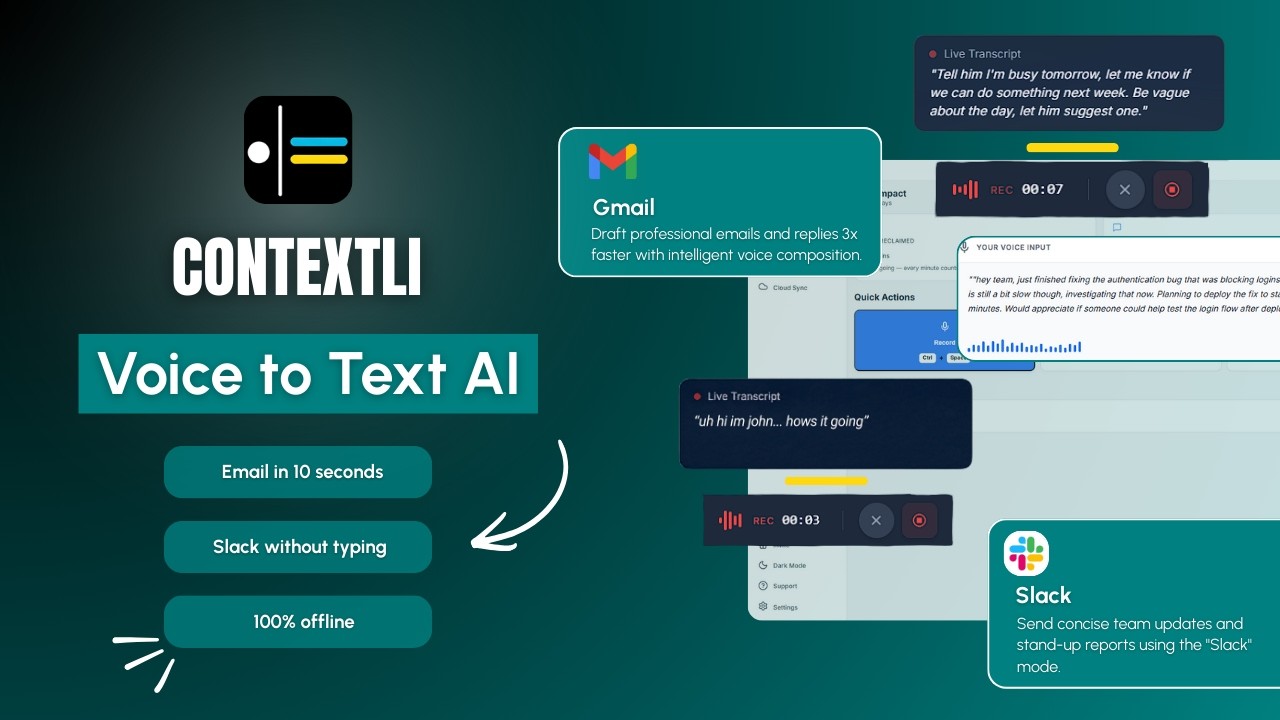
Contextli is a context-aware dictation app for Mac and Windows. The headline is not the transcription engine. The headline is what happens to the text after transcription. You pick a Mode (Email, Messaging, Notes, LinkedIn, Marketing Copy, General Dictation), dictate a rough thought, and Contextli rewrites the thought into the format and voice the Mode is configured for. Each Mode can be customized with examples of how you actually write, so the output sounds like you and not like a generic AI.
The video below walks through how Contextli's Modes work in practice.
This is the largest gap between the two tools, and it matters more than the surface comparisons suggest.
Wispr Flow has one privacy control: Privacy Mode. With Privacy Mode on (available on the free Basic plan and Pro), Wispr stores nothing after processing, no audio, no transcripts, no edits, and your data is not used for model training. SOC 2 Type II and ISO 27001 certifications back the audit story. HIPAA BAA signing is available in-app.
What Privacy Mode does NOT do is keep your audio off the cloud. Every dictation still gets transmitted to Wispr's servers, processed there, and sent back. Wispr Flow has no offline mode and no local model. If your firm's compliance posture is "this audio cannot leave the machine," Wispr Flow does not solve that problem regardless of how Privacy Mode is configured.

Contextli gives you three levels of privacy control. Use any of them, or stack all three.
Level 1: Local models. Transcription and AI processing run on your own machine. Internet off, app still works. You will need a modern Mac or Windows laptop, not a ten-year-old machine.
Level 2: Bring your own key. You supply the API key for transcription or AI, and your data goes from your machine to the provider directly. Contextli never sees it.
Level 3: Disable cloud sync. Cloud sync is how Contextli lets you use the same notes across devices. Turn it off and Contextli stores nothing in our database. Your transcribed notes live as local files on your machine, where you can browse them yourself.
Combine all three and Contextli never makes a single request to our servers. Fully offline, fully private. No other dictation tool we know of offers this combination, including Wispr Flow, which has none of the three rungs.
The practical implication is straightforward. If your usage allows cloud processing and Privacy Mode-style retention controls satisfy your compliance team, Wispr Flow is a credible option. If audio cannot leave the machine, Contextli with local models is the only one of the two that meets the bar.
Wispr Flow's Pro plan adds custom vocabulary, AI commands, and snippets. The style adaptation works at the application layer (a reply in Slack reads casual, the same thought sent through Gmail reads professional), but the underlying voice is Wispr's generic polished register. There is no way to feed the tool five of your past client emails and have every future Email-style output match that voice.
Contextli's customization story is different. Every Mode can be customized with examples of your past messages or with specific instructions. You feed Email Mode three or four samples of how you actually write to clients, and from then on every dictated email matches that voice. You can add specific instructions too: "always use UK spellings," "never start an email with the word I," "sign off as Junaid not Junaid Khalid." Same for Slack, same for LinkedIn, same for any Mode you customize.
If you turn on screen-awareness (off by default, you control it), Contextli can see what you are looking at when you dictate. You are reading a client's email with three questions in it. You hit the hotkey and say "let them know I'm busy tomorrow and the day after, but I'll have the thing ready in three days." Contextli already knows the client's name, your name, and the three questions. It writes the reply the way you would, complete with greeting and sign-off, addressing each question in order. Hit send.
Wispr Flow's screen context feature captures information about the active application and visible content and transmits it to the cloud for processing. Contextli's screen-awareness is opt-in, processed on the same privacy rung the rest of the app is on, and never on-by-default.
| Tool | Free tier | Paid tier | Platforms |
|---|---|---|---|
| Wispr Flow | Basic: 2,000 words per week (about 8 minutes per day). No AI commands, custom vocabulary, or priority speed. Privacy Mode included. | Flow Pro: $15/month or $144/year ($12/month billed annually). Unlimited dictation, custom vocabulary, AI commands, snippets, priority speed, team features. | Mac, Windows, iOS, Android |
| Contextli | 100 credits per month, no credit card required. Real Modes included on the free tier. | Paid tiers via contextli.com/pricing. Local model mode and BYOK available. | Mac, Windows |
Wispr Flow's free tier is more generous on raw word count if you are an iOS or Android user who wants a single subscription across all devices. Contextli's free tier is meaningful for a desktop professional evaluating whether per-Mode customization is worth paying for.
The pricing comparison is incomplete without the privacy comparison alongside it. Wispr Flow's price buys you fast cloud transcription. Contextli's price buys you the option to run fully offline, which is a different product even if the headline use case looks similar.
Wispr Flow's output reads like polished neutral professional English with surface adaptation per app. It is fast and broadly competent. If you have a relatively standard writing voice and the channel matters more than the personal voice, Wispr Flow is hard to beat for raw speed.
Contextli's output reads like the voice you trained it on. The first week or two of using a Mode you have not yet customized, the output will read more generically. After you feed Email Mode a handful of examples, dictated emails start to read like the emails you actually send. The wedge is per-Mode persistence: the customization carries across sessions, across days, across devices syncing the same configuration. Wispr's AI commands and snippets are powerful for one-off rewrites but do not match this persistent voice training.
A consultant ends a 90-minute strategy call with a tech client. The call generated six concrete follow-ups: a SOW change, a missing data point, a stakeholder intro, a scheduling conflict, a revised proposal date, and a thank-you note to the assistant who set up the call.
Working with Wispr Flow Pro, the consultant opens Gmail, hits the hotkey, dictates the SOW change email as a rough thought, edits the result for tone (Wispr's output is polished but reads neutral and corporate, not in the consultant's slightly drier voice), sends. Repeats five more times. Total time across the six emails: about 12 minutes. The audio for all six emails went through Wispr's cloud servers; the client's name and project details were transmitted.
Working with Contextli, the consultant has customized Email Mode with five past client emails so the output already reads in their voice. Opens Gmail, hits the hotkey, dictates the SOW change as a rough thought, reviews the result (already in voice, sign-off in place), sends. With screen-awareness opt-in for the next message, hits the hotkey while reading the client's last email, and Contextli writes a follow-up that references the call's concrete points without the consultant restating them. Total time across the six emails: about 7 minutes. With local models enabled, the client's project details never left the consultant's machine.
The 5-minute difference compounds. The privacy difference compounds more.
Honestly:
If your job is "dictate a lot of words fast across phone and laptop, in a polished register, with no per-channel voice customization needed," Wispr Flow is a credible pick.
No. Wispr Flow requires an internet connection for all dictation. Your audio is always transmitted to the cloud for processing, even with Privacy Mode enabled.
Not currently. Contextli is a Mac and Windows desktop app. If cross-device dictation including phone is a hard requirement, Wispr Flow has broader coverage.
Privacy Mode controls retention. When on, Wispr stores nothing after processing the dictation, no audio, no transcripts, no edits. Audio is still transmitted to the cloud for processing. It is a retention control, not a transmission control.
No. Wispr Flow does not offer BYOK. All processing goes through Wispr's pipeline using Wispr's provider relationships.
Yes. Enable local models, disable cloud sync, and Contextli operates without any internet requests. You will need a reasonably modern machine for local-model inference; a ten-year-old laptop will be slow.
Wispr Flow Pro includes custom vocabulary (specific terms you want recognized accurately), snippets (text expansion shortcuts), and AI commands (rewrite the highlighted text). It does not support feeding examples of your past writing to train per-channel voice.
Customizing one Mode takes about 5 minutes. You paste 3 to 5 examples of how you write in that channel (past emails for Email Mode, past Slack messages for Messaging Mode, etc.) plus any specific instructions. From the next dictation onward, the Mode outputs in that voice.
Wispr Flow offers HIPAA BAA signing in-app on all plans including the free tier. The BAA covers Wispr's handling of your data; whether that satisfies your specific compliance setup depends on your organization's policies.
Contextli is a system-level dictation app. It types into the focused window, regardless of which application that is. This works with Slack, Notion, Gmail, Apple Mail, Outlook, Linear, and any other native or web app you use. No per-app API integration is needed.
Screen-awareness is opt-in and off by default. When enabled, the screen context Contextli sees is processed on the same privacy rung as the rest of your app (local model if local mode is on, BYOK if BYOK is configured, etc.). Users with privacy concerns can leave it off; the other Modes still work.
If Wispr Flow's posture works for you and speed is the dominant constraint, the free Basic tier (2,000 words per week) is a low-friction way to try it.
If your work requires audio not to leave your machine, or you want dictated output in your actual voice across channels, install Contextli and try Email Mode customization on the free tier (100 credits per month, no credit card). Both head-to-head pages worth a read while you decide: Deepgram vs Contextli and ChatGPT vs Contextli. For the privacy-first frame in more depth, see the dictation privacy guide and the BYOK explainer. For the broader landscape, the Wispr Flow alternatives roundup covers Superwhisper, MacWhisper, Willow Voice and others alongside Contextli.
Try Contextli's customized Email Mode for a week on the free tier. If your dictated emails do not read in your voice by Friday, the wedge does not apply to you. If they do, you will not want to go back to generic polished output.

Junaid Khalid
Founder & CEO
Founder and solopreneur writing about how modern businesses run leaner and faster with AI. I build software that turns everyday work, from capturing thoughts to writing and staying organized, into something effortless, and I share what I learn along the way.
A weekly review template you can run in 15 minutes every Sunday. Six prompts, a scoring table, and a faster way to capture it by voice.
Junaid KhalidA vet visit notes template that captures the diagnosis, dosing, and follow-up before you leave the exam room. Speak it into your notes instead of typing.
Junaid KhalidCounseling progress notes software that writes your notes by voice and keeps client data on your own machine, so counselors finish notes the same day.
Junaid Khalid