Most one-on-ones fall apart in the same two places. The meeting itself is fine, but the agenda was improvised in the hallway on the way in, so half the important things never come up. Then the notes get written three days later from memory, by which point the specific commitment your report made ("I'll own the migration doc by Friday") has blurred into "we talked about the project."
A one-on-one meeting template fixes the first problem. A fast way to capture notes fixes the second. This guide gives you both: a reusable 1:1 agenda template you can run every week, and a method for turning the messy notes you take during the meeting into a clean record in about 30 seconds, without typing them up afterward.
Key takeaways
- A good one-on-one meeting template has 5 fixed sections: their agenda first, your agenda second, blockers, feedback both directions, and action items with owners and dates.
- Put their topics before yours. A 1-1 that opens with your status questions turns into a status meeting, which the reader can already get from a written update.
- 1-1 notes decay fast: the exact commitment and the exact wording of feedback are gone within a day if you do not capture them during or right after the meeting.
- Contextli's Notes Mode lets you speak your rough post-meeting notes and get back structured text that matches your template, typed straight into whatever doc or notes app you already use.
- For sensitive 1-1 notes (performance concerns, pay, personal context), you can disable cloud sync so notes live only as local files on your machine, or run local models fully offline.
The one-on-one meeting template, section by section
A template is only useful if it is short enough to actually reuse. Five sections is the working limit. More than that and you stop filling them in.
Here is the structure, in the order you should run it during the meeting:
- Their agenda. Whatever your report brought. This goes first, always.
- Your agenda. The two or three things you need to raise, priorities, context they are missing, a decision you need.
- Blockers. Anything slowing them down that you can remove. Ask directly; people under-report this.
- Feedback, both directions. One thing they did well, one thing to adjust, and a genuine ask for feedback on you.
- Action items. Every commitment made, who owns it, and the date. This is the section people skip and then regret.
The reason "their agenda first" matters so much: if you open with your status questions, the meeting becomes a status meeting. Status you can get from a written update. The 1-1 is the one slot where the direction of the conversation should belong to them, and the ordering of your template is what protects that.
A ready-to-use 1:1 agenda template
Copy this into your notes tool and duplicate it each week. The prompts in brackets are there to jog the conversation, not to be read aloud.
One-on-one: [name] | [date]

1. Your agenda
   - [what's on your mind this week?]
   -

2. My agenda
   - [priorities, context, one decision I need]
   -

3. Blockers
   - [what's slowing you down that I can remove?]
   -

4. Feedback
   - Going well:
   - Adjust:
   - Feedback for me:

5. Action items
   - [ ] [task] (owner, due date)
   - [ ] [task] (owner, due date)

Carry-over from last time:
   - [ ] [unfinished item]
The "carry-over from last time" line at the bottom is doing quiet work. It is the difference between a report who learns that commitments made in a 1-1 are tracked, and one who learns they evaporate. Move any unchecked action item forward each week until it is done or explicitly dropped.
Why the notes matter more than the meeting
You can run a good meeting and still lose most of its value, because the two things that decay fastest are the exact commitment and the exact feedback.
"By Friday" becomes "soon." "You cut me off twice in the standup and it landed badly" becomes "we talked about communication." The specifics are the whole point, and specifics are exactly what memory drops first.
The fix is not to type faster during the meeting, which pulls your eyes off the person in front of you. The fix is to jot rough shorthand while you talk, then convert those fragments into clean notes within a minute or two of the meeting ending, while it is all still in your head.
That conversion step is where most managers stall, because writing up scrappy notes into something readable feels like a chore worth postponing. Postpone it once and the detail is gone.
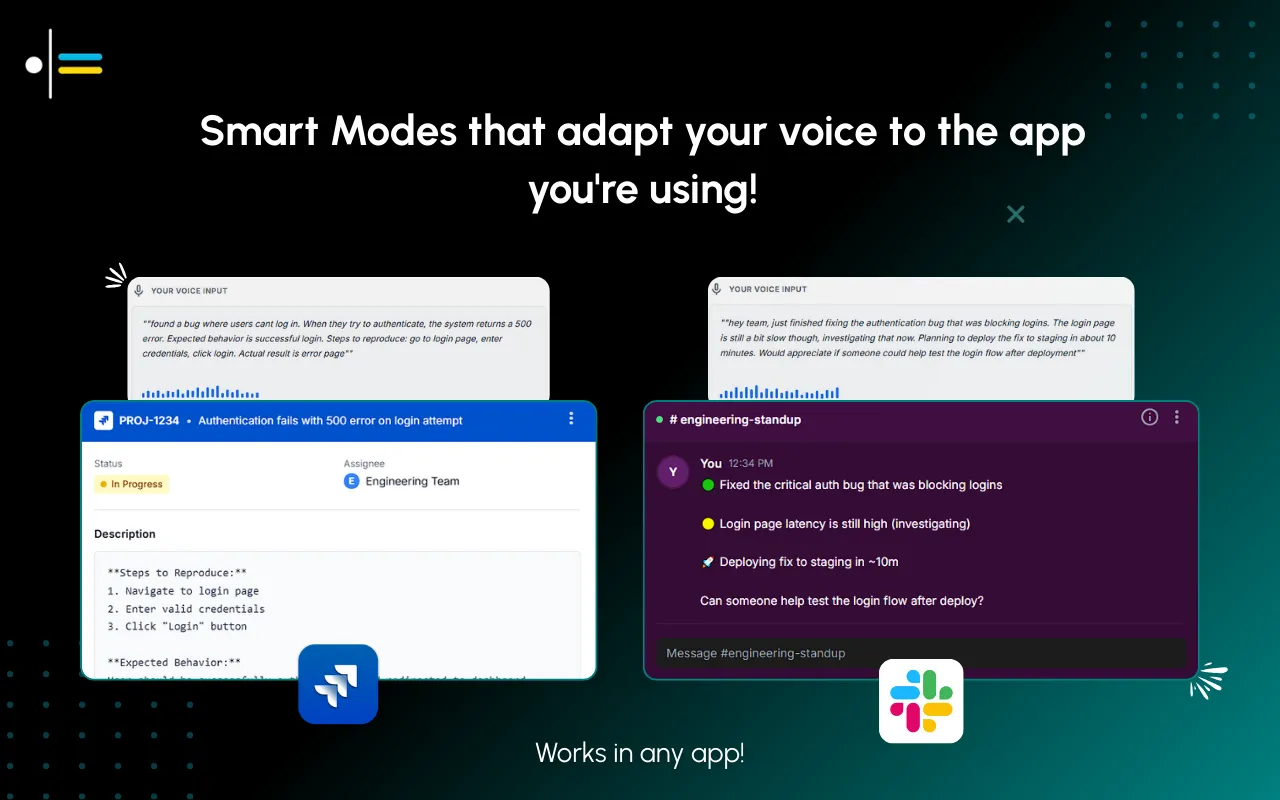
Turning rough notes into a clean record by voice
This is where a context-aware dictation tool changes the workflow. Contextli is a desktop app that types into whatever window is focused, so it works directly in the notes app, doc, or HR tool you already use for 1-1s. There is no separate inbox to sync and no integration to set up.
The relevant feature here is Notes Mode. Instead of retyping your shorthand, you glance at your fragments and speak the write-up: "Action item, Priya owns the migration doc, due Friday the twenty-fifth. Blocker, she's waiting on staging access from platform. Feedback, praised how she handled the incident retro." Notes Mode returns that as structured, punctuated text that reads like notes, not like a transcript of you thinking out loud.
The part that makes it fit your template is customization. You can feed a Mode three or four examples of how you actually write your 1-1 notes: your section headers, your habit of putting owners in bold, your date format, whether you sign action items with an initial. Every dictation after that matches that pattern. If you always write "Adjust:" rather than "Improvement area," it will keep writing "Adjust:" because that is what your examples showed it.
That is the difference from a general transcription tool. A raw transcriber gives you back your words. A context-aware Mode gives you back your words shaped into the format you reuse every week.
Keeping sensitive 1-1 notes private
One-on-one notes are among the more sensitive things a manager writes. They can touch performance concerns, pay conversations, a report's personal situation, or feedback you would not want sitting in a third-party cloud account.
Contextli gives you a privacy ladder you can climb as far as you need:
- Disable cloud sync. Turn it off and Contextli stores nothing in its database. Your notes live as local files on your machine only.
- Bring your own key (BYOK). Supply your own API key and the data goes from your machine to the provider directly. Contextli never sees your audio or text, and you pay the provider directly.
- Local models. Run transcription and the AI processing on your own machine with the internet off. The app still works. The honest trade-off is that this needs a reasonably modern Mac or Windows laptop; older machines will be slow.
Stack all three and the whole workflow is offline and private, with nothing leaving your laptop. No competitor offers that combination. If your notes ever end up in a performance file, confirm your own company's data policy for how long they should be retained and where.
Contextli vs. a meeting transcription tool for 1-1s
Auto-transcription tools like Otter.ai are built to record and transcribe the whole meeting. That is a different job from keeping a manager's private 1-1 notes. The table below is about which job you are actually doing.
| What you need |
Otter.ai (meeting transcription) |
Contextli (Notes Mode dictation) |
| Records the full conversation |
Yes, joins and transcribes the call |
No, you capture only what you choose to note |
| Output format |
Full verbatim transcript |
Structured notes shaped to your template |
| Where the text lands |
In the tool's own workspace |
Typed into your existing notes app or doc |
| Fully offline / local-only option |
No |
Yes, disable cloud sync or run local models |
| Fit for sensitive private notes |
The whole meeting is recorded and stored |
You dictate only the summary you want to keep |
If you want a searchable record of everything said, a transcription tool is the right pick, and it is honest to say so. If you want a private, template-shaped set of notes that only contains what you decided to keep, dictating the summary is the closer fit.
A manager's real 1-1 workflow
A team lead finishes a weekly one-on-one with a report. During the meeting she jotted six lines of shorthand under her five headers. Typing those into clean, readable notes would normally take about four minutes and usually gets pushed to the end of the day, where it competes with everything else and often loses.
Instead, in the 90 seconds before her next call, she opens her notes doc, switches to Notes Mode, and speaks the write-up from her fragments. The dictation lands already formatted with her "Action items" header and owner-in-bold style, because she trained the Mode on three of her past notes. The whole capture takes about 25 seconds. The carry-over item from last week she reads aloud too, so it stays tracked.
By the time her next meeting starts, the record is done, accurate, and in the same format as every other 1-1 note she keeps. Nothing is left to reconstruct at 6pm.

FAQ
What should a one-on-one meeting template include?
Five sections: their agenda, your agenda, blockers, feedback in both directions, and action items with an owner and a due date for each. Put their agenda first so the meeting does not drift into a status update. Add a carry-over line for unfinished items from last time.
How long should a 1-1 be?
Most managers run 30 minutes weekly or 45 minutes biweekly. The length matters less than the consistency. A short 1-1 that actually happens every week beats a long one that keeps getting cancelled.
How do I take 1-1 notes without staring at my laptop?
Jot rough shorthand during the meeting so your attention stays on the person, then convert those fragments to clean notes right after. With Contextli's Notes Mode you speak the write-up and get structured text typed into your notes app, so the clean-up takes seconds instead of minutes.
Can I keep sensitive one-on-one notes private?
Yes. Contextli lets you disable cloud sync so notes live only as local files on your machine, use your own API key so your data goes straight to the provider, or run local models fully offline. For anything that may enter a performance file, also confirm your company's own retention and storage policy.
How is this different from Otter.ai or a meeting recorder?
Transcription tools record and transcribe the entire conversation into their own workspace. Contextli does not record the meeting. You dictate only the summary you want to keep, formatted to your template, typed into the app you already use. Different job, different output.
Can the notes match my own format?
Yes. Feed a Mode three or four examples of how you write your 1-1 notes, including your headers, your date format, and your habits like bold owners. After that, dictations come back shaped to match, so you are not reformatting anything.
What do I do with action items between meetings?
Track them with an owner and a date, then carry any unchecked item to the top of the next 1-1 until it is done or explicitly dropped. Consistent carry-over is what teaches your team that commitments made in a 1-1 are real.
If your 1-1 notes are part of a wider meeting habit, start with the meeting notes template for capturing action items before people forget them, and see which meeting note-taking apps sync with your calendar. To shape dictation to your own format, read how to customize Contextli Modes with examples. Managers who live in email will want the Email Mode guide for client emails, and if you also run hiring loops, the best dictation tool for recruiters covers interview notes. This template is part of the wider Contextli context library of reusable formats.
Try it on your next 1-1
Run your next one-on-one on the template above, then dictate the write-up with Contextli's Notes Mode instead of typing it later. You get clean, template-shaped notes in about 25 seconds, in the notes app you already use. Contextli gives you 100 credits/month on the free tier, no credit card required. Download Contextli and capture your next 1-1 before the details fade.





 Junaid Khalid