


Weekly Reflection TemplateAug 19, 2026
Weekly Review Template: Run Your Review in 15 Minutes
A weekly review template you can run in 15 minutes every Sunday. Six prompts, a scoring table, and a faster way to capture it by voice.
 Junaid Khalid
A nursing shift notes template built on SBAR, plus a field-by-field handoff format so the next nurse starts with everything, not half the picture.
The handoff is where care gets dropped. You finish a 12-hour shift, you are tired, and you have four patients to pass to a nurse who has never met them. If your notes skip the medication due in 40 minutes, or the fall risk not yet in the chart, the next nurse starts blind and spends the first hour reconstructing what you already knew.
A good nursing shift notes template fixes the format, not the effort. When every handoff follows the same field order, the incoming nurse knows where to look, and you know what you cannot forget to say. This guide gives you a reusable format, an SBAR structure you can dictate in under a minute, and a field checklist so nothing falls through the gap between shifts.
A shift note is not a diary of your day. It is the minimum the next nurse needs to keep the patient safe until they build their own picture. Keep it to 6 sections and keep the order fixed, because a fixed order is what makes it scannable at 7 a.m.
The field order that works across most units:
The last section is the one people skip and the one that causes the most rework. If you drew blood at 06:15 and the result is not back yet, the incoming nurse needs to know it is coming so they do not redraw it.
SBAR is the shorthand most units already teach, and it slots straight into the format above. The value of an SBAR template in nursing is that it forces sequence: you cannot jump to a recommendation before you have stated the situation. That sequence is what keeps a rushed handoff complete.
| Section | What it covers | Example line for your shift report |
|---|---|---|
| Situation | The patient and the immediate concern | "Room 412, post-op day 2 hip replacement, stable but pain not controlled on current dose." |
| Background | Why they are admitted, relevant history | "Admitted 3 days ago, history of afib on anticoagulation, no known drug allergies." |
| Assessment | Your current read: vitals, status, risks | "BP trending down over 3 readings, last 98/60, alert, fall risk, wound dry and intact." |
| Recommendation | What to do, what to watch, when to escalate | "Reassess pain in 1 hour, call provider if systolic under 90, PT eval pending this shift." |
Dictate those four lines per patient and you have a nurse shift report that another nurse can act on without asking you three follow-up questions. Save the four prompts as a note you reuse every shift so the structure never changes.
Most incomplete handoffs are not missing the diagnosis. They miss the small, time-sensitive facts that live in your head and never made it into the chart. Build these in as required fields so they cannot be skipped.
The handoff you would want if you were the patient is the one where nothing lived only in the last nurse's head.
The reason handoff notes go thin is timing. You capture detail best at the bedside, right after you assess the patient, but you usually type it later at the station when half of it has faded. Speaking the note in the moment closes that gap.
This is where a context-aware speech-to-text tool differs from plain transcription. Apple Dictation or Windows Voice Typing turn your words into text, but they hand you a raw block that still reads like talking. Contextli runs Modes: feed Notes Mode 3 or 4 examples of how your unit writes a shift note, add an instruction like "keep it in SBAR order, use 24-hour times," and every dictation comes out in that structure. It types straight into whatever text field you have focused, because it is a system-level app, not an EHR plugin.
Wispr Flow is faster if all you want is quick transcription. Contextli's edge is the format: it writes the note the way your handoff template expects, not just the words you said.
On privacy, Contextli offers a stack you can set to match a clinical setting. You can run both the speech recognition and the AI cleanup as local models on your own laptop with the internet switched off, so a draft note with patient details never leaves the machine. You can also turn off cloud sync entirely, in which case Contextli stores nothing in its database and notes stay as local files. Contextli "may support" your facility's requirements, but it is not a substitute for your organization's own data policy: confirm what your employer allows before dictating any patient-identifiable information.
A med-surg nurse finishes a night shift with four patients to pass. At the station, typing a full SBAR note for one complex patient takes her about 4 minutes, and by the fourth patient she is trimming detail to save time.
Instead, she dictates at each bedside using Notes Mode, which she taught earlier with three of her own past shift notes. She speaks the four SBAR lines plus pending meds and open tasks. Contextli types the structured note into the EHR text box in the 24-hour-time format she set. Each patient takes about 45 seconds, and the fourth note is as complete as the first.
The incoming day nurse reads four notes in the same order, finds the 20:00 antibiotic and the pending PT eval without asking, and starts rounds on time.
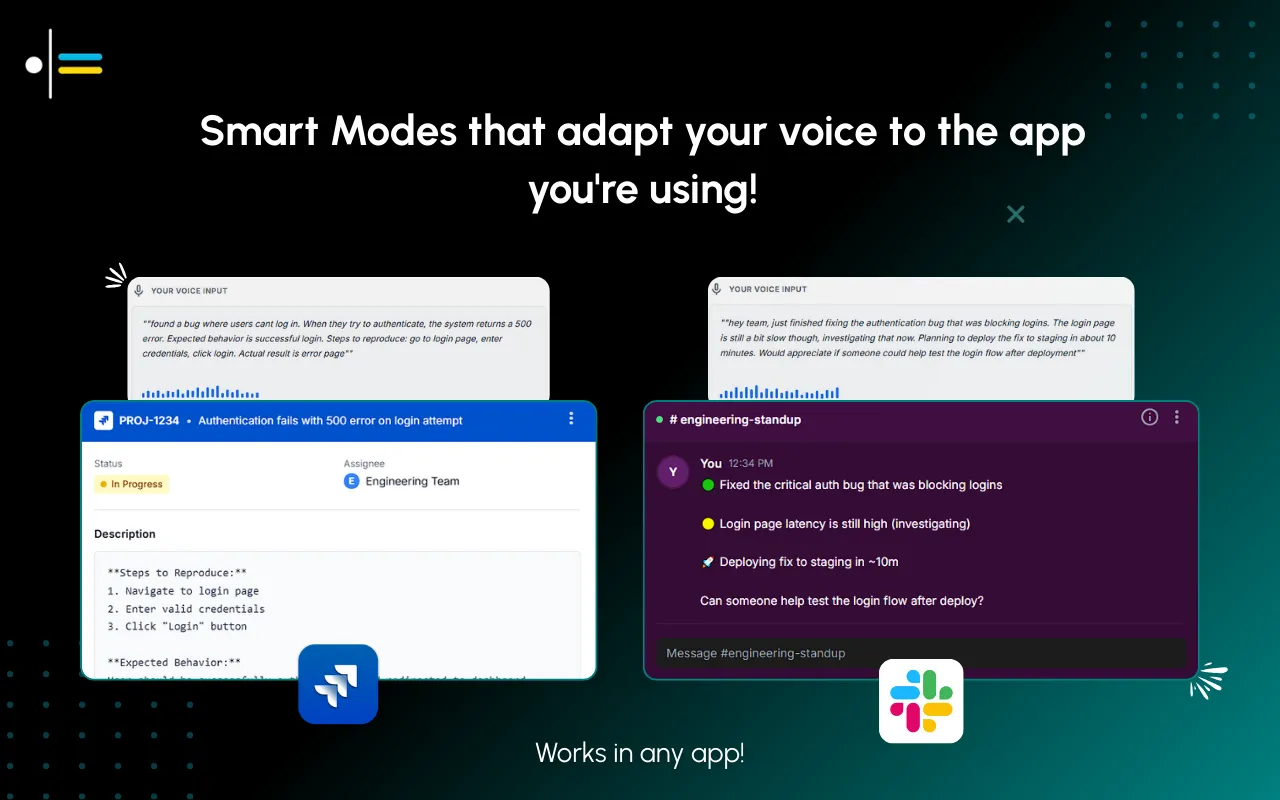
Templates work when they are yours. A generic SBAR sheet gets adapted informally by every nurse, which defeats the purpose. Set the format once for your unit and reuse it exactly. Three rules keep a nursing notes format usable shift after shift:
If you dictate, save the template as a reusable note or a Mode instruction so the structure is applied automatically every time, rather than remembered by hand at the end of a long shift.

Use SBAR (Situation, Background, Assessment, Recommendation) as the backbone, then add two practical sections most templates leave out: patient identifiers at the top and open tasks at the bottom. That 6-part order gives the incoming nurse a predictable place to find everything.
SBAR is a 4-part communication structure: Situation (the immediate concern), Background (relevant history), Assessment (your current read on the patient), and Recommendation (what to do or watch for). It forces you to state context before conclusions, which is what keeps a rushed handoff complete.
Five fields get missed most often: pending medications with exact clock times, fall or safety risks, family and contact updates, lines and drains, and tasks you started but did not finish. Make these required in your template so they cannot be skipped.
Yes. A context-aware dictation tool like Contextli types your spoken report into your EHR text box in the format you set, so you capture the note at the bedside while details are fresh instead of reconstructing it later.
It depends on where processing happens. Contextli can run its speech recognition and AI cleanup as local models on your own machine with internet off, so a draft note never leaves the laptop. It may support your facility's rules, but confirm your organization's data policy first.
Aim for four to six SBAR lines per patient plus pending meds and open tasks. A handoff is a summary the next nurse acts on, not the full chart narrative.
Fix the section order, make time-sensitive fields required, and keep lines short. If you dictate, save the format as a reusable note or Mode instruction so the structure applies automatically every shift.
For more on capturing structured information by voice and keeping it private, these guides go deeper:
Contextli is a context-aware speech-to-text desktop app: you speak once and it types a note in the exact format you set, into whatever field you have focused. To try it on a real shift note, run your handoff in Notes Mode and see it come out in SBAR order. The free tier gives you 100 credits/month on the free tier, no credit card required. Download Contextli and dictate your next shift report instead of typing it.

Junaid Khalid
Founder & CEO
Founder and solopreneur writing about how modern businesses run leaner and faster with AI. I build software that turns everyday work, from capturing thoughts to writing and staying organized, into something effortless, and I share what I learn along the way.
A weekly review template you can run in 15 minutes every Sunday. Six prompts, a scoring table, and a faster way to capture it by voice.
Junaid KhalidA vet visit notes template that captures the diagnosis, dosing, and follow-up before you leave the exam room. Speak it into your notes instead of typing.
Junaid KhalidCounseling progress notes software that writes your notes by voice and keeps client data on your own machine, so counselors finish notes the same day.
Junaid Khalid