Most daily standups run long because nobody agreed on a format. One person recites a full commit history, the next mumbles "same as yesterday," and by the time it reaches you the meeting has drifted into a debugging session for a bug only two people care about. The fix is not another sync ritual. It is a fixed three-line structure everyone fills in the same way, every day. This page gives you that structure as a copy-paste template, shows the scrum standup format it maps to, and covers a faster way to fill it in by speaking instead of typing.
Key takeaways
- A standup update template is three fixed lines: what you finished, what you are doing next, and what is blocking you.
- The three-line format works for live scrum standups and async standups (Slack, a shared doc, an issue thread) without changes.
- Write blockers first when you scan a channel: unblocking a teammate is the only part of standup that is genuinely time-sensitive.
- Speaking a standup and letting a context-aware dictation tool clean it up takes about 30 seconds versus roughly 2 minutes of typing.
- Contextli runs on your own machine (local models, no cloud sync), so an internal status update never leaves your laptop if you configure it that way.
The standup update template (copy and paste this)
Here is the structure. Three labels, one to three bullets each. Nothing else.
Yesterday: Merged the retry logic for the payments queue (#412). Reviewed two PRs.
Today: Wiring the webhook signature check, aiming to open a PR before lunch.
Blockers: Waiting on the staging Stripe key from ops. Blocked until I have it.
That is a complete daily status update. It answers the only three questions a standup exists to answer: did the plan move, what is the plan now, and does anyone need to act so you can keep moving.
Keep each line short. A standup note is a pointer, not a report. If a bullet needs a paragraph of context, that is a signal to take it offline with the one person who cares, not to read it to eight people.
Why three lines and not five
Longer templates get abandoned. The moment a format asks for "confidence level," "mood," and "links to relevant tickets," people either skip fields or write filler to satisfy them. The three-line version survives because there is no field you can honestly leave blank on a working day.
The scrum standup format most teams reach for is the same three questions, worded slightly differently:
| Field |
Live scrum standup |
Async standup template |
What it is really for |
| Line 1 |
What did I do yesterday? |
Finished / shipped |
Confirms the plan is moving |
| Line 2 |
What will I do today? |
Next / in progress |
Sets a checkable commitment |
| Line 3 |
Any blockers? |
Blocked by / waiting on |
The only time-sensitive part |
| Length |
3 lines, ~30 seconds spoken |
3 lines, scannable in a channel |
Keeps the ritual under 15 min |
| Frequency |
Daily, same time |
Daily, on your own clock |
Predictability beats detail |
The async column matters more than it used to. A distributed team rarely gets everyone in the same call at the same hour, so the written standup update template becomes the record. If you post async, put the blocker line first when you are scanning: an unblock is the one thing a teammate can act on the moment they read it.
The template flexes without losing its shape. A few common variants:
- Sprint context: add a single tag like
[Sprint 14] or the ticket number to Line 1 and Line 2 so the update threads back to the board. Do not add a fourth line for it.
- On-call weeks: replace Line 2 with "Watching: [system]" so the team knows you are reactive, not committed to feature work.
- Solo founder or tiny team: keep the same three lines as a personal log. Reading back a week of "Blockers" is the cheapest retro you will ever run.
- Handoff days: when you go on leave, the "Today" line becomes a handoff note. Whoever picks up your work reads three lines instead of scheduling a call.
The rule across all of these: the number of lines stays at three. Every addition is inside a line, never a new one.
Fill the template by speaking, not typing
The template removes the "what do I write" problem. It does not remove the "I have to stop coding and type this" problem. Typing a clean three-line standup, fixing the ticket numbers, and deleting the "uhh" you wrote while thinking, still costs you a minute or two and a context switch.
Speaking it is faster, but raw dictation makes a different mess: it prints your filler words, guesses at "PR" and "hashtag four one two," and gives you a wall of text with no line breaks. That is where a context-aware tool differs from plain transcription.
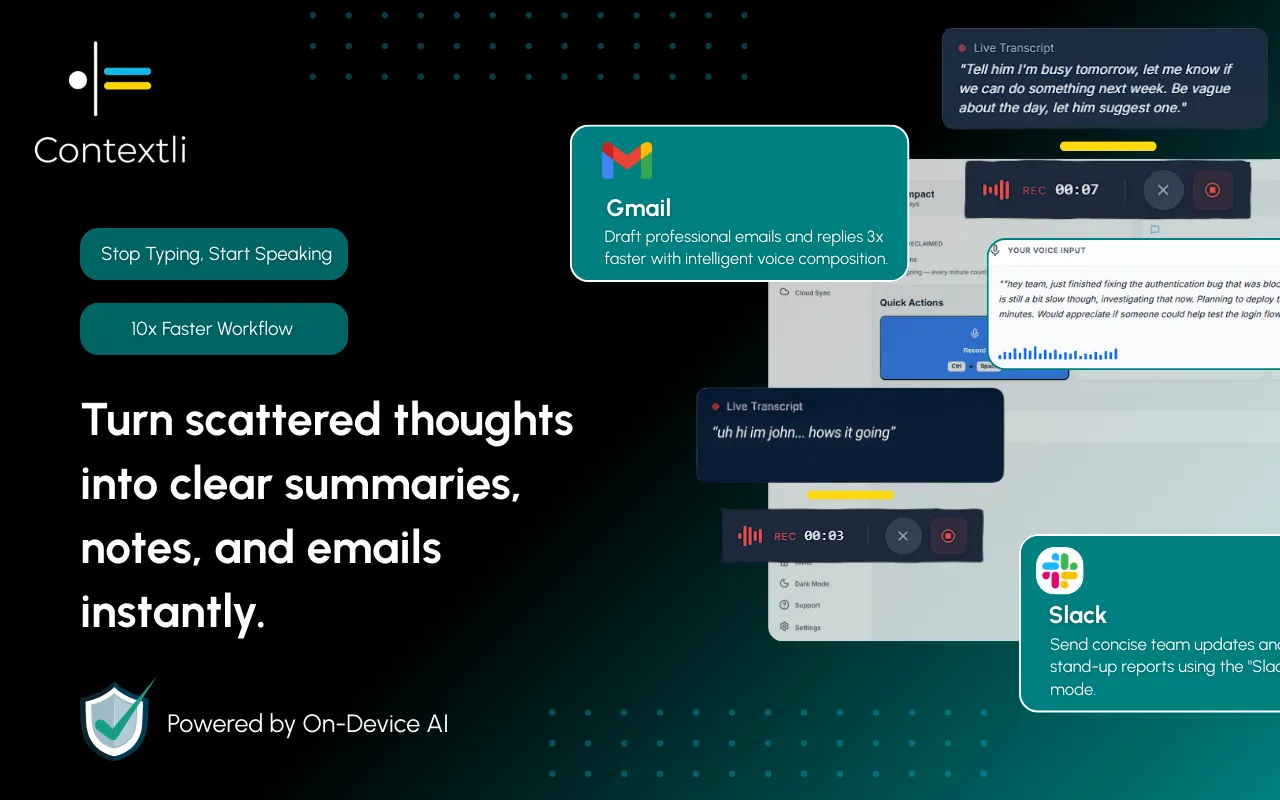
Contextli is a desktop app that types into whatever window has focus. Give its Notes Mode or General Dictation three or four examples of how you want a standup formatted, and it stops printing raw speech. You say "yesterday I merged the retry logic for the payments queue, that was PR four twelve, today I'm on the webhook signature check, and I'm blocked waiting on the staging Stripe key," and it types the three labeled lines, cleaned up, into your Slack box or issue thread. This is the customization-by-example flow: you show the Mode the output shape once, and every future standup matches it. You can set up a custom Mode with your own examples in a few minutes.
There is a real trade here. If all you want is fast raw transcription with no formatting, Wispr Flow is faster at that specific job. Contextli's advantage shows up when the output needs to match a fixed shape, like a standup, an email, or a Slack reply, without you editing it afterward.
Scenario: a developer posts an async standup before the call
It is 9:52am. The standup call is at 10:00 and Priya, a backend developer, is mid-refactor and does not want to lose the thread. Her team posts async in a Slack channel first, then the call is only for blockers.
She hits her Contextli shortcut and speaks for about twelve seconds: what she merged, what she is on today, and the credential she is waiting on. Notes Mode types the three labeled lines straight into the channel, ticket numbers formatted, no filler. Total time from shortcut to posted: about 30 seconds. Typing the same update, then fixing "#412" and adding line breaks, usually took her closer to 2 minutes and pulled her fully out of the refactor.
Because her team keeps standups on local models with cloud sync disabled, the update is transcribed and formatted on her own laptop and only the final text goes to Slack. Nothing about the internal work gets stored in a third-party transcription database. For a fuller picture of that setup, see the dictation privacy guide.
Privacy: standups say more than you think
A daily standup is a running log of what your team is building, which systems are fragile, and which credentials are missing. That is exactly the kind of internal detail you do not want sitting in an external transcription service's storage.
Contextli lets you stack three privacy levels. Run local models so transcription and formatting happen on your machine with the internet off. Or use BYOK, where your own API key sends data straight from your machine to the provider and Contextli never sees the audio or text. Or disable cloud sync so notes live as local files and nothing lands in Contextli's database. Stack all three and the whole standup workflow is offline and private. The honest trade-off with local models: they need a reasonably modern Mac or Windows laptop, and older machines run them slowly.
If your standups touch client work or regulated systems, confirm your firm's data policy before wiring any tool into the flow. The local-first path exists precisely so an internal status update can stay internal.
When a live standup still beats async
Async is not always right. Use the live call, not the written template, when the blocker line on any update names a person, when two people are clearly working the same code and do not know it, or when the update reads "blocked" three days running. Those are conversations, and no template turns a conversation into a bullet.
The template's job is to make the routine 80 percent of standups fast and skippable-as-a-meeting, so the 20 percent that need a real discussion get the attention. If you find yourself reading all three lines aloud to a silent call every day, that is your signal to move fully async and keep the call for exceptions. Founders juggling a small team can read more on that trade in voice-to-text for founders, and the same speak-don't-type habit shows up across seven ways to write faster without typing.

FAQ
What is a standup update template?
It is a fixed structure for your daily status: what you finished, what you are doing next, and what is blocking you. Three lines, filled the same way every day, so the team can scan updates fast instead of decoding a different format from each person.
What should a daily standup update include?
Only three things: completed work (with a ticket number if you have one), your plan for today, and any blocker naming what or who you are waiting on. Leave out detail that only one other person needs. That belongs in a direct message, not the standup.
How do I write an async standup update?
Post the same three lines in your channel or issue thread, but put the blocker line first. A blocker is the only part a teammate can act on the second they read it, so surface it. Keep each line to one or two short bullets so the whole thing is scannable.
What is the scrum standup format?
Scrum uses three questions: what did I do yesterday, what will I do today, and are there any impediments. The template on this page is the same three questions in fewer words, which works for both a live scrum call and a written async post.
Can I dictate my standup instead of typing it?
Yes. With Contextli you speak the update and a Mode types the formatted three lines into your Slack box or issue thread. Give the Mode a few examples of your standup shape first and it will match that layout on every future dictation. You dictate into any messaging app or doc the same way.
Is it private to dictate an internal standup?
It can be. Contextli runs transcription and formatting on your own machine with local models, and you can disable cloud sync so nothing is stored in its database. Stacked together, the standup text never leaves your laptop until you post it. Confirm your own firm's data policy for anything client-facing.
Does Contextli work offline?
Yes, with local models installed the app transcribes and formats without an internet connection. The trade-off is that local models need a modern Mac or Windows laptop, and older machines run them noticeably slower.
How is this different from just using a template in a doc?
A written template still means stopping to type. Combining a fixed template with dictation removes the typing step: you speak the update once and it lands formatted. The template solves "what to write," the dictation solves "having to type it."
Contextli is a context-aware speech-to-text desktop app for people who want a spoken standup to come out already formatted, not as a raw transcript to edit. You can start on the free tier with 100 credits/month, no credit card required, and set up a Notes Mode that types your three-line standup straight into Slack. Download Contextli and dictate tomorrow's standup in about 30 seconds. This page sits under the Contexts library if you want more ready-made templates.




 Junaid Khalid
