


Weekly Reflection TemplateAug 19, 2026
Weekly Review Template: Run Your Review in 15 Minutes
A weekly review template you can run in 15 minutes every Sunday. Six prompts, a scoring table, and a faster way to capture it by voice.
 Junaid Khalid
A working guide to using voice-to-text for founders. Reply to investor emails in 30 seconds, dictate team Slack updates that sound like you, and keep sensitive comms private with Contextli's Modes.
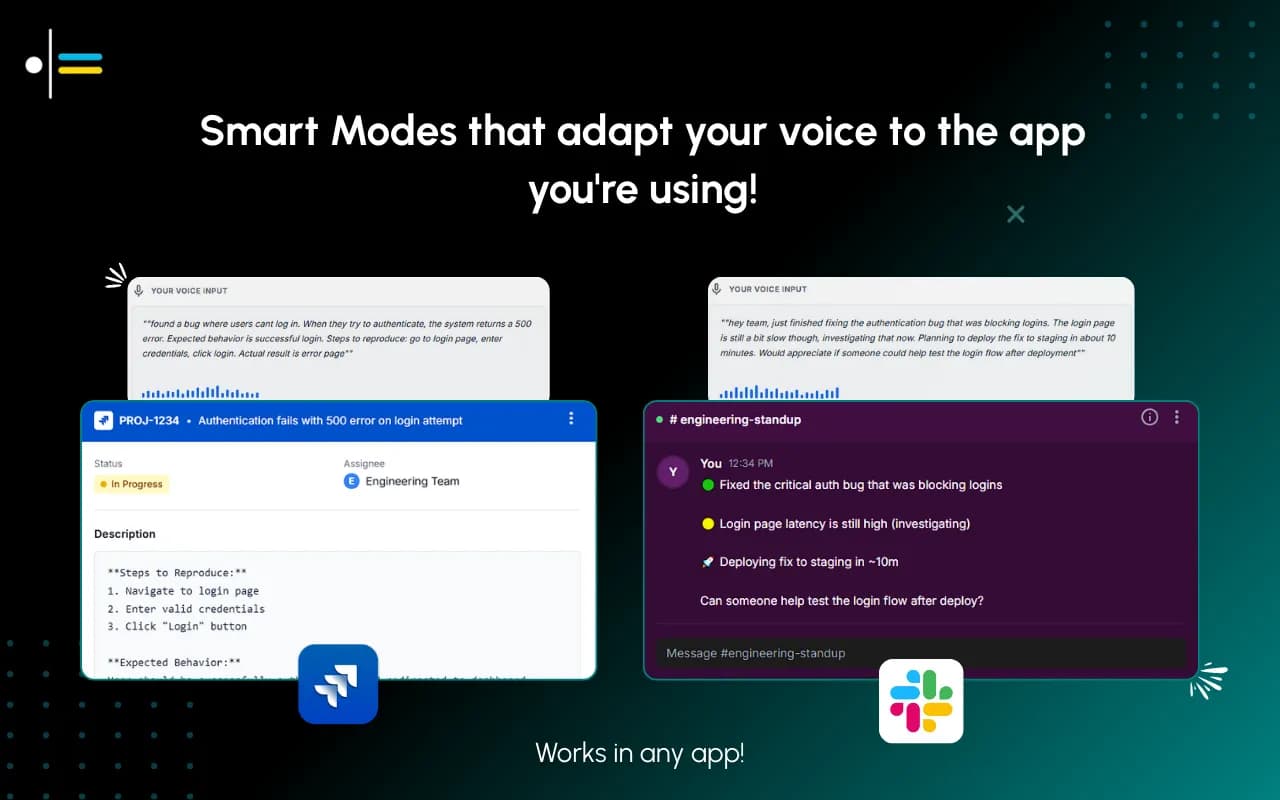
Founders sit on top of an inbox that does not stop. Investor updates, customer escalations, recruiting threads, board prep, partner pings, and a dozen Slack channels that all want a response. A B2B SaaS founder commonly handles 100 to 300 emails a day, with investor and customer messages mixed into the same queue. Typing a thoughtful reply to a partner one minute and a one-line answer to an investor the next is the exact context-switching tax that burns the day. This article is about how voice-to-text for founders, done with a context-aware writing tool instead of a transcription tool, takes 90-second replies down to 30 seconds without making them sound like a robot wrote them.
The founder job is decisions and direction. The writing-up of those decisions into emails, Slack messages, and short notes is high-volume but low-creativity work. It earns nothing if it takes 90 seconds and earns the same outcome if it takes 25. The reason most founders still type all of it is that the tools they tried first, native macOS dictation, the iPhone microphone button, ChatGPT voice, hand back raw transcription. The founder still has to format, address, sign off, and edit, or paste it into a free email rewriter to clean it up. The minute saved on typing gets eaten by the minute spent cleaning up.
A context-aware writing tool inverts that. You speak the substance of the reply, the tool handles the addressing, the closing, and the tone calibration. The founder reviews and sends. Three to five seconds of edit, twenty seconds of dictation, done.
The video below walks through how Contextli's Modes work in practice. It is the easiest way to see the difference between transcription and context-aware writing in under two minutes.
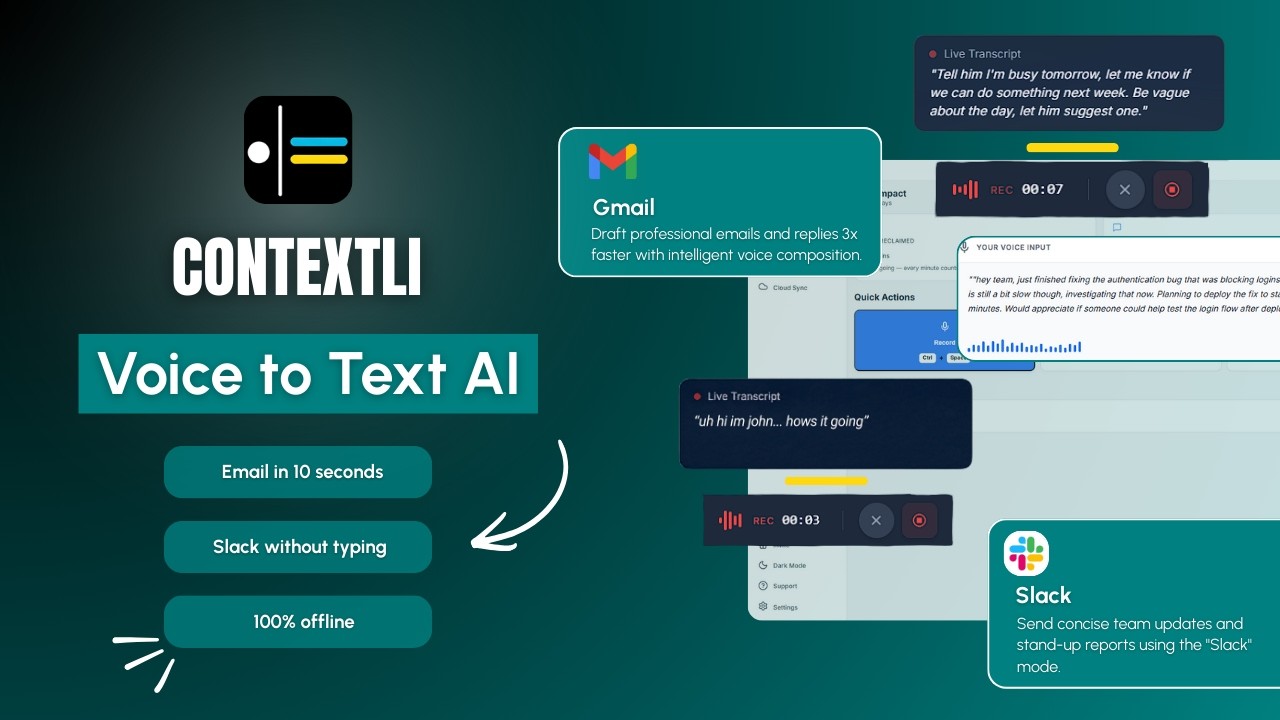
Most founder messaging falls into three buckets, and each one wants a different voice. A dictation tool that produces the same flat output for all three forces the founder to edit every message.
The investor reply. Concise, factual, no fluff. "Closed the Acme deal at $48k ARR last week, expansion conversation already in motion. Pipeline looks good for Q3. Will share the full update Friday." That sentence needs to land as a paragraph the investor can paste into their LP update without reformatting.
The team Slack message. Direct, friendly, often a quick decision. "Let's hold off on the new pricing page until next sprint, I want to see the conversion data from this week's funnel changes first." This wants to sound like the founder, not like a press release.
The customer escalation. Empathetic but precise. The customer is unhappy, they want to know the founder cares, and they want to know what happens next. "Sorry you hit this. I've pulled in Sara from our success team and she's mapping a fix for tomorrow morning. I'll personally confirm once we ship it." Same tone every time across thousands of these messages or trust erodes.
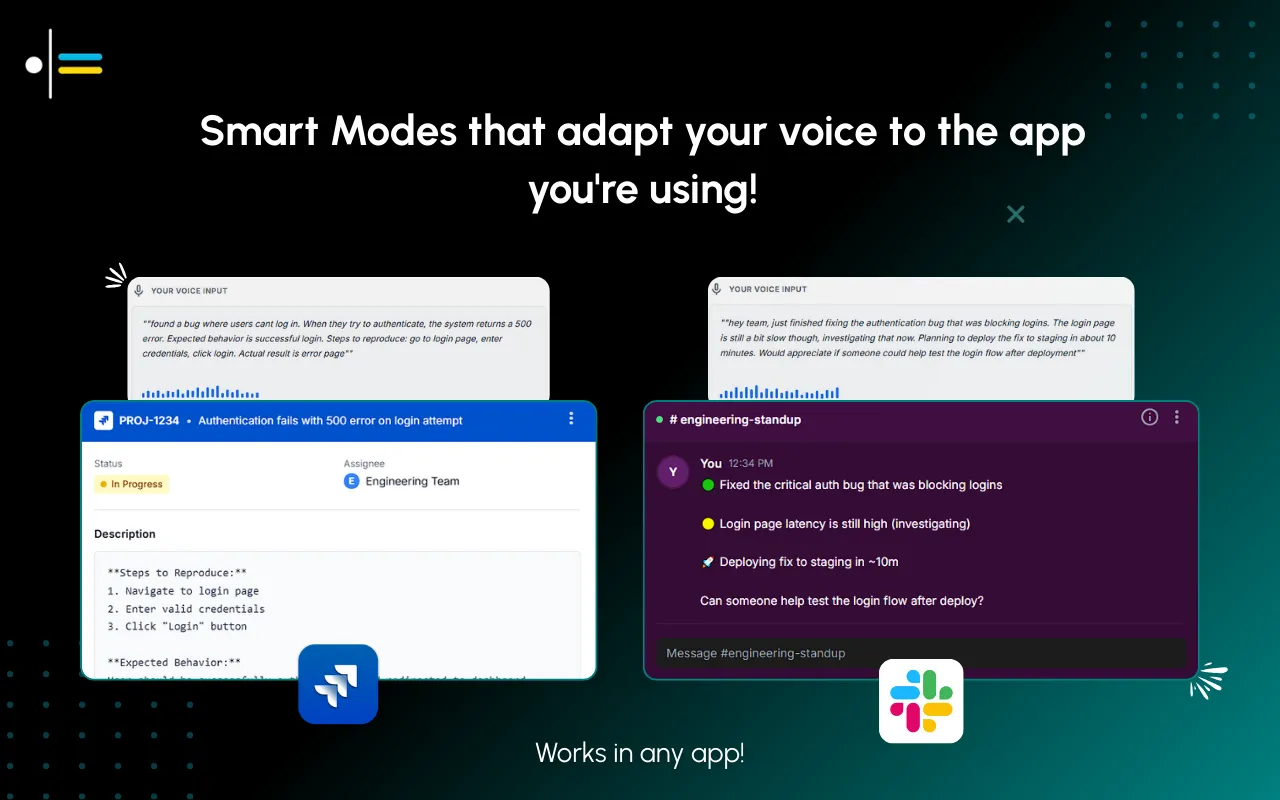
A single dictation Mode cannot do all three. That is why Contextli ships separate Modes: Email Mode, Messaging Mode, Notes Mode, LinkedIn Mode, Marketing Copy Mode, and General Dictation. Each one is tuned for its channel, and each one can be customized to match the specific founder's voice in that channel.
The base Modes are the starting point. The actual win comes from making them yours.
Every Mode can be customized. Feed Email Mode three or four examples of how you actually write to investors, your sign-off style, your sentence length, your preferred opening, and from then on every dictated email matches that voice. You can give it specific instructions too: "always use UK spellings," "never start an email with the word I," "sign off as Junaid not Junaid Khalid." Same for Slack, same for LinkedIn, same for any Mode you customize.
If you turn on screen-awareness (off by default, you control it), Contextli can see what you are looking at when you dictate. You are reading an investor's email with three questions in it. You hit the hotkey and say "let them know I'm still raising, we're not opening a data room yet, and runway is sixteen months." Contextli already knows the investor's name, your name, and the three questions. It writes the reply the way you would, complete with greeting and sign-off, addressing each question in order. Hit send.
For a founder who lives in 100+ emails a day, the practical setup is:
The atmospheric image below shows what context-switching across channels looks like when each one carries its own customized voice.
A founder's inbox is the most concentrated source of sensitive information in the company. Investor term sheets, customer health data, acquisition talks, hiring decisions, board concerns. Most dictation tools route every dictated word through their own cloud servers, with no way to opt out. That is fine for casual notes. It is not always fine for a founder.
Contextli gives you three levels of privacy control. Use any of them, or stack all three.
Level 1: Local models. Transcription and AI processing run on your own machine. Internet off, app still works. You will need a modern Mac or Windows laptop, not a ten-year-old machine.
Level 2: Bring your own key. You supply the API key for transcription or AI, and your data goes from your machine to the provider directly. Contextli never sees it.
Level 3: Disable cloud sync. Cloud sync is how Contextli lets you use the same notes across devices. Turn it off and we store nothing in our database. Your transcribed notes live as local files on your machine, where you can browse them yourself.
Combine all three and Contextli never makes a single request to our servers. Fully offline, fully private. No other dictation tool we know of offers this combination. Wispr Flow processes audio in the cloud, full stop, with no on-device mode at any tier. Willow Voice is cloud-only. Apple Dictation is on-device for transcription but does not produce context-aware writing. ChatGPT voice is cloud-only and routes through OpenAI's servers.
The practical founder setup: BYOK for the AI provider so investor and customer comms never touch our infrastructure, plus disable-cloud-sync so the local note archive stays on the founder's laptop and not on a server. This is a 90-second configuration step done once.
A consumer SaaS founder finishes an investor 1:1 at 9:30 a.m. By 9:45 she has six investor follow-up emails, two customer escalations forwarded by support, a Slack thread asking her to break a tie on the homepage redesign, and a partner email asking when she can do a call. Old workflow: 45 minutes of typing. New workflow with Contextli:
She opens the first investor email. She hits the hotkey and dictates: "thanks for the questions; on growth we closed $48k of new ARR last week, churn ticked back down to 1.8 percent, and we're targeting end of Q3 to open the data room formally. happy to walk through the numbers in our standing call." Email Mode, customized with her past investor updates, produces a paragraph with her greeting, addresses both questions in order, and signs off the way she always does. She reads it, makes one word change, sends. 25 seconds.
She opens the next two investor emails. Same workflow. Same 25 seconds each.
She switches to Slack. She hits the hotkey and dictates: "let's go with option B on the homepage, but only if the engineering lift is under a week. if it's more than that, we ship A and revisit in Q4." Messaging Mode produces a casual message with her usual punctuation, no formal greeting, no robotic closing. She sends. 15 seconds.
She handles the two customer escalations the same way: Email Mode, dictate the substance, review, send. Each takes 30 seconds because the empathy and the next-step commitments need careful word choice.
By 10:05 a.m. she is done with the queue. The same work would have taken 45 minutes typing. She got 35 minutes back.
The table below shows how the leading voice-to-text tools handle the founder use case. Every value verified May 2026 against the vendors' public pages.
| Tool | Output type | Per-channel customization | Local-model mode | BYOK | Disable cloud sync | Best for founders |
|---|---|---|---|---|---|---|
| Contextli | Context-aware writing | Yes, by example per Mode | Yes | Yes | Yes | Multi-channel inbox + privacy |
| Wispr Flow | Transcription | No | No, cloud only | No | No | Pure speed, no privacy needs |
| Willow Voice | Transcription | No | No, cloud only | No | No | Simple casual dictation |
| MacWhisper | Transcription | No | Yes (Mac only) | Partial | N/A | Local Mac transcription only |
| Apple Dictation | Transcription | No | Yes (on-device) | N/A | N/A | Free, no formatting help |
| ChatGPT voice | Conversational chat | No | No, cloud only | No | No | Asking the AI, not writing emails |
The four most decisive rows are the first three in the table above. Contextli is the only tool with all four: per-channel customization, a local-model mode, bring-your-own-key, and a cloud-sync opt-out. Wispr Flow and Willow Voice carry none of the four. Apple Dictation is on-device but does no context-aware writing and offers no customization.
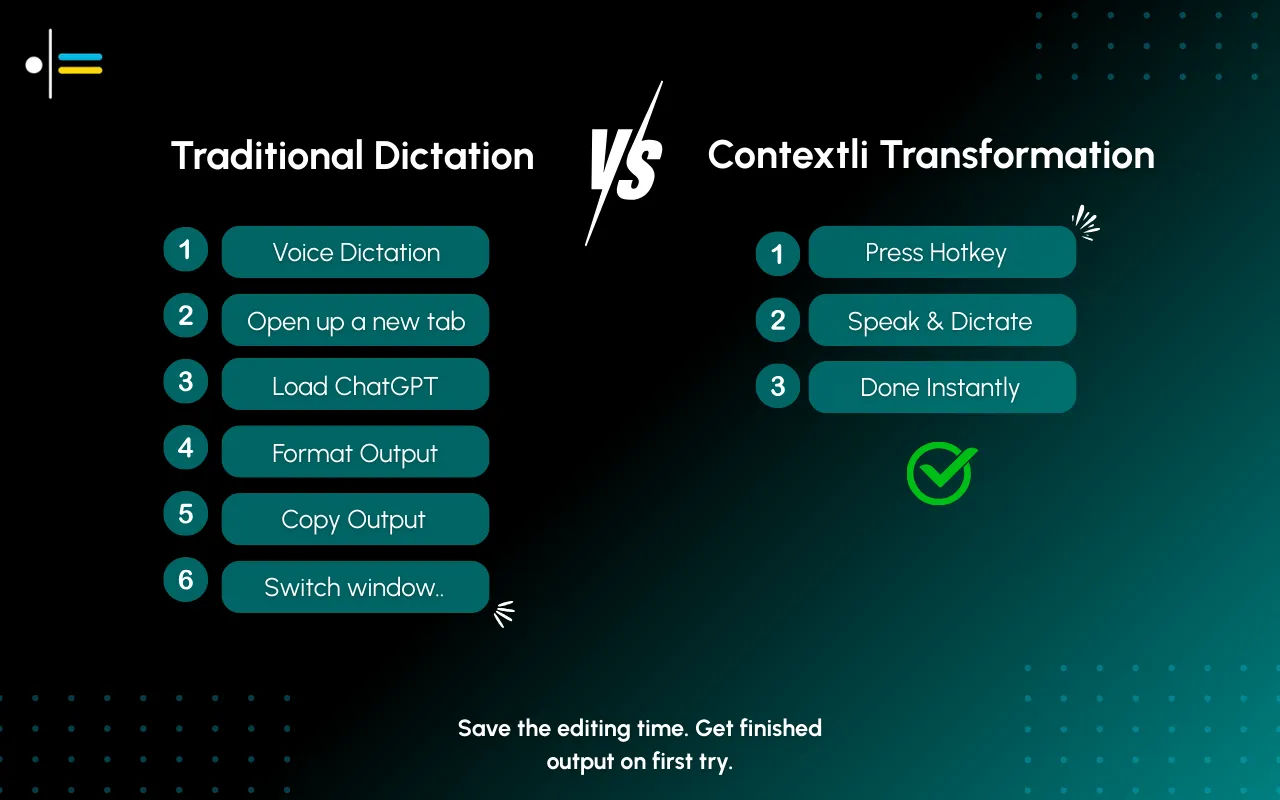
Three criteria, in order. First: does it produce written output that matches the channel, or does it hand back raw text. Founders do not have time to format every reply. Second: does it have a privacy story that survives investor and customer data. A tool that routes everything through one cloud is a single point of failure. Third: does it customize to the founder's actual voice. A dictation tool that makes every founder sound the same is worse than typing, because at least typing sounds like the founder.
Speed of transcription is a fourth criterion, and we will admit it openly. Wispr Flow is faster at pure transcription. If raw words-per-minute is the only thing that matters and the channel-fit does not, Wispr Flow is a fine pick. For most founders that trade is the wrong one, because the cleanup work after raw transcription costs more time than the dictation saved.
A normal investor reply, 80 to 150 words, takes 20 to 30 seconds of dictation plus a 5-second review. Compare to 90 seconds of typing. The savings compound across a high-volume inbox.
Not if you customize Email Mode with 3 to 5 of your real past replies. The tool matches your tone, sentence length, and sign-off. It does not invent personality you do not have.
No, when Email Mode is customized to your past writing. The output reads like a deliberately written paragraph, not a transcript. We test this internally by reading dictated and typed replies side by side; the difference is hard to spot.
Depends on the privacy settings you choose. With local models on and cloud sync off, no audio leaves your machine. With BYOK, audio goes to your provider only. With default cloud processing, Contextli handles the routing. The full ladder is documented in the dictation privacy guide for 2026.
Yes. Messaging Mode is built for short, conversational channels (Slack, WhatsApp, iMessage, Discord). It is a separate Mode from Email Mode and produces shorter, looser output. See the Messaging Mode guide for Slack and WhatsApp.
Each user has their own customized Modes. Shared Mode templates across a team are not currently a feature; if a cofounder wants the same tone, they would customize their own Email Mode with the same examples.
Yes. Contextli is available on macOS and Windows. The local-model option is supported on both, though local-model performance is best on Apple Silicon and recent Windows hardware.
The free tier includes 100 credits per month with no credit card required. That is enough to evaluate Email Mode customization on a normal week of investor replies before deciding whether to upgrade.
The pillar overview: Contextli's guide to context-aware speech-to-text for professionals.
The privacy framework in depth: Dictation Privacy: Why Where Your Speech Is Processed Matters.
The Email Mode walkthrough: Email Mode: How Contextli Writes Client Emails From a Single Hotkey.
The Messaging Mode walkthrough for Slack and WhatsApp: Messaging Mode: Dictating Slack and WhatsApp Without Sounding Stiff.
For the sales-adjacent founder use case: Best Dictation Tool for Sales Reps in 2026: Outreach Without Typing.
For advisory work: the best voice-to-text tool for consultants, which covers the two-voice problem of formal client email and casual internal chat.
If you reply to even 10 investor emails a week, Contextli's free tier (100 credits per month, no credit card) is enough to set up Email Mode with your past updates and feel the 60-second-per-email savings in the first hour. Founders on a privacy-sensitive cap table can stack local models, BYOK, and disable-cloud-sync from day one. See how founders use Contextli on the use-cases page, or grab the download to get started.

Junaid Khalid
Founder & CEO
Founder and solopreneur writing about how modern businesses run leaner and faster with AI. I build software that turns everyday work, from capturing thoughts to writing and staying organized, into something effortless, and I share what I learn along the way.
A weekly review template you can run in 15 minutes every Sunday. Six prompts, a scoring table, and a faster way to capture it by voice.
Junaid KhalidA vet visit notes template that captures the diagnosis, dosing, and follow-up before you leave the exam room. Speak it into your notes instead of typing.
Junaid KhalidCounseling progress notes software that writes your notes by voice and keeps client data on your own machine, so counselors finish notes the same day.
Junaid Khalid