A consultant's day does not have one writing voice. It has two. The client email that has to sound considered and precise. The internal Slack message to your project team that has to sound human and fast. You switch between them twenty times a day, and typing both well, at the volume a 55-hour week demands, is where the hours go.
Strategy consultants at MBB firms work 50 to 80 hours a week, often with a final email sweep at 10 or 11pm. Big 4 strategy teams run 45 to 65 hours. A large share of that time is not analysis. It is writing: client updates, follow-ups, internal coordination, the same three sentences rephrased for four different audiences. Dictation can take a real bite out of that, but only if the tool produces client-ready writing instead of raw transcription you then have to clean up.
This guide covers what to look for in a voice-to-text tool as a consultant, how Contextli's customizable Modes fit the two-voice problem, and how the privacy stack matters when client data is involved.
Quick takeaways
- Consultants write in at least two registers daily: formal client email and casual internal chat. A good dictation tool adapts to both.
- Contextli's Email Mode and Messaging Mode can each be customized with examples of how you actually write, so dictated output already matches the register before you edit.
- The privacy stack matters for client confidentiality: local models, bring-your-own-key, and a cloud-sync toggle let you decide where your speech is processed.
- Most competitors (Wispr Flow, Willow Voice) are cloud-only with no local mode and no per-context customization by example.
- A consultant can dictate a client follow-up in Email Mode in about 30 seconds versus roughly 90 seconds typing.
What makes a consultant's writing different
Three things set consulting writing apart from generic knowledge work.
First, register-switching. A management consultant might send a partner-reviewed client deliverable summary, then a quick "can you pull the Q3 numbers before standup" to an analyst, inside the same five minutes. The client email needs a greeting, a clear structure, and a professional close. The Slack message needs none of that. A dictation tool that produces one flat style forces you to rewrite half of everything.
Second, brand voice. Your firm has a tone. Your own client relationships have a tone on top of that. The way you open an email to a CFO you have known for three years is not the way you open one to a new stakeholder. Generic transcription does not know any of this. You end up editing every message to sound like you.
Third, confidentiality. Consultants handle client financials, restructuring plans, and personnel decisions before they are public. Where your dictated text gets processed is not a footnote. For some engagements it is a contractual requirement.
What to look for in a voice-to-text tool as a consultant
Speed and accuracy matter, but modern dictation engines have mostly converged on both. The questions that actually separate tools for consulting work are narrower:
- Can it produce different output for different channels without you switching settings manually every time?
- Can you teach it your voice with examples, rather than passively hoping it adapts?
- Where does your speech get processed, and can you keep it off external servers when an engagement requires that?
- Does it work across the apps you actually use, or only inside its own window?
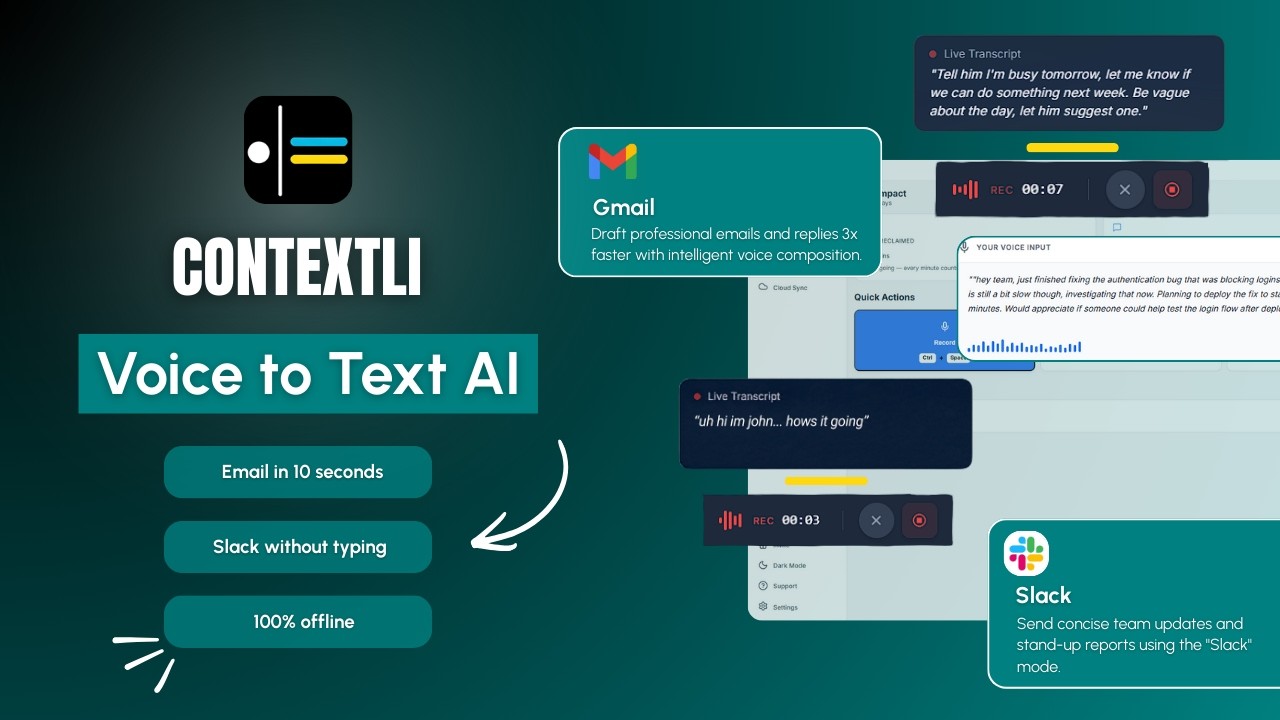
The video below walks through how Contextli's Modes work in practice.
How consultants use Contextli's Modes
Contextli is a context-aware speech-to-text desktop app. It works at the system level, typing into whatever window you have focused, your email client, Slack, a Google Doc, your notes. The differentiator is not that it transcribes. It is that it produces the right writing for the channel.
The base Modes (Email Mode, Messaging Mode, Notes Mode, LinkedIn Mode, Marketing Copy Mode, General Dictation) are the starting point. The actual win for a consultant comes from customizing them.
Feed Email Mode three or four examples of how you actually write to clients: your sign-off style, your sentence length, your preferred opening. From then on every dictated email matches that voice. You can add specific instructions too: "always use UK spellings," "never open with the word I," "sign off as Sarah, not Sarah Chen." Then customize Messaging Mode separately with a few of your real Slack messages, so internal output stays short and conversational instead of formal.
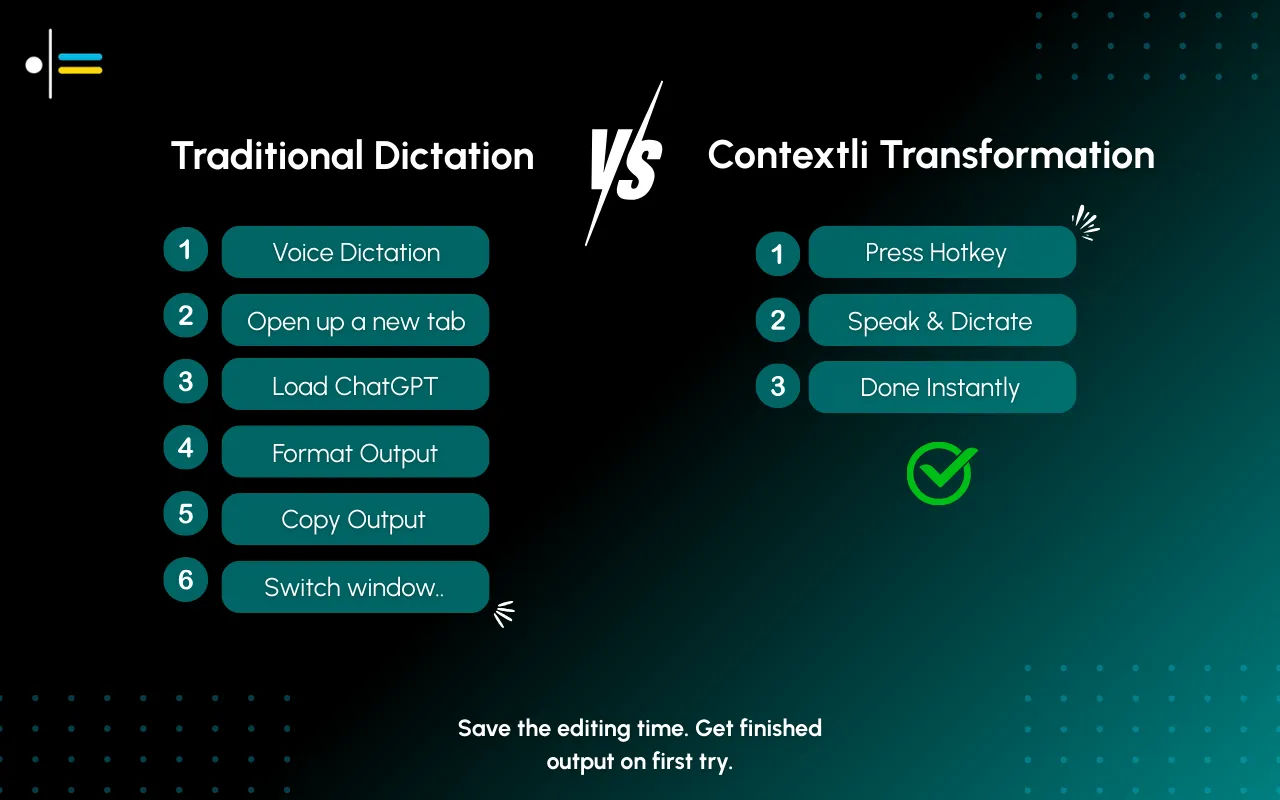
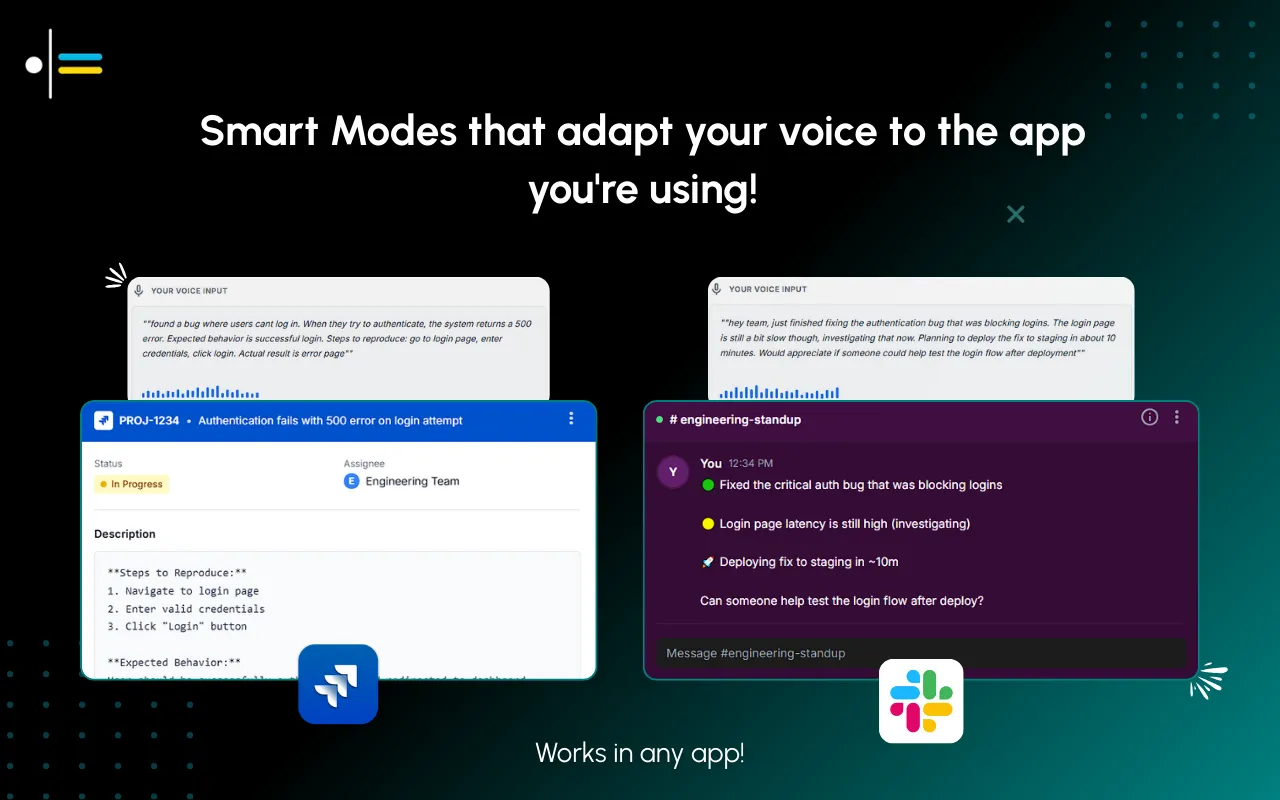
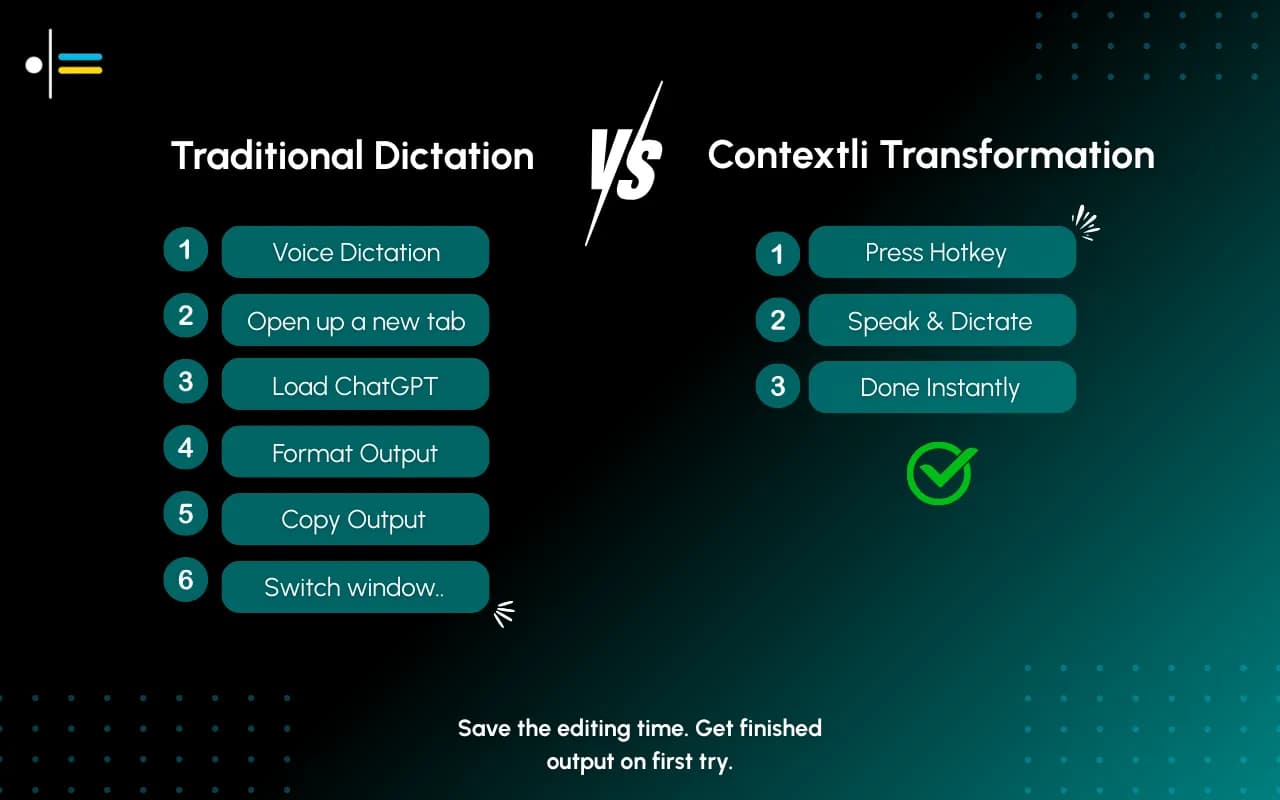
Now the two-voice problem is solved at the tool level. You dictate a client follow-up and Email Mode formats it the way you would. You switch to Slack and dictate a question, and Messaging Mode keeps it casual. You did not change a single setting between them.
If you turn on screen-awareness (off by default, you control it), Contextli can see what you are looking at when you dictate. You are reading a client email with three questions in it. You hit the hotkey and say "let them know I'm traveling Tuesday and Wednesday, but the model will be ready Thursday, and yes to the extra scenario." Contextli already knows the client's name, your name, and the three questions in context. It writes the reply with a proper greeting and close, addressing each question in order. You read it, make one edit, send.
Consider a strategy consultant on a six-week engagement, billing roughly 55 hours a week, traveling Monday to Thursday.
Monday, 7am, airport lounge. She has eight client and internal messages waiting. She opens the first, a client asking for a status update before a 9am steering committee. She hits the hotkey in Email Mode (customized with her last ten client emails) and dictates four sentences. Contextli produces a properly structured update with her usual opening and sign-off. She edits one number and sends. About 30 seconds, versus the 90 seconds it would have taken to type and format.
She switches to Slack. Three analysts need direction. She dictates each in Messaging Mode: short, direct, no greeting. The output stays casual because she customized that Mode separately. Eight messages cleared before boarding, in under five minutes.
Thursday night, hotel, the 10pm email sweep. Six follow-ups from the day's client sessions. Because Email Mode already holds her voice, she dictates each in two or three sentences and reviews rather than composes. The sweep that used to take 40 minutes takes about 15.
Privacy: where your client's words get processed
For consulting work, the privacy question is concrete. If you are dictating notes about a client's unannounced layoffs, you want to know where that text goes.
Contextli gives you three levels of privacy control. Use any of them, or stack all three.
Level 1: Local models. Transcription and AI processing run on your own machine. Internet off, the app still works. You will need a modern Mac or Windows laptop, not a ten-year-old machine.
Level 2: Bring your own key. You supply the API key for transcription or AI, and your data goes from your machine to the provider directly. Contextli never sees it. You pay the provider directly for usage.
Level 3: Disable cloud sync. Cloud sync is how Contextli lets you use the same notes across devices. Turn it off and Contextli stores nothing in our database. Your transcribed notes live as local files on your machine, where you can browse them yourself.
Combine all three and Contextli never makes a single request to our servers. Fully offline, fully private.
This is where most tools stop short. Wispr Flow is cloud-only and requires an internet connection for every dictation; it has no local mode and no bring-your-own-key option, and its zero-retention Privacy Mode is off by default and limited to its paid Pro tier. Willow Voice is similarly cloud-first. For an engagement with a strict data-handling clause, "off by default, paid tier only" is a different proposition than "run it entirely on your own machine."
Contextli versus the tools consultants usually consider
The table below compares Contextli to the voice-to-text tools a consultant is most likely to evaluate.
| Tool |
Per-channel customization by example |
Local model mode |
Bring your own key |
Cloud-sync opt-out |
Free tier |
| Contextli |
Yes, per Mode |
Yes |
Yes |
Yes |
100 credits/month |
| Wispr Flow |
No |
No |
No |
No |
2,000 words/week |
| Willow Voice |
No |
No |
No |
No |
Limited free |
| ChatGPT voice |
No |
No |
No |
No |
Free with account |
| Apple Dictation |
No |
Yes (on-device) |
N/A |
N/A |
Free |
The image below shows how Contextli adapts the same dictation for email and for internal messaging.
Apple Dictation runs on-device, which is good for privacy, but it is generic transcription with no context, no customization, and no per-channel adaptation. ChatGPT voice is built for talking to the AI, not dictating into your own apps. The tools that match Contextli on speed do not match it on customization or the privacy stack.
FAQ
What is the best voice-to-text tool for consultants in 2026?
The best fit depends on your work, but consultants who switch between formal client email and casual internal chat all day benefit most from a tool that adapts to each channel. Contextli's customizable Email Mode and Messaging Mode handle that two-voice problem, and its privacy stack matters when client data is involved.
Can a dictation tool match my firm's writing tone?
With Contextli, yes, to a degree. You feed Email Mode three or four examples of how you actually write to clients, plus any specific instructions, and dictated output matches that voice. It does not learn your tone perfectly, but it gets close enough that you review rather than rewrite.
Is dictation private enough for confidential client work?
It depends on the tool. Contextli lets you run local models, bring your own API key, and disable cloud sync, so you can keep dictation entirely on your own machine. Most competitors process everything in the cloud by default. Always confirm a tool's data handling against your engagement's confidentiality terms.
How much time can a consultant actually save?
It varies by writing volume. In practice, a client follow-up that takes about 90 seconds to type and format takes roughly 30 seconds to dictate and edit in a customized Email Mode. Across a heavy email day, that adds up to meaningful time back.
Does Contextli work inside Outlook, Gmail, and Slack?
Contextli works at the system level, typing into whatever window you have focused. It does not connect through an API to Outlook, Gmail, or Slack; it types into them the way you would. That means it works across the apps you already use without per-app setup.
Is Contextli better than Wispr Flow for consultants?
For pure transcription speed, Wispr Flow is fast and polished. For consulting specifically, Contextli's advantage is per-channel customization by example and the privacy stack (local models, bring-your-own-key, cloud-sync opt-out), none of which Wispr Flow offers. If client confidentiality and two-voice switching matter to you, Contextli fits the work better.
Do I need a high-end laptop to run local models?
A modern Mac or Windows laptop runs local models fine. A very old machine will be slower. If local processing matters for your engagements, a current-generation laptop is enough.
Where to go next
If you want to see how the two-voice setup works in detail, the Email Mode guide walks through customizing client email output, and the Messaging Mode guide covers keeping internal chat casual. For the confidentiality side, the dictation privacy guide explains the three privacy levels in full. If you are comparing options, see Wispr Flow vs Contextli and ChatGPT vs Contextli. All of these sit under the context-aware speech-to-text guide.
Consultants switch registers all day. Contextli is built to switch with you: customize Email Mode for client work, Messaging Mode for internal chat, and keep both on your own machine when an engagement requires it. See how consultants and advisory teams use Contextli on the use-cases page. The free tier gives you 100 credits a month, no credit card required.




 Junaid Khalid
