


Weekly Reflection TemplateAug 19, 2026
Weekly Review Template: Run Your Review in 15 Minutes
A weekly review template you can run in 15 minutes every Sunday. Six prompts, a scoring table, and a faster way to capture it by voice.
 Junaid Khalid
Sales reps run 30 to 50 cold emails plus 50 to 80 calls plus 15 to 25 LinkedIn touches per day. Typing is the bottleneck. Here is the best dictation tool for sales reps in 2026, ranked by what actually fits the SDR workf
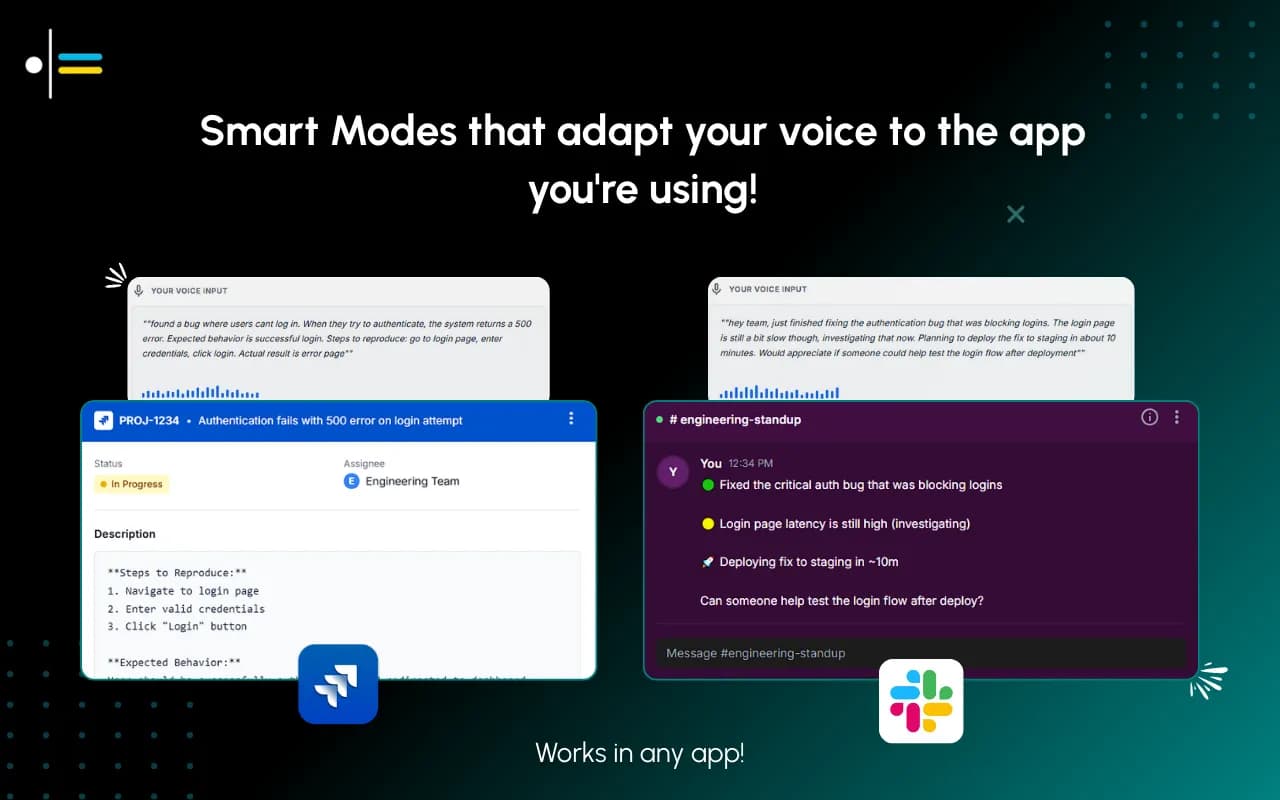
A multi-channel SDR ships about 65 emails and 65 calls a day, plus 15 to 25 LinkedIn touches, plus follow-ups, plus CRM logging, plus discovery notes. Bridge Group benchmarks put total daily outreach activities at around 104 per rep. Most reps spend only 28 percent of their time actually selling. The rest goes to writing the same email 50 times, just personalized enough to not get filtered.
Dictation does not fix the underlying volume problem, but it removes the typing bottleneck for the largest single chunk of an SDR day. The question is not whether to dictate. The question is which dictation tool actually fits sales work without making every email read like the same generic template. This guide walks through that, with the role-specific scenarios that matter for sales reps in 2026.
Sales work is not knowledge work in the abstract. It is a specific workflow with specific friction.
The friction is volume against a quality floor. A rep cannot send 50 obviously templated emails and expect 5 percent reply rates. They need each email to feel personalized, mention something specific about the prospect, and land in the team's defined voice. Hitting that bar at volume is the job. Tools that make it 30 percent faster to type the same template do not help; tools that change the floor (faster to produce a personalized message that is good enough to send) do.
Generic dictation tools, Apple Dictation, native Windows Voice Typing, MacWhisper, and even the polished cloud-only tools like Wispr Flow and Willow Voice, all share one limitation: they transcribe in one tone. Whatever you say comes out the same regardless of whether you are dictating a cold email, a follow-up message, a Slack note to your manager, or a LinkedIn InMail. Sales reps switch between all of these many times a day. One generic tone for all of them means you still have to rewrite, which defeats the time savings.
The right dictation tool for a sales rep produces sales-grade output by default and switches voice when the channel changes. That is what we mean by context-aware dictation, and it is the only frame that fits how sales work actually runs.
Before ranking tools, the criteria. A sales rep's dictation tool needs five things.
First, per-channel voice control. Cold email, LinkedIn InMail, follow-up Slack, internal CRM note, and team Slack are five different registers. The tool should produce different output depending on which one you are writing into.
Second, voice training by example. The reps who hit the best reply rates have a specific cadence (often documented in a sales playbook). The tool should be able to learn that cadence from examples of past outreach that actually worked, and apply it consistently.
Third, sales-relevant specifics. The tool should preserve prospect names, company names, and product details exactly as dictated, not autocorrect them to something close. Specifically named accounts matter more in sales than almost any other knowledge work.
Fourth, privacy. Sales reps handle a steady stream of prospect data, names, emails, deal sizes, internal pricing notes. The tool should give you the option to keep that data on your machine. Most cloud-only dictation tools do not.
Fifth, the tool should work everywhere a sales rep types. Email, CRM, LinkedIn, Slack, Notion, whatever your team uses. A tool that only types into one app is a non-starter.
Verified against vendor documentation in May 2026. Pricing and features change. Confirm before buying.
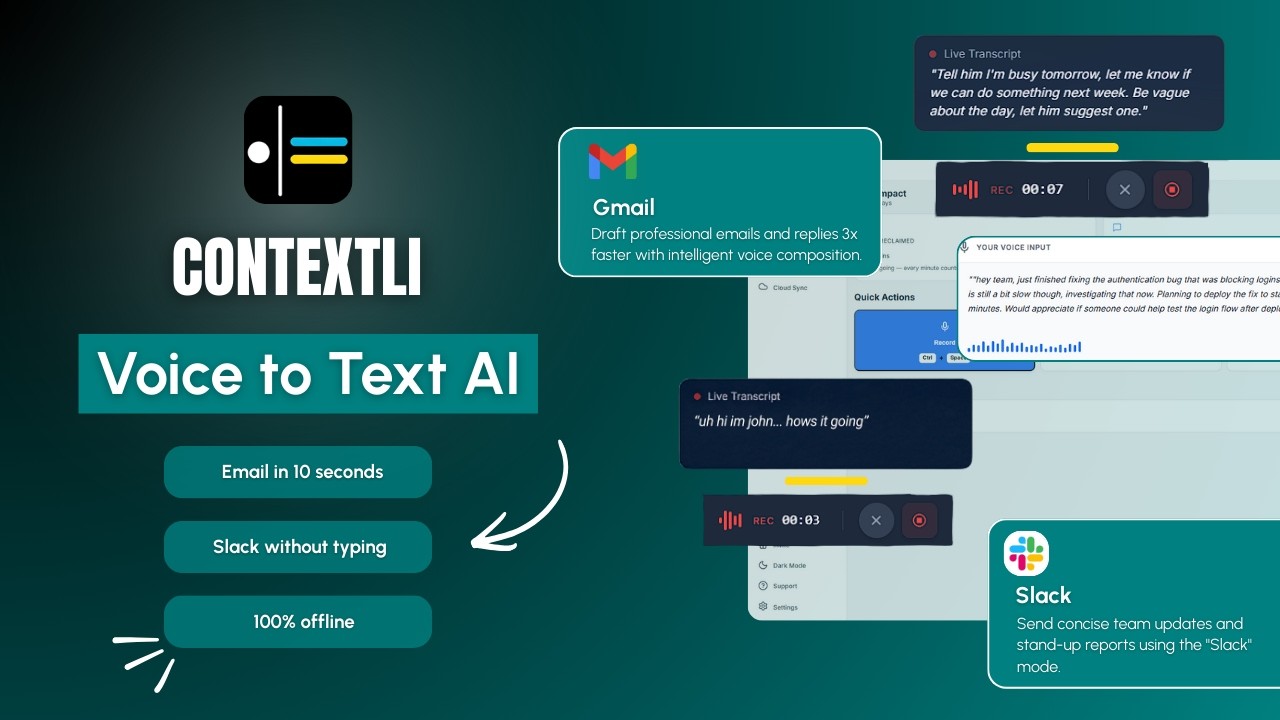
Why Contextli for sales reps: per-channel customization is the only feature in this list that fits the multi-channel reality of sales work. You set up Email Mode for cold outreach with examples of the team's actual high-reply emails, set up Messaging Mode for LinkedIn InMail and Slack with the corresponding voice, and from then on the channel decides the tone. Both Modes can be customized with explicit instructions: "always reference the prospect's recent funding round if mentioned," "never start an email with 'Hope you're doing well'," "default sign-off is just the first name." Privacy stack (local models + BYOK + disable cloud sync) is available on every plan if your team handles sensitive prospect data.
Trade-offs: Contextli is desktop-only (Mac and Windows). No mobile app. If your reps need to dictate on phones for in-field follow-ups, mobile dictation is still Apple Dictation or Gboard. Pricing starts with a free tier of 100 credits per month, no credit card required.
Why Wispr Flow for sales: fast and polished. If all you need is to type a cold email a bit faster in the same generic tone, Wispr Flow is one of the fastest tools available. Their cloud-only pipeline hits low-latency transcription, and the output integrates broadly into common sales tools.
Trade-offs: no per-channel customization. The same tone applies to your cold email, your LinkedIn InMail, and your team Slack. No local mode, so prospect data goes to their servers every time. Wispr Flow recently added "Privacy Mode" with zero server-side retention, but the audio still leaves your device. Their screen-capture feature is on by default and sends screenshots to their cloud, which sales teams handling sensitive deal data should disable in setup.
Why Willow Voice for sales: clean UI, straightforward setup, simple positioning. Cloud-only generic transcription that works in most sales-app windows.
Trade-offs: no per-channel customization, no voice training by example, no local mode, no BYOK option, no cloud-sync toggle. For high-volume outreach where you want the same generic-AI tone for every message, it works. For teams that have a documented outreach voice, it does not.
Why ChatGPT voice for sales: useful for drafting outreach copy from scratch when you start by talking through the angle. The conversation model adapts to your direction.
Trade-offs: built for chatting with the AI, not for system-level dictation into your CRM or email client. You have to copy and paste the output every time, which adds steps. Cloud-only. No per-channel customization. Many sales orgs restrict ChatGPT use for prospect data on data-residency grounds.
Why Apple Dictation for sales: free, on-device, no setup. Works in any text field on a Mac.
Trade-offs: generic transcription, no voice training, no context-aware Modes, no per-channel adaptation. Apple still collects usage telemetry. For reps who need fast voice-to-text on a Mac and do not care about output quality, Apple Dictation is the floor. For reps who care about reply rates, it is not enough.
The base Modes are the starting point. The actual win comes from making them yours.
Every Mode can be customized. Feed Email Mode three to five examples of recent cold emails your team has shipped that hit reply rates. They do not need to be your best emails, just representative. If your team opens with a specific event mention ("Saw the announcement about your Series B last week"), paste examples that show that pattern. If your team's sign-off is always first name only, paste examples with that. If you use UK spellings, the examples carry them.
From that moment on, every dictated cold email matches the voice in your examples. The opener pattern, the length, the formality, the closing. You can also give specific instructions in the customization panel: "always reference the prospect's company name in the second sentence," "never use the word 'circle back'," "default to a 4-sentence email." These instructions are sticky.
An SDR who feeds Email Mode five high-performing team cold emails gets a Mode that produces emails in the team's voice. She does not have to rewrite every dictation for tone. She dictates the personalized hook ("they just announced the new Boston office, hiring 40 engineers"), the angle ("hiring at that pace usually means the onboarding doc is a mess"), and the ask ("worth a 15-min call this week to show what we built for Stripe's onboarding"). Email Mode produces a 4-sentence email in the team voice with that personalization baked in. She reads, makes one edit, sends. Total time: about 35 seconds versus the 2 minutes typing it would have taken.
Tuesday morning. Sarah is an SDR at a Series B fintech. Her quota is 12 qualified meetings per month. Her daily activities, per the team playbook, are 50 cold emails, 60 dials, and 20 LinkedIn touches. Realistically she runs 40 to 60 cold emails, 50 to 70 dials, and 15 to 25 LinkedIn messages.
She has Email Mode set up with five high-performing team cold emails as examples. Messaging Mode set up with three of her own LinkedIn InMails and three of her own internal Slack messages. Both Modes are her per-app defaults for Gmail and LinkedIn respectively.
She opens her prospecting list and starts with Hubspot's outbound mailer. The first prospect is a head of revenue ops at a healthtech series A. Sarah skims his LinkedIn for 30 seconds, finds a recent post about a new sales enablement hire, hits the Contextli hotkey, and dictates: "saw your post about hiring the new sales enablement lead, congrats. usually that hire happens when reps are spending too much time on prep and not enough on calls. wondering if you're seeing that here. we built a tool that cuts SDR prep time in half by handling the personalized first touch automatically. worth a 15 min call this week to show you what other healthtech SDR teams are doing with it." Email Mode produces a 4-sentence cold email with the post reference, the diagnosis, the proof point, and the ask. Sarah reads, fixes one phrase, sends. Forty seconds.
She does nine more like that in twelve minutes. Twelve more in the next fifteen minutes after a coffee. By 11 a.m. she has sent 22 cold emails, with each one personalized enough to clear the team's reply-rate floor.
She switches to LinkedIn for the 20 LinkedIn touches. Messaging Mode is on for LinkedIn. She dictates a follow-up InMail: "thanks for the connect, saw you led GTM at Plaid before this, would love your read on whether this fits your team's setup." Messaging Mode produces it in her LinkedIn voice (shorter, more direct than email). She sends.
After lunch, dial blocks. She sends 30 follow-up Slack messages to her account exec to push the discovery calls she booked this morning into the team calendar. Messaging Mode handles those too, in her team-Slack voice (lowercase, short, no exclamation marks).
By 5 p.m., Sarah has sent 47 cold emails, made 58 dials, run 22 LinkedIn touches, and booked 3 discovery calls. The typing did not slow her down. The dictation did not slow her down either, because each Mode matched the channel.
A sales-specific note: generic AI email tools (Lavender, Apollo's AI writer, Outreach's AI assistant, ChatGPT-style writers) operate at a different layer than dictation. They take your raw idea and write the email for you, often with no voice training other than the brand-default prompt.
The problem with that approach for sales is voice consistency. A team that has spent months tuning a specific cold-outreach voice does not want every rep's AI to randomly write in its own house style. The reps who go off-voice see lower reply rates. The reps who use no AI ship fewer emails.
Dictation with per-channel customization is the middle path. The rep stays in the driver's seat for what to say (the actual personalization, the angle, the ask). The tool handles only the cleanup: structure, sign-off, sentence length, removal of filler. The team voice stays intact because the Mode was trained on examples from the team's actual high-reply emails.
This is the wedge for sales reps. Not "the AI writes the email." More like "you write the email by talking, in your team's voice, three times faster than typing."
A practical setup, from a fresh install to a sales-tuned Contextli ready for daily outbound.
First, install Contextli and pick your hotkey in settings. Most reps go with Cmd+Shift+Space on Mac or Ctrl+Shift+Space on Windows.
Second, set Email Mode as the default for Gmail, Outlook, and your CRM's mail-merge composer. Set Messaging Mode as the default for LinkedIn, Slack, and any other chat tool your team uses.
Third, open Email Mode customization. Paste three to five recent cold emails (from your team's playbook or top-rep examples) that hit reply rates. Add explicit instructions: "always reference one specific thing about the prospect's company in the second sentence," "never use the word 'circle back'," "default to four sentences."
Fourth, open Messaging Mode customization. Paste three to five LinkedIn InMails and three to five team Slack messages. Add instructions for each: "LinkedIn InMails default to two sentences," "internal Slack is lowercase."
Fifth, optional: turn on the privacy stack (local models, BYOK, disable cloud sync) if your team handles sensitive prospect data. Read more in the Contextli dictation privacy guide.
You are ready for your first outbound block. The first 30 emails are when the Mode adapts most visibly. By the end of week one, the output reads as close to your team's voice as your examples allow.
A few honest limits.
Contextli does not magically lift reply rates. It removes the typing bottleneck. If your team voice is already low-converting, dictating the same low-converting voice faster does not help. Get the voice right first; then dictate it at volume.
Contextli does not have a Salesforce or HubSpot API integration. It is a system-level dictation tool that types into whatever window you focus on, including the CRM mail composer. It does not access your CRM data programmatically, log notes for you, or update opportunity stages.
Contextli does not write cold emails for you from a blank prompt the way generic AI email tools do. You still bring the personalization angle (the actual hook about this specific prospect). Contextli handles the structure and the voice, not the strategy. If you already have a rough draft on the page and just want it tightened, a free email rewriter is the simpler tool for that pass.
For reps working across cold email, LinkedIn, Slack, and CRM, Contextli's Email Mode and Messaging Mode are the best fit because per-channel customization keeps the team voice consistent across channels. For reps who only dictate one channel and do not care about voice consistency, Wispr Flow is the fastest generic option.
Yes, for the email and message portions of the day. A rep sending 50 cold emails a day at 90 to 150 seconds each typing speed (1.25 to 2 hours) drops to 25 to 50 seconds each with a sales-tuned dictation tool (35 to 70 minutes). The dialing and live-call portions of the day are unaffected.
Yes, that is the customization point. Paste three to five examples of cold emails from your team's playbook or top-performer's send history into Email Mode customization. From then on Contextli's output matches that voice. Add explicit instructions for hard preferences ("never use the word 'just'," "always reference the prospect's company by name in sentence two").
Yes. Set Messaging Mode as the default for LinkedIn. Customize it with examples of LinkedIn InMails that performed well. Output adapts to the platform's shorter, more direct style.
Those tools write the email for you from a prompt. Contextli takes what you say and writes it in your team's voice. For teams that have a defined voice they care about preserving, Contextli is the better fit. For teams that want the AI to write the email from scratch, the generic AI tools are different products entirely.
Yes. Contextli is system-level dictation that types into whatever window is focused, including the mail-merge composer in any modern sales CRM. There is no per-CRM integration needed.
Set up the privacy stack (local models, BYOK, disable cloud sync) and prospect data never leaves your machine. For teams under data-residency rules, this is usually the configuration that passes IT review.
Contextli is desktop-only (Mac and Windows). For phone-based dictation in field follow-ups, Apple Dictation or Gboard voice typing are the OS-level options, neither has per-channel customization.
Sales-rep dictation is a specific application of Contextli's broader per-channel approach. For the underlying technology, read the Contextli context-aware speech-to-text guide. For the Email Mode customization story in detail, read Email Mode: how Contextli writes client emails from a single hotkey. For comparison against the AI-writing-tool category, see ChatGPT vs Contextli: best voice to text software 2026. The parent context-aware speech-to-text pillar ties the role-specific buildouts to the rest of the system.
For a closely related role with similar volume and brand-voice constraints, see Best Dictation Tool for Recruiters in 2026.
Contextli's free tier includes 100 credits per month with no credit card required, enough to set up Email Mode and Messaging Mode, paste your team's examples, and run a full week of outbound through it. See how sales teams use Contextli on the use-cases page, or jump straight to the download page to install on Mac or Windows.

Junaid Khalid
Founder & CEO
Founder and solopreneur writing about how modern businesses run leaner and faster with AI. I build software that turns everyday work, from capturing thoughts to writing and staying organized, into something effortless, and I share what I learn along the way.
A weekly review template you can run in 15 minutes every Sunday. Six prompts, a scoring table, and a faster way to capture it by voice.
Junaid KhalidA vet visit notes template that captures the diagnosis, dosing, and follow-up before you leave the exam room. Speak it into your notes instead of typing.
Junaid KhalidCounseling progress notes software that writes your notes by voice and keeps client data on your own machine, so counselors finish notes the same day.
Junaid Khalid