


Home Maintenance TrackerAug 4, 2026
Home Maintenance Log: Track Every Repair Before Warranty Ends
Build a home maintenance log that captures every repair, part, and warranty date by voice so nothing slips before coverage ends.
 Junaid Khalid
A food log app should take seconds, not 20 minutes. How to log meals by voice, keep the notes private, and actually stick with it past week one.

Most people quit their food log app in the same place: the third day, standing over a plate going cold, tapping through a search box that offers "grilled chicken breast (skinless)," "grilled chicken breast (with skin)," and eleven other near-identical results. You wanted a record of what you ate. You got a data-entry chore that eats twenty minutes a day and rewards you for guessing portion sizes. By the weekend the log has a two-day gap, and a gap is where most food logs quietly die.
The friction is the whole problem. You do not need a smarter database of foods. You need to record a meal in the ten seconds it takes to say it out loud, in your own words, before you sit down to eat.
A food diary app asks for something small many times a day, and small-many-times is exactly the pattern humans drop first. The cost per entry looks trivial in the app store screenshots. In real life it is a search box, a scroll through fuzzy matches, a portion estimate, a serving-size dropdown, and a save button, repeated for every component of every meal.
Do the arithmetic on a normal day. Breakfast, lunch, dinner, and two snacks is five logging events. If each one takes 90 seconds of tapping and searching, that is over seven minutes of active fiddling, in the least convenient moments. Add a coffee with oat milk, a handful of nuts, and the last bites of your kid's pasta, and you are past fifteen minutes and mildly annoyed at your own phone.
The mindful-eating goal makes this worse. Mindful eating asks you to slow down and notice the meal. A calorie log app that demands a two-minute search interrupts exactly the attention you were trying to protect. The tool fights the habit it claims to support.
Strip it back and the job is narrow. A useful food log captures four things: what you ate, roughly how much, when, and optionally how you felt. That is a sentence, not a form. "Two eggs, sourdough toast, black coffee, half past seven, felt fine" is a complete entry, and you can say it faster than you can find "egg" in a dropdown.
So the real requirement is a fast way to turn a spoken sentence into a written line in whatever you already use to track. Not a new database. Not another login. A way to get the words down without breaking stride.
This is where a dictation tool does the work a nutrition log app was never built for. Contextli is a desktop app that types into the focused window. Open a note, a Google Sheet, your existing meal tracker app, or a plain text file, hold the hotkey, say the meal, and the cleaned-up text lands where your cursor is. No search box. No dropdown. You keep your own words and your own portions.
Here is the same task, three ways, timed honestly. The times below are typical ranges for logging one multi-item meal, not a guaranteed result.
| Method | Time per meal | Portion control | Works offline | Keeps your words |
|---|---|---|---|---|
| Tap-and-search food log app | 60 to 120 sec | App decides serving sizes | Usually no | No, forces database labels |
| Phone native dictation into a note | 20 to 40 sec | You describe it | Varies by OS | Partly, raw transcript |
| Contextli into a note or sheet | ~10 to 15 sec | You describe it | Yes, with local models | Yes, cleaned but yours |
The middle row matters. Native macOS Dictation and Windows Voice Typing already turn speech into text for free, and for a bare food line they are fine. Where they fall short is cleanup and consistency: they give you a raw transcript with "um" and no structure, and they do not adapt to a format you want to keep. If all you need is the raw words dropped into a box, native dictation is enough. If you want each entry in the same shape every time, that is the gap Contextli fills.
The quiet reason food logs turn into mush is inconsistency. Monday you write "chicken salad." Tuesday you write "big salad with the leftover roast chicken, a lot of it, plus dressing." Two weeks later you cannot compare anything because no two lines are shaped alike.
Contextli's Notes Mode is customizable by example. You feed the Mode three or four samples of how you want an entry to read, for instance:
07:40 | breakfast | 2 eggs, 1 slice sourdough, black coffee | energy 4/5
Give it a few lines in that exact shape and every future dictation gets nudged into the same structure: time, meal, items, a rough feeling score. You speak naturally ("uh, two eggs and a bit of toast around quarter to eight, feeling okay") and the entry comes out clean and comparable. That is the difference between a food tracking template you fill in by hand and one that fills itself in from a sentence. If you want to set this up, the walkthrough for teaching a Mode by example is in the guide on how to customize Contextli Modes with examples.
Because it is a system-level app that types into the focused window, the format follows you. The same Notes Mode works whether your log lives in Apple Notes, a Google Sheet, Obsidian, or a text file synced to your own cloud. Contextli does not care which app has focus. It types the entry there.
A food diary is personal data. It can record disordered patterns, medical elimination diets, weight, and mood. Handing all of that to a company server by default is a real cost that most calorie log apps never mention. If a diet app changes its terms or gets acquired, your eating history goes along for the ride.
Contextli has a privacy stack you can turn on in rungs. First, local models: transcription and the text cleanup run on your own machine with the internet switched off, and the app still works. The honest trade-off is that local processing wants a reasonably modern Mac or Windows laptop, and older machines run it slowly. Second, bring your own key: you supply your own API key and your audio and text go from your machine straight to the provider, so Contextli never sees them and you pay the provider directly. Third, disable cloud sync: turn it off and Contextli stores nothing in its database, and your notes live as local files on your disk.
Stack all three and your food log never leaves your laptop. No competitor pairs context-aware formatting with that full offline setup. For a fuller walkthrough of the levels, see the dictation privacy guide, and if you want to route processing through your own provider account, the bring-your-own-key setup covers it.
Maria is a consultant working from a Windows laptop. She is trying to eat more mindfully between client calls, and she has abandoned two food log apps already because logging felt like a second job.
Now her log is a single Google Sheet. Before she eats, she clicks into the next empty row, holds the Contextli hotkey, and says: "12:50, lunch, leftover roast chicken with a big spinach salad and olive oil, one apple, felt a bit rushed." Notes Mode types it in her set format in about twelve seconds. She puts the phone down and actually eats. Typing that same entry, searching each food and picking serving sizes, used to run her close to two minutes and she often skipped it.
At the end of the week she reads down the column. The rushed lunches cluster on the days with back-to-back meetings, and those are the days she snacked hardest at 4pm. That pattern is the entire point of a food log, and she only saw it because logging was cheap enough to keep doing every day.
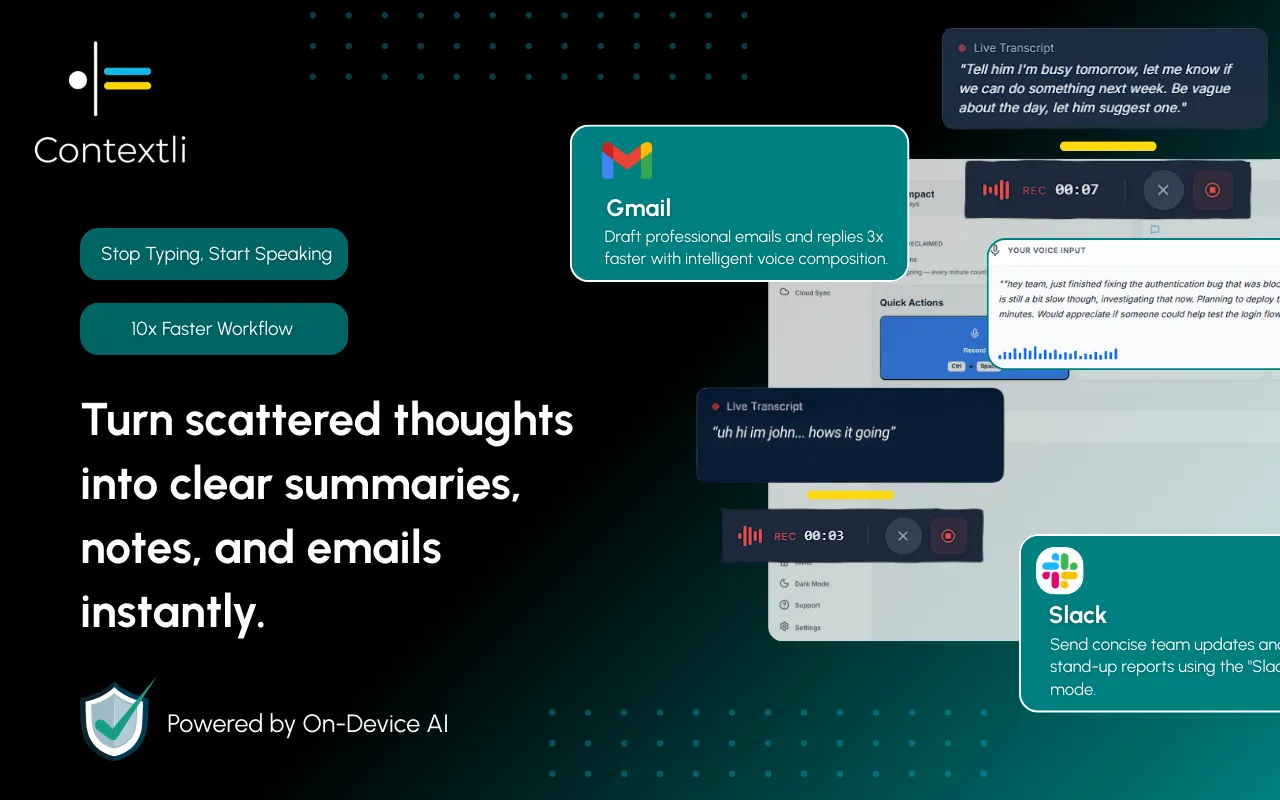
Be clear about what Contextli does not do. It does not have a nutrition database, it does not count calories, and it does not tell you your protein for the day. If your goal is exact macro tracking against a target, a dedicated calorie log app with a food database is the right tool, and you should use one.
Contextli fits the person whose goal is awareness rather than arithmetic: noticing what and when you eat, spotting the patterns around stress and skipped meals, and keeping a record you will actually maintain. For that job, the winning feature is not a bigger database. It is that the entry takes ten seconds and comes out in your own words. You can also pair the two: log fast by voice during the day, and copy anything into a macro counter later if a week needs the detail.

A food log app is any tool you use to record what you eat over time. Contextli is not a nutrition tracker with a food database. It is a desktop dictation app that types spoken meals into whatever note, sheet, or tracker you already use, so you can log by voice instead of tapping through a search box.
Speaking a multi-item meal takes roughly 10 to 15 seconds. Typing and searching the same meal in a tap-and-search food diary app commonly runs 60 to 120 seconds. Across a full day of meals and snacks that is the difference between a minute or two and fifteen to twenty minutes.
Yes. You can run Contextli with local models and the internet off, supply your own API key so processing goes straight to your provider, and disable cloud sync so entries stay as local files on your machine. Stacked together, your food log never leaves your laptop.
Yes, when you use local models. Transcription and the text cleanup run on your own machine offline. The trade-off is that local processing runs best on a modern Mac or Windows laptop and is slower on older hardware.
If you set up Notes Mode with three or four example entries in the shape you want, yes. Contextli nudges each new dictation into that structure, so time, meal, items, and a mood score come out consistently even when you speak casually.
For a bare food line, native macOS Dictation or Windows Voice Typing is free and fine. Contextli adds cleanup and a consistent format you teach by example, and it adds the private local and bring-your-own-key setup. If you only need a raw transcript dropped in a note, the built-in tools already do that.
The free tier is 100 credits/month, no credit card required. That is enough to run a week of voice logging and see whether the habit sticks before you decide anything.
The companion to this piece, the food diary app guide, covers the diary angle in more depth. The same fast-logging approach carries over to a mood tracker app, an expense tracker app, and a workout log app. All of these sit under the wider set of personal-record templates in the Contextli contexts library.
Pick the note or sheet you already trust, teach Notes Mode four example lines in the format you want, and log tomorrow's meals by speaking them instead of typing. The point is not another app to check. It is a record cheap enough to keep every day. Start on the free tier, 100 credits/month, no credit card required, and download Contextli to see if a week of ten-second entries turns into a habit that lasts.

Junaid Khalid
Founder & CEO
Founder and solopreneur writing about how modern businesses run leaner and faster with AI. I build software that turns everyday work, from capturing thoughts to writing and staying organized, into something effortless, and I share what I learn along the way.
Build a home maintenance log that captures every repair, part, and warranty date by voice so nothing slips before coverage ends.
Junaid Khalid
A habit tracker app that survives your worst week: how to log by voice in seconds, recover broken streaks, and keep a private daily record.
Junaid KhalidBuild a gratitude journal for kids that actually sticks. A calm 3-minute nightly routine, prompts by age, and a hands-free way to capture their words.
Junaid Khalid