


Home Maintenance TrackerAug 4, 2026
Home Maintenance Log: Track Every Repair Before Warranty Ends
Build a home maintenance log that captures every repair, part, and warranty date by voice so nothing slips before coverage ends.
 Junaid Khalid
A garden log app for planting dates, yields, and what to change next season. Capture notes by voice at the bed instead of forgetting them by dinner.

Every spring you promise you will write it down this time. When you sowed the first row of peas, which tomato variety actually cropped, why the brassicas bolted in July. By the time you are standing in the bed with dirt on your hands, the notebook is inside, your phone is in a pocket you cannot reach, and the thought is gone before dinner. Next February you order seeds from memory, and memory is a bad gardener.
A garden log app fixes the recording problem, not the gardening problem. The trouble is that most of them still assume you will stop, dry your hands, and type. This guide covers what to actually track, how to capture it in the moment, and how voice input turns a five-minute typing chore into a ten-second spoken note.
Most gardeners over-design the log and then abandon it. You do not need soil pH readings for every square foot. You need the handful of facts that change what you buy and plant next season.
Track planting dates so you can compare this year's early sowing against last year's late one. Track the exact variety name, because "the red tomato" tells you nothing in January and "Costoluto Fiorentino" tells you everything. Track yield in rough terms (a glut, enough, a disappointment) rather than precise weights nobody sustains. Write one honest "do differently" line per crop while the reason is fresh.
That is it. Four fields, repeated per crop, dated. A plant log template with more columns tends to become homework, and homework does not get done in the rain.
The paper notebook fails because it is never where your hands are. It lives on the kitchen table and the observation happens forty feet away by the compost. The gap between seeing the problem and writing it down is where the note dies.
The typed garden diary app fails for a subtler reason. Typing on a phone with muddy thumbs, one-handed, in bright sun, is unpleasant, so you tell yourself you will do it later. Any gardening notes app that depends on a keyboard is competing with your desire to just keep working.
Speaking is different. You can describe the aphids on the kale in one breath and keep pruning. The recording cost drops close to zero, which is the only thing that makes a log survive past May.
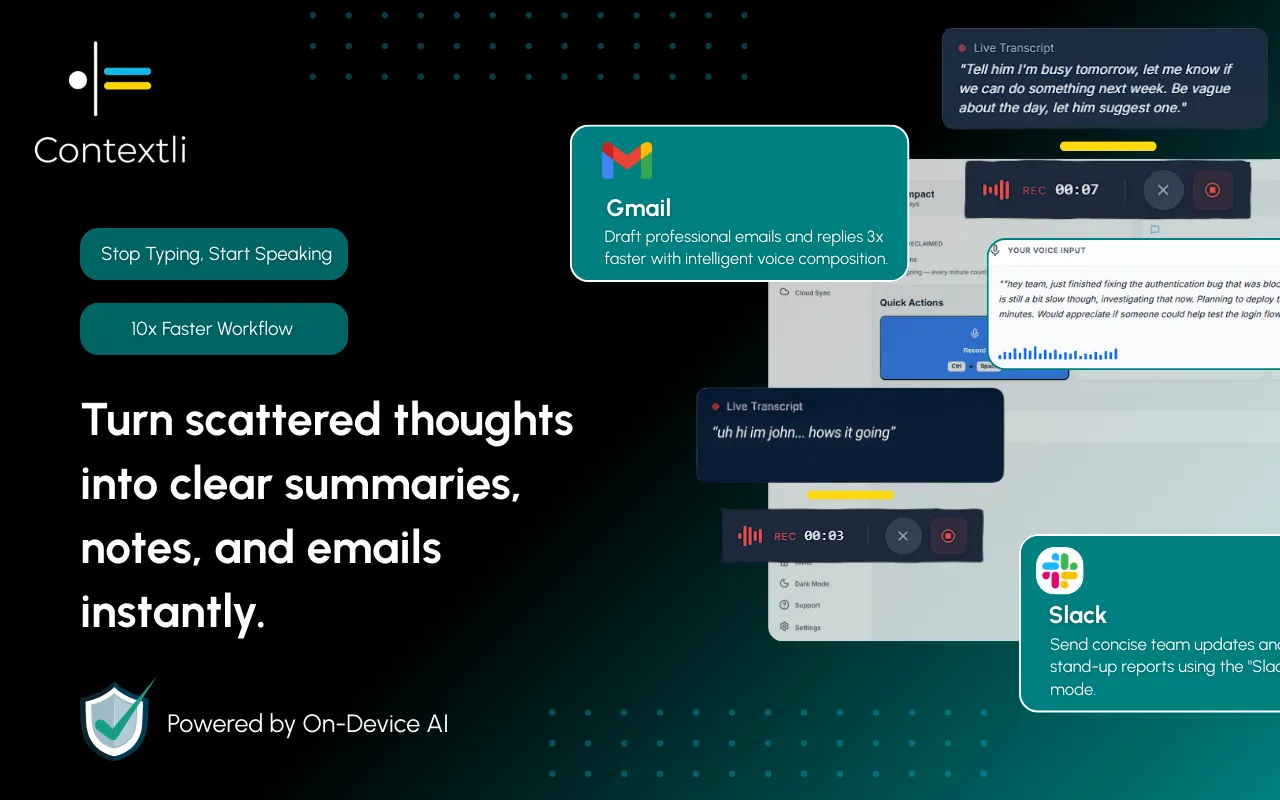
Contextli is a context-aware speech-to-text desktop app. It runs on your Mac or Windows machine, listens when you trigger it, and types the result straight into whatever window is focused: your notes app, a spreadsheet, a plain text file, or the garden tracker you already like. It has no special garden integration and does not need one, because it works at the system level and types into the app you are already using.
The part that matters for a garden log is Notes Mode. Raw dictation gives you a run-on paragraph. Notes Mode formats a spoken observation into a tidy entry, so "okay it's the fourth of June, planted two rows of dwarf French beans Safari variety, soil still cold I think that's why the first sowing rotted" comes out as a clean, structured note instead of a comma-soup sentence you will not reread.
You can also feed a Mode three or four examples of how you want entries to read. Show it your preferred format once (date first, variety in caps, a dash before the "next year" note) and every future dictation matches that voice. That customization-by-example flow is covered in detail in the guide to customizing Contextli Modes with your own examples, and it is the difference between a log that reads like yours and one that reads like a form.
Sheds, greenhouses, and the far end of a large plot are exactly where signal dies. A cloud-only dictation tool leaves you stranded there, which is the one place you most want to record something.
Contextli has a three-rung privacy stack, and the first rung solves this directly. With local models, both the transcription and the AI formatting run on your own machine with the internet switched off, and the app still works. The honest trade-off is that local models want a reasonably modern laptop; an old machine will run them slowly. If you prefer cloud processing, you can bring your own API key so audio goes from your machine straight to the provider and Contextli never sees it, or you can disable cloud sync entirely so notes live only as local files on your disk. Stack all three and the whole thing is offline and private, which is more than any competing dictation tool offers. If privacy is your main concern, the dictation privacy guide walks through each rung.
A note you can dictate in a greenhouse with no bars is worth more than a perfect note you meant to type once you got back to the house.
Different tools solve different parts of the problem. Here is an honest read on where each one fits a garden log.
| Method | Works with hands busy | Works offline | Formats the note | Types into your existing garden app |
|---|---|---|---|---|
| Paper notebook | No, needs a free hand and a pen | Yes | No | No |
| Phone keyboard note | No, needs thumbs and a screen | Yes | No | Only that one app |
| Apple / Windows built-in dictation | Yes | Partly | No, raw transcript only | Yes, but unformatted |
| Wispr Flow | Yes | No | Light | Yes |
| Contextli (Notes Mode) | Yes | Yes, with local models | Yes, structured entry | Yes, system-level into any app |
Wispr Flow is faster than Contextli if all you want is a raw transcript typed quickly, and it is a fair choice for that. Contextli's argument is different: it formats the entry the way you asked and keeps working with the internet off, the combination a garden log actually needs.
It is the second week of June. A grower is thinning carrots in a raised bed twenty metres from the house, phone in a back pocket, hands full of seedlings.
She notices the second sowing germinated far better than the first and wants to record why before she forgets. She triggers Contextli, speaks: "ninth of June, second carrot sowing Nantes, germination way better than the first row, I think the first row dried out, next year water the drill before sowing not after." Notes Mode types a clean dated entry into her open garden diary file.
Typing that on a phone with soil-covered thumbs takes maybe ninety seconds of stopping, wiping hands, and hunting keys, and usually it just does not happen. Speaking it took about twelve seconds and she never put the seedlings down. That gap, twelve seconds versus a note that never gets written, is the whole reason the log survives to next season.
A log is only worth keeping if it changes what you do. At the end of the season, read back the "do differently" lines, because those are your instructions to your February self. If three entries say the courgettes overwhelmed you, plant fewer. If the log shows the early beans rotted in cold soil two years running, you have your answer about sowing dates.
Keeping the log in a plain, searchable format helps here. Because Contextli types into whatever file or app you choose, you can keep everything in one dated text file and search it in seconds, the same way you might keep a workout log or a food diary that you actually revisit. Gardeners who like a narrative record often treat it like a travel journal for the plot, one entry per visit, read back over winter.

Keep it to four fields per crop: date, variety name, rough yield, and one "change next year" note. A garden journal app with fewer fields gets used; one with more gets abandoned. Contextli's Notes Mode can format your spoken note into that structure automatically once you show it the pattern.
Plain, dated notes in one searchable file beat a fancy tracker you stop opening. Contextli types into any app, so you can use a dedicated gardening tracker or a plain text file, whichever you will actually reread in February.
Yes. With Contextli's local models, transcription and formatting run on your own machine with the internet off, so a note dictated where there is no signal still gets written. Local models run best on a reasonably modern laptop.
Built-in dictation gives you a raw transcript with no formatting and no memory of how you like entries written. Contextli's Notes Mode formats the note and, once you feed it a few examples, matches your preferred layout every time.
Only if you let it. You can bring your own API key so text goes machine-to-provider directly, or disable cloud sync so notes live only as local files on your disk. Stacked with local models, the whole flow is offline and private.
Yes, Contextli is a desktop app for modern Mac and Windows laptops. Verify your machine meets the requirement for local models if you plan to work fully offline.
The free tier is 100 credits/month, no credit card required. That is enough to test whether dictating garden notes actually sticks as a habit before you decide anything.
The season only teaches you if you record it. Contextli lets you speak a dated, formatted garden note straight into your existing log while your hands stay in the soil, online or fully offline. Explore how the Modes work on the context-aware speech-to-text pillar and see the wider Contexts library for other logs built the same way.
Download Contextli and dictate your first garden entry today, then read it back next February and see what you would have forgotten: get Contextli. Free tier is 100 credits/month, no credit card required.

Junaid Khalid
Founder & CEO
Founder and solopreneur writing about how modern businesses run leaner and faster with AI. I build software that turns everyday work, from capturing thoughts to writing and staying organized, into something effortless, and I share what I learn along the way.
Build a home maintenance log that captures every repair, part, and warranty date by voice so nothing slips before coverage ends.
Junaid Khalid
A habit tracker app that survives your worst week: how to log by voice in seconds, recover broken streaks, and keep a private daily record.
Junaid KhalidBuild a gratitude journal for kids that actually sticks. A calm 3-minute nightly routine, prompts by age, and a hands-free way to capture their words.
Junaid Khalid