You sit down to write a LinkedIn post, get three sentences in, and stop. The opening hook is fine. The middle reads like a generic AI assistant. By the time you finish editing it back into your voice, the morning is gone and the post still does not feel like yours. That is the gap dictation can close, if the tool actually understands what you sound like on LinkedIn versus what you sound like on Slack. This guide is for personal-brand builders who post regularly and want a faster way to draft that does not flatten their voice.
Quick takeaways
- LinkedIn posts have a specific register: short opening hook, clear paragraph breaks, a personal angle, and a line break before the takeaway. Generic dictation tools strip that structure.
- Contextli's LinkedIn Mode is a real, separate Mode. Customize it with 5 of your best past posts and the output starts to sound like you.
- Dictating beats typing for high-volume creators: 150 to 200 words per minute spoken versus 40 typed. The wedge compounds across 3 posts per week.
- LinkedIn dictation does not need a LinkedIn API. Contextli is system-level: it types into the focused window, whether that is the LinkedIn web composer, the desktop app, or a draft in Notion.
- Privacy posture matters more than people think. If you draft LinkedIn posts about sensitive client work, local-model mode means the draft never leaves your machine.
What "LinkedIn dictation" actually means
There are two ways people use the phrase. One is dictating into the LinkedIn message box or comment field, replying to DMs or threads by voice. The other is dictating LinkedIn posts, the long-form personal-brand content you publish to your feed. This guide is about the second one. It is the higher-leverage use case: a single LinkedIn post can do real work for your reach, your inbound, your hiring, and your reputation, especially if you publish 2 to 3 times per week.
The challenge is voice. LinkedIn is a register-specific channel. A 1,200-word personal essay reads different from a 60-word punchline post, which reads different from a thoughtful reply to someone else's post. Generic dictation tools produce one register: polished neutral professional English. That register is fine for client emails. It is wrong for LinkedIn, where readers feel an off-tone post in the first three lines and scroll past.

How Contextli's LinkedIn Mode is different
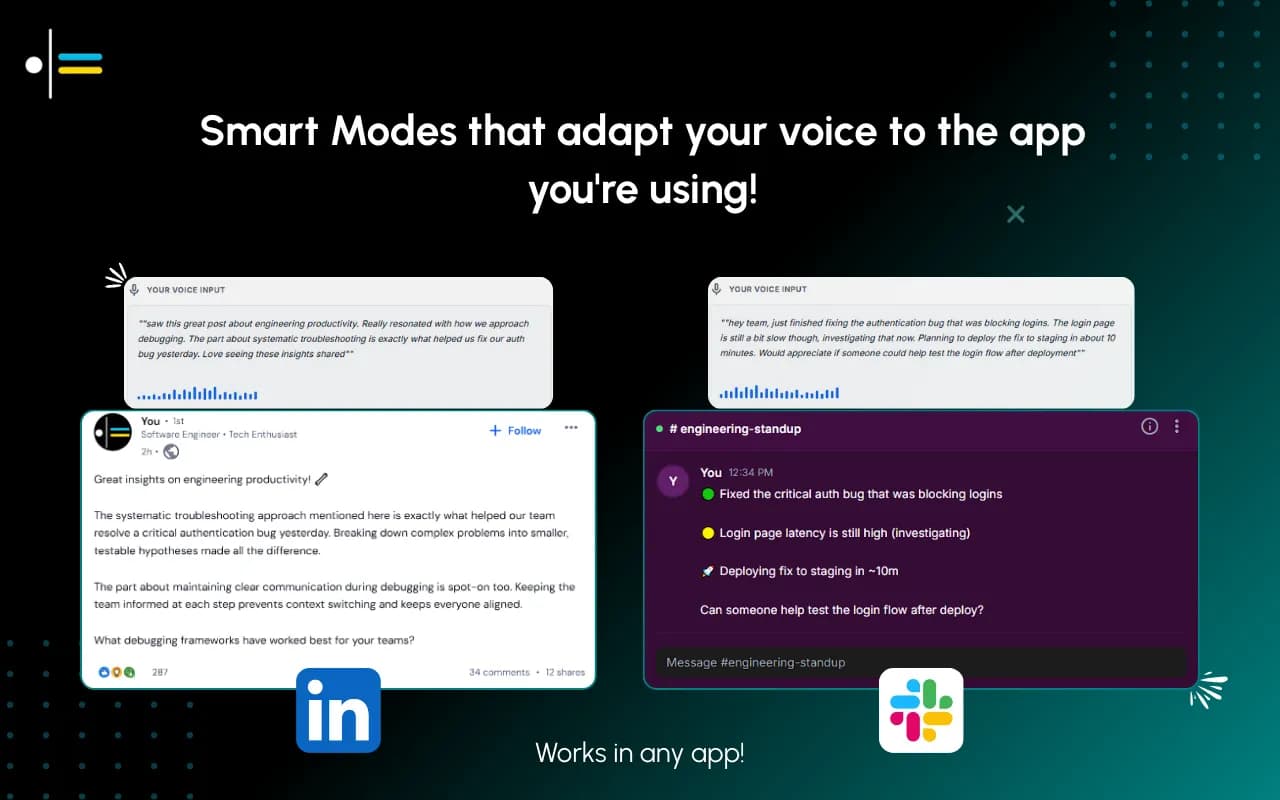
Contextli has six built-in Modes: Email Mode, Messaging Mode, Notes Mode, LinkedIn Mode, Marketing Copy Mode, and General Dictation. LinkedIn Mode is its own thing, not a sub-setting of Email Mode. The Mode is configured for LinkedIn post structure: short opening hook, clear paragraph breaks, the kind of one-line returns that the LinkedIn algorithm respects, and a closing line that lands.
The wedge sits one layer deeper. Every Mode in Contextli can be customized with examples of how you actually write. You feed LinkedIn Mode five of your best past posts, optionally with specific instructions ("never start with a question," "always use US spellings," "do not sign off with a hashtag"), and from then on every dictated LinkedIn post reads in your voice. Not a generic LinkedIn voice. Your LinkedIn voice. After a week of regular use, the gap between "I dictated this" and "I wrote this" closes to the point that even close colleagues will not be able to tell.
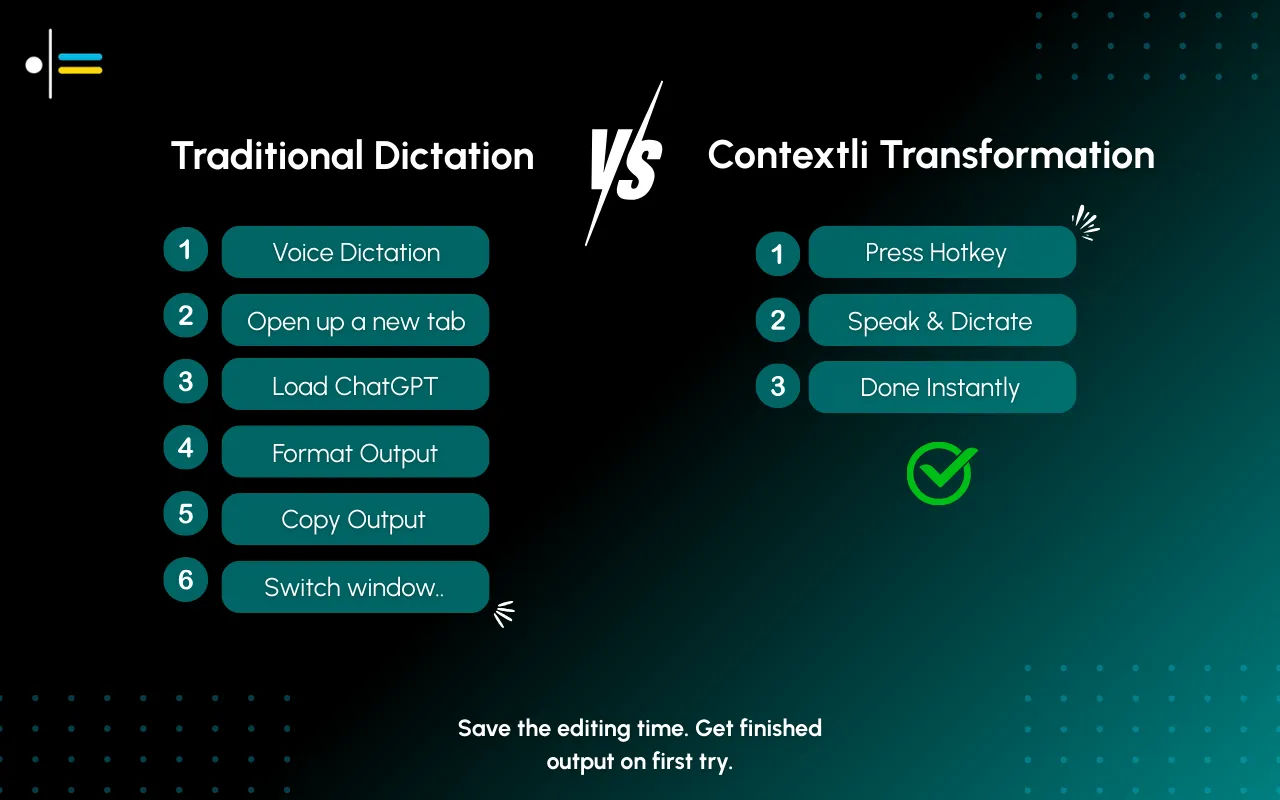
This is different from how generic voice tools handle LinkedIn. Tools like Wispr Flow, Willow, Voice In, or native Apple/Windows dictation will transcribe what you say. The output reads polished and neutral, with surface adaptation per app (slightly more casual in Slack, slightly more professional in Gmail), but the underlying voice is the tool's default register. There is no path to feed it five of your past LinkedIn posts and have it match that voice specifically.
A real-world scenario: a marketing leader posting three times a week
A B2B marketing leader publishes three LinkedIn posts a week: one tactical playbook, one observation from a client engagement, and one reaction to industry news. Total time before Contextli: about 90 minutes per post (drafting, editing, formatting, second-guessing). About 4.5 hours per week.
They set up Contextli's LinkedIn Mode by pasting their five most-engaged past posts into the customization screen and adding three rules: "open with a specific anecdote or number," "no hashtags at the end," "always include a one-line takeaway above the call to action." Total setup time: 6 minutes.
The next post, the playbook one, they record as a voice memo while walking: 4 minutes of rough thinking out loud about a positioning exercise they ran for a client. They paste the audio into Contextli and dictate the cleanup pass. The output is structured for LinkedIn (hook, three paragraph beats, takeaway, CTA) and reads in their voice. They make one edit (a stronger second-paragraph transition) and publish. Total time on the post: 11 minutes. Saved time per week: roughly 4 hours.
What to actually do in the first week
If you are evaluating Contextli specifically for LinkedIn use, here is the minimum viable setup:
Pick the five LinkedIn posts you are most proud of from the last 12 months. Engagement does not have to be high. What matters is that they sound like you at your best. Paste them into LinkedIn Mode's customization. Add 2 to 3 rules that capture your specific quirks (UK vs US spellings, em-dash policy, opening conventions, sign-off conventions).
Then dictate three posts that week using the Mode. Edit each one before publishing. Watch where you make edits, those are signals about what to adjust in the customization. By the end of week two, the customization is dialled in and edits drop substantially.
For people whose LinkedIn voice changes by post type (a tactical post sounds different from a personal reflection), you can keep multiple sets of examples and switch which set the Mode is using. Most users find one set of 5 to 7 examples covers 80 percent of their posts.
Comparison: LinkedIn dictation paths
| Approach |
What you get |
Trade-off |
| Native iOS/macOS dictation into LinkedIn |
Transcription only. No post structure. No tone awareness. |
Free, instant. Wrong tone for LinkedIn 90 percent of the time. |
| Wispr Flow or Willow Voice |
Polished cloud-processed output with surface adaptation per app. |
Same generic professional voice across LinkedIn, email, Slack. Cloud-processed audio only. |
| Voice In / Dictanote browser extension |
Browser-based dictation into the LinkedIn composer. |
Raw transcription. Same voice problem. |
| Supergrow style "voice notes to LinkedIn posts" |
Tools that take voice memos and generate LinkedIn posts. |
The output is the tool's voice, not yours, unless you train it. |
| Contextli LinkedIn Mode |
Channel-specific Mode customizable with your past posts. Stays in your voice. |
Desktop only (Mac and Windows). Requires the 5-minute setup. |
The honest framing: if you do not care about voice continuity (your brand is your name and not your specific writing style), generic dictation tools work fine. If your readers come back because of how you sound, the customization matters more than the speed.
On the privacy side
This usually does not feel relevant for LinkedIn until you remember that drafts often contain client names, deal details, internal numbers, or political opinions that you edited out before posting. Generic cloud-based dictation tools process all of that on their servers. Wispr Flow's Privacy Mode prevents retention but still requires transmission to the cloud.
Contextli supports three levels of privacy. Level 1: local models mean the draft never leaves your machine. Level 2: bring-your-own-key for the transcription and AI providers, so your data goes from your machine directly to the provider without Contextli seeing it. Level 3: disable cloud sync, and Contextli stores nothing in our database; transcribed drafts live as local files on your machine.
For most personal-brand builders, level 3 is enough. For people drafting posts that mention sensitive client work or unannounced product decisions, level 1 (local model mode) is the only safe option, and Contextli is the only dictation tool we know of that offers it.
What dictation will not fix
Dictation is a drafting tool. It does not generate insight. If you sit down with nothing to say, dictation gets you to a polished version of nothing faster. The leverage shows up when you already have a thought and need to get it out of your head without losing the 10 minutes typing takes.
It also does not fix bad ideas. A LinkedIn post that would not work as a typed draft will not work as a dictated draft. What it fixes is the time tax between the idea you have and the post on screen.
FAQ
Does Contextli post directly to LinkedIn for me?
No. Contextli is a dictation app, not a publishing tool. It types into the focused window, whether that is the LinkedIn web composer, the LinkedIn desktop app, or your CMS. You still click publish.
Can I dictate LinkedIn comments and DMs too?
Yes. Messaging Mode is better suited for that register (shorter, more conversational). LinkedIn Mode is calibrated for long-form posts.
How long does it take to customize LinkedIn Mode?
About 5 to 10 minutes for the initial setup. Paste in your 5 best past posts, write 2 to 3 specific instructions, save. The first dictation after that will already match your voice substantially.
Does Contextli have a LinkedIn API integration?
No. Contextli works at the system level. It types into whichever window has focus. That means it works with the LinkedIn web composer, the LinkedIn iOS/Android web wrapper (less useful since Contextli is desktop-only), the LinkedIn desktop app, Notion, Word, Google Docs, or any other writing surface you draft in.
What if my voice on LinkedIn changes by topic?
Most users find that 5 to 7 well-chosen example posts capture their general LinkedIn voice. If your tactical posts and your personal posts sound genuinely different, you can keep two sets of examples and switch which one the Mode is using before each dictation. The setup takes 30 seconds.
How accurate is the transcription?
Modern speech-to-text engines (Whisper-class) are at around 95 to 97 percent word accuracy for clear English speech. Accuracy is converging across tools and is not where the differentiation sits anymore. What you do with the transcribed text is.
Is dictation actually faster than typing for short LinkedIn posts?
For very short posts (under 50 words), the speed difference is small enough that it depends on your typing speed. For posts over 200 words, dictation saves meaningful time even with editing. The bigger benefit is consistency: dictating a post in your voice that already matches your past voice means less editing, not just faster drafting.
Will it work for non-English LinkedIn posts?
Contextli's Modes are calibrated primarily for English. Spanish, German, and French dictation work but the customization examples and Mode behavior are optimized for English. For LinkedIn posts in other languages, the Mode customization still helps but the output may need more editing.
Where to start
For one week, dictate every LinkedIn post you publish using LinkedIn Mode with your past posts loaded as examples. Track two things: the time from "I have an idea" to "post published," and the number of edits you make to the dictated output. If both numbers drop noticeably by the end of the week, the tool earns its place in your workflow.
If you want to read more first, the pillar guide on context-aware speech-to-text walks through what makes Contextli different from generic dictation. The overview of what Contextli is gives a fuller picture of the Modes. If you write a lot of client emails alongside your LinkedIn posts, Email Mode is a natural pairing. For the privacy framing in depth, the dictation privacy guide covers what running local-only actually looks like in practice. And if you are comparing dictation tools side by side, the recently-published Wispr Flow vs Contextli head-to-head covers where each one wins.
Free tier: 100 credits per month, no credit card. Enough to dictate roughly a week of LinkedIn posts and decide.



 Junaid Khalid