You just ran a good demo. The prospect leaned in twice, asked about your API, and mentioned a renewal date in Q1. Ninety minutes later you sit down to update the CRM and half of it is gone. You remember the vibe, not the three questions that actually decide the deal.
Most reps take demo notes as a wall of transcript or a few scattered fragments. A transcript buries the one line that matters; fragments miss the fields your pipeline forecast depends on. The fix is not writing more, it is writing the same handful of fields every time.
This guide gives you the exact structure for sales demo notes, a reusable template for your CRM, and a way to log the notes by voice in the 60 seconds after the call while the details are still sharp.
Key takeaways
- Capture 8 fixed fields per demo (pain, current tool, buying process, objection, next step, timeline, stakeholders, quote) so notes are searchable and forecast-ready.
- Write the debrief within 5 minutes of hanging up. Recall drops fast, and the "renewal in Q1" detail is the one you lose first.
- A verbatim prospect quote beats a paraphrase: it survives the handoff to a manager or an account executive without distortion.
- Contextli is a desktop dictation app that types your spoken notes straight into the focused CRM field, and its custom contexts match your team's note format.
- Free tier is 100 credits/month, no credit card required.
The 8 fields every sales demo note needs
A demo note is not a diary. It is a structured record that a future version of you, or a colleague inheriting the deal, can act on in under a minute. These eight fields cover almost every B2B demo.
- Primary pain: the problem in the prospect's own words, not your feature framing.
- Current tool or process: what they use today and why it is failing.
- Buying process: who signs, what steps stand between now and a contract.
- Top objection: the real hesitation, stated plainly (price, timing, incumbent, internal buy-in).
- Agreed next step: date, owner, and format (second demo, trial, proposal).
- Timeline or trigger: a renewal date, budget cycle, or event driving urgency.
- Stakeholders: names, roles, and who was silent versus vocal.
- One verbatim quote: a sentence you can drop into a follow-up email or forward to your manager.
If you only had time for two, keep the agreed next step and the top objection. Those two decide whether the deal moves.
Why a paraphrase loses the deal and a quote does not
When you write "prospect worried about cost," you have compressed away the thing that helps you. Was it the sticker price, the per-seat model, or the switching cost of leaving their current vendor? Each needs a different follow-up.
A verbatim line ("we got burned on a two-year contract last time, so annual is a hard no") tells you exactly what to send next. It also survives the handoff: when your manager reads the note before a forecast review, or an account executive picks up the deal, the quote carries the prospect's actual meaning instead of your shorthand.
The best sales demo notes read like evidence, not memory. A dated quote and a named next step beat three paragraphs of impression.
This is where the timing matters. The specific words fade within minutes of the call ending. Capturing them at the moment, or within a few minutes, is the difference between a usable quote and "something about a contract."
A product demo notes template you can reuse
Paste this into the notes field of your CRM, or keep it as a text snippet. The point is that every demo produces the same shape, so your notes become searchable and comparable across the pipeline.
DEMO NOTE / [Account] / [Date]
Attendees: [names + roles]
Primary pain:
Current tool/process:
Buying process (who signs, what steps):
Top objection:
Agreed next step (date + owner):
Timeline/trigger:
Verbatim quote:
Using the same eight labels every time means you can later filter your CRM for every deal where the top objection was "annual only" and batch the follow-ups. Free-form notes cannot do that.
Typing this by hand is the bottleneck
The template is easy. Filling it while your memory is fresh is the hard part: typing eight fields takes three or four minutes and you often have another call queued. So reps postpone it, and postponed notes are lossy notes.
This is the case for dictation, but a specific kind. Generic dictation gives you a raw transcript to clean and slot into fields. What you want is spoken input that lands already formatted, in the right field, without editing.
Contextli is a desktop speech-to-text app that types into whatever window has focus. Point your cursor at the CRM note field, speak the debrief, and it types the text there. Because it is system-level, there is no integration to set up: it works in Salesforce, HubSpot, a Google Doc, or a plain text file the same way.
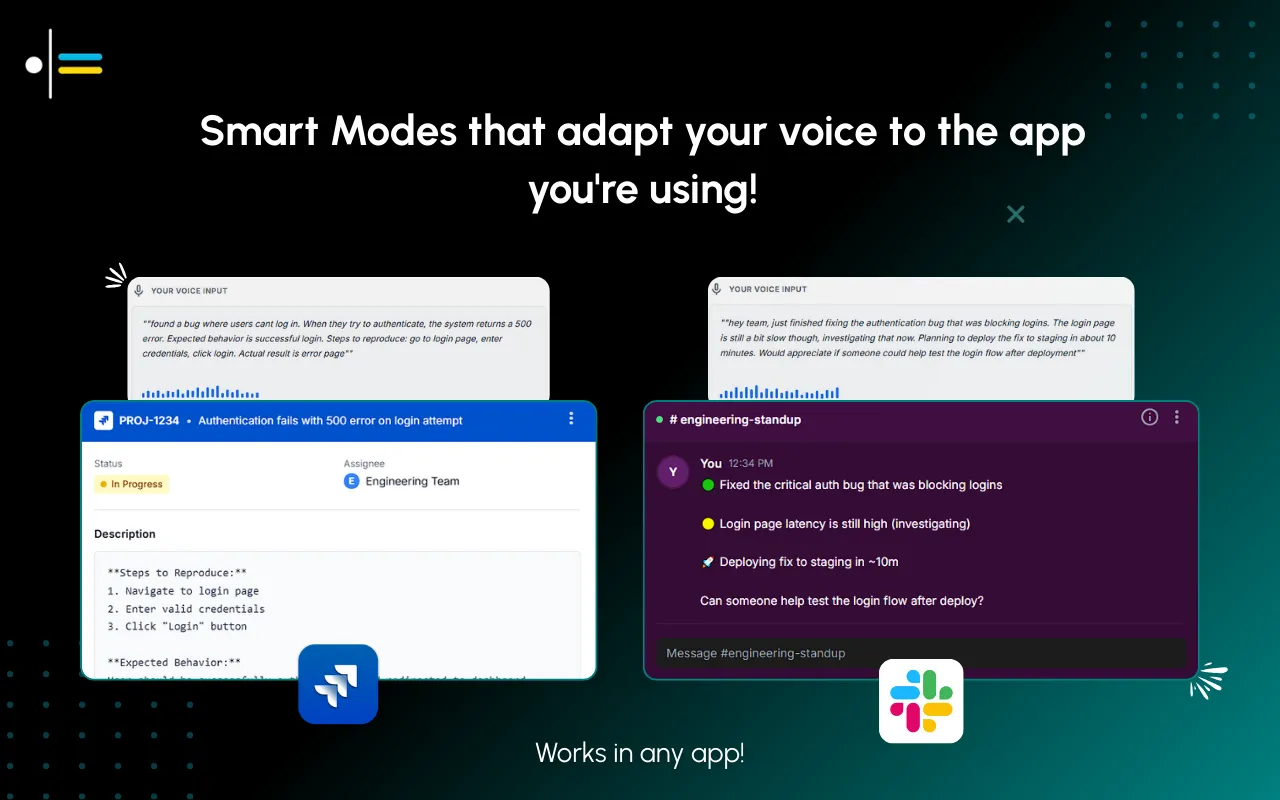
The part that fits sales notes is the custom context. You feed a Mode three or four examples of how your team writes demo notes (the eight-field format, your abbreviations, "sign next step as owner initials"), and every dictation after that matches that structure. Notes Mode captures the structured debrief; Email Mode drafts the follow-up in your voice right after. The setup is in the customize Contextli modes guide.
For reps handling sensitive pipeline data, there is a privacy angle. With BYOK you supply your own API key and the audio and text go from your machine to the provider directly, so Contextli never sees the content of your demo notes. The BYOK dictation setup walks through it.
How Contextli compares for the demo-debrief job
The honest framing: if all you need is a fast raw transcript, Wispr Flow is quicker. Contextli's edge is that the output already matches your note format and lands in the right field, which is the actual work of a demo note.
| Tool |
Types into CRM field |
Custom note format |
Note-taking specific |
Free tier |
| Contextli |
Yes, system-level into focused app |
Yes, feed it 3-4 examples |
Notes Mode + Email Mode |
100 credits/month, no card |
| Wispr Flow |
Yes, types into focused app |
Limited |
General transcription |
Limited free plan |
| Otter.ai |
No, records to its own app |
No |
Meeting transcripts |
300 min/month |
| Apple/macOS Dictation |
Yes, into focused app |
No |
General dictation |
Built into macOS |
Otter.ai records the whole call to its own workspace, which is useful for a full transcript but leaves you copying highlights into the CRM by hand. Contextli skips the transcript and puts the structured note where it belongs.
Two scenarios: the debrief and the follow-up
A sales rep hangs up from a 45-minute demo with a mid-market ops lead. She opens the deal in her CRM, puts the cursor in the notes field, and speaks the eight fields into Notes Mode. Contextli types the structured debrief into the field, formatted the way her team writes them. Typing it by hand ran about three minutes; spoken, the debrief takes roughly 40 seconds. She does it before the next call starts, so the "renewal in Q1" detail is captured, not lost.
Ten minutes later she drafts the follow-up. She switches to Email Mode, glances at the verbatim objection ("annual is a hard no"), and dictates a reply that addresses it head-on. The email lands in her voice, addressed and closed correctly. A follow-up she would have written cold the next morning goes out warm, the same afternoon.
Why Contextli fits sales reps specifically
Reps live in short bursts between calls. The tool that helps is the one that removes typing from the two-minute gap after a demo, not the one that adds a transcript to clean up later.
Contextli fits because it types into the CRM you already use, matches the note format your team already agreed on, and pairs the debrief with an on-brand follow-up. For the broader rep workflow, see the best dictation tool for sales reps breakdown, and for the email side the Email Mode for client emails walkthrough. The approach behind all of it is in the context-aware speech-to-text pillar. Since sales and meeting notes overlap, the meeting notes template helps on the internal-review side of the pipeline.

FAQ
What should sales demo notes always include?
Eight fixed fields: primary pain, current tool, buying process, top objection, agreed next step, timeline, stakeholders, and one verbatim quote. Keeping the fields identical every time makes notes searchable and forecast-ready.
How fast should I write demo notes after a call?
Within 5 minutes. Specific details like a renewal date or an exact objection fade quickly, and they are the fields your follow-up and forecast depend on most.
Why capture a verbatim quote instead of a summary?
A quote tells you exactly what to send next and survives the handoff to a manager or account executive without your shorthand distorting the meaning. A summary compresses away the detail that decides the follow-up.
Can Contextli put my notes straight into Salesforce or HubSpot?
Yes. Contextli is a desktop app that types into whatever window has focus, so it enters text into a Salesforce or HubSpot note field the same as any other app. There is no API integration to configure.
Will Contextli match my team's note format?
Yes. You feed a Mode three or four examples of your demo-note format and abbreviations, and every dictation after that follows that structure. This is the custom context feature.
Is my demo data private with Contextli?
You can turn on BYOK so your audio and text go from your machine straight to the provider you chose, meaning Contextli never sees the content. You can also run local models with the internet off, or disable cloud sync so notes stay as local files.
Does Contextli have a free option to try this?
Yes, the free tier is 100 credits/month with no credit card required, which is enough to test the demo-debrief workflow across several calls.
Ready to log demo notes without the typing tax? Try Contextli on your next demo and speak the eight-field debrief straight into your CRM before the next call starts. Free tier is 100 credits/month, no credit card required.




 Junaid Khalid