


Weekly Reflection TemplateAug 19, 2026
Weekly Review Template: Run Your Review in 15 Minutes
A weekly review template you can run in 15 minutes every Sunday. Six prompts, a scoring table, and a faster way to capture it by voice.
 Junaid Khalid
A client meeting notes template with the exact 6 sections clients want emailed back to them, plus a faster way to fill it in by voice.

The notes you keep for yourself are not the notes a client wants back. Your private scrawl has half-sentences, personal shorthand, and three action items buried in a paragraph about pricing. When you paste that into an email an hour after the call, the client re-reads the whole thing to find the one line that concerns them, then replies asking what they owe you by Friday. A client meeting notes template exists to solve exactly that gap: it separates what you record from what you send, so the version that lands in their inbox is scannable, addressed to them, and closed.
This guide gives you the six-section format clients actually reply to, a filled example, and a faster way to produce the sent version by dictating it instead of retyping it.
There are two documents hiding inside every client call, and most people only make one.
The first is your working record: timestamps, quotes, the thing the client's CFO said that you want to remember, your own reminders. This can be messy. It is for you.
The second is the client-facing summary: a short, ordered version that tells the client what was decided, what they need to do, and by when. This has to be clean, because the client reads it once and acts on it. When you send your working notes as-is, you force the client to do the editing you skipped. That is the moment follow-up stalls.
A client meeting notes template is really a rule about which of these two documents leaves your outbox. The template below is the second document.
Use these six, in this order. The order matters more than the wording.
The reason this format gets replied to: the client sees their own tasks in the first screen, without scrolling, without hunting.
Therapists and counselors need a different shape for the same problem, which our therapy session note structure lays out.
Here is the same call written two ways so you can see the difference between a working note and a sent recap.
Working note (for you):
talked pricing, they pushed on the setup fee, sam ok with monthly if we drop onboarding to 2 weeks. legal needs the DPA. jan asked about SSO?? follow up. renewal is march. send proposal.
Client-facing recap (sent):
Summary: We aligned on a 2-week onboarding and monthly billing; you'll return the signed DPA and confirm SSO scope by 25 July.
Decisions made
- Onboarding shortened to 2 weeks.
- Billing will be monthly rather than annual.
Your action items
- Return the signed DPA (owner: Sam, by 25 July).
- Confirm whether SSO is in scope for launch (owner: Jan, by 25 July).
Our action items
- Send the revised proposal reflecting the 2-week onboarding (owner: me, by 23 July).
Open questions
- Is the March renewal date still firm on your side?
Next step: Proposal review call, to be scheduled the week of 28 July.
Thanks for the time today. Reply here if I've mis-stated anything.
Same call. The second version is the one that gets a same-day reply, because the client's two tasks are the first thing they read.
| Element | Your working notes | Client-facing recap |
|---|---|---|
| Audience | You | The client |
| Tone | Shorthand, fragments | Full sentences, addressed to them |
| Order | Chronological (as it happened) | Client action items first |
| Action items | Optional, often implied | Every one has an owner and a date |
| One-line summary | None | Required, at the very top |
| Open questions | Mixed into notes | Listed as explicit questions |
| Sent to client | No | Yes, within a few hours |
The template does not ask you to write more. It asks you to write the second column instead of forwarding the first.
The format is simple. The friction is turning a messy call into a clean email while the details are still in your head. Most people either skip the recap or spend fifteen minutes reshaping notes into something sendable.
This is where dictation helps, but only if the tool writes rather than transcribes. Raw dictation gives you a wall of spoken text with "um" and no structure, which you then have to edit anyway. Contextli's Email Mode is built for the sent version: you speak the recap and it comes out as a properly formatted, addressed email with the greeting and close in place, not a transcript you have to clean up.
You can also teach it your voice. Feed a Mode three or four examples of how you actually sign off and phrase things ("sign off as Junaid, not Junaid Khalid", "always UK spellings"), and every recap after that matches how you write, so the client cannot tell it was dictated.
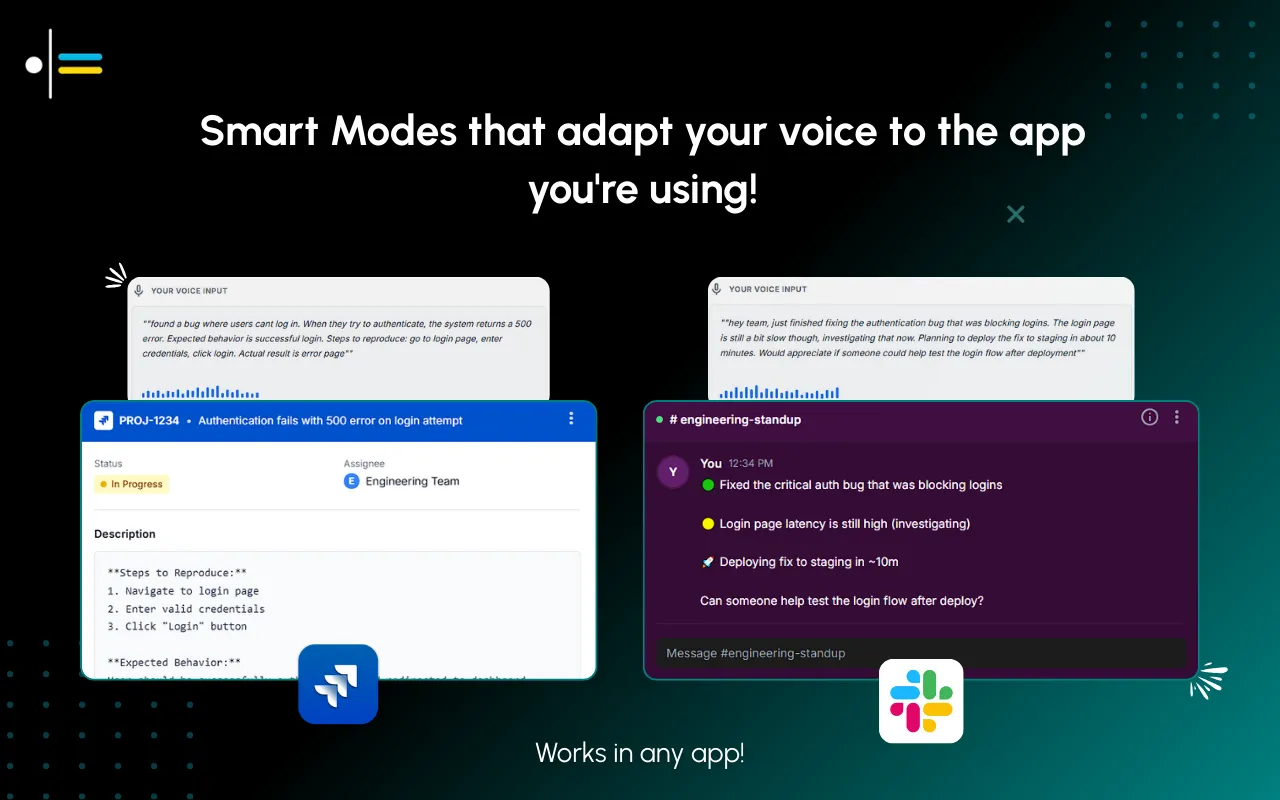
Priya runs a two-person consultancy and just finished a 45-minute scope call in a client's office. In the car, she opens the client's email thread on her laptop and turns on Contextli's Email Mode. She speaks the recap in one pass: the summary line, the two decisions, the client's action items with dates, her own, one open question, and the next step.
Typing that email cleanly would take her about eight minutes at a keyboard. Speaking it takes about two, and Email Mode writes it as a closed, addressed message rather than a block of dictated text. She reads it once, fixes one date, and sends. The client replies before Priya is back at her office, confirming both action items.
Because Contextli's transcription and writing run on her own machine, and she keeps cloud sync off, the client's names and figures never leave her laptop. For anyone bound by a firm data policy, that matters more than speed. Confirm your own firm's rules before storing client notes anywhere.
Most dictation tools optimize for one thing: turning speech into text fast. That is useful, and if all you need is a raw transcript of a call, a faster transcriber like Wispr Flow will get you there. But a transcript is your working note, not the thing you send.
Contextli's difference is the sent version. Email Mode writes the recap as an email, not a transcript. Customizable contexts make it sound like you wrote it. And the privacy stack means the client's data can stay entirely on your machine: transcription and writing run locally with the internet off, you can bring your own API key so data goes straight to the provider, and turning off cloud sync means Contextli stores nothing in its database and your notes live as local files. No competitor combines those three privacy levels.
It is a system-level app that types into whatever window has focus, so it works in your email client, your CRM note field, or a plain document. It does not need an integration with any of them.

Six sections: a one-line summary at the top, decisions made, action items with owners and dates (client's first), open questions, the next meeting or milestone, and a short close. The one-line summary and the owner-plus-date on every action item are the two parts most people skip and the two that get replies.
Your notes are chronological shorthand for you. The client-facing recap is reordered around what the client must do, written in full sentences, and topped with a summary line. You keep the first and send the second.
Within a few hours, while the call is fresh for both sides. A same-day recap gets acted on; a next-day one competes with everything else in the client's inbox.
Yes. Lead with the client's action items so the first thing they read is their own to-do list. Your items go in a separate block below.
Yes. With Contextli's Email Mode you speak the recap and it is written as an addressed, closed email rather than a raw transcript, so there is little to clean up. Feeding the Mode a few examples of your writing makes it match your voice.
Contextli can run its transcription and writing on your own machine with the internet off, and you can turn cloud sync off so notes stay as local files rather than in any database. That keeps client names and figures on your device. Always confirm your own firm's data policy before storing client notes.
Yes. It is a system-level app that types into whichever window has focus, so it writes into your email client, a CRM note field, or a document without needing an integration with any specific app.
The free tier includes 100 credits/month on the free tier, no credit card required, which is enough to draft and send several client recaps and see whether the Email Mode output matches how you write.
If you want the generic version of this format for internal calls, see the meeting notes template and the wider approach to a context-aware speech-to-text workflow. For the email side specifically, Email Mode for client emails covers how the sent version is written.
To make dictation sound like you, walk through customizing Contextli Modes with examples. Client-facing roles that live in recaps will also want the best dictation tool for sales reps. For handling client data, read the dictation privacy guide. This article sits in the Contextli contexts library.
After your next client meeting, open the client's email thread and speak the recap using Contextli's Email Mode: summary line, decisions, client action items with dates, then yours. You get a sent-ready, addressed email in about two minutes instead of eight, and it stays on your own machine if you keep cloud sync off. Download Contextli and send the first recap on your free 100 credits/month, no credit card required.

Junaid Khalid
Founder & CEO
Founder and solopreneur writing about how modern businesses run leaner and faster with AI. I build software that turns everyday work, from capturing thoughts to writing and staying organized, into something effortless, and I share what I learn along the way.
A weekly review template you can run in 15 minutes every Sunday. Six prompts, a scoring table, and a faster way to capture it by voice.
Junaid KhalidA vet visit notes template that captures the diagnosis, dosing, and follow-up before you leave the exam room. Speak it into your notes instead of typing.
Junaid KhalidCounseling progress notes software that writes your notes by voice and keeps client data on your own machine, so counselors finish notes the same day.
Junaid Khalid