The meeting went well. You said you would send a recap and next steps. Two days later, that email is still sitting in your head, and the deal is cooling. Most sales follow-ups die here: not because the prospect said no, but because writing a clean recap by hand feels like a chore, so it slips a day, then three.
The problem is not the template. Plenty of good templates exist. The problem is the ten minutes between "I know what to say" and "the email is sent," where you retype your own meeting notes into full sentences. This guide gives you a follow-up template you can reuse, then shows a faster way to fill it in: talk through the recap from your CRM notes and let a context-aware dictation app write it in your voice.
Key takeaways
- A working sales follow-up template has five parts: a specific subject line, a one-line reference to the meeting, a recap of what was agreed, the exact next step with a date, and a single clear question.
- Follow-ups fail on friction, not wording. The delay between knowing what to say and sending it is where deals go quiet.
- Contextli is a desktop dictation app that types the finished email into whatever window you have open, including your CRM's email field, with no copy-paste step.
- Email Mode writes full sentences and a sign-off from spoken notes, so a 25-second voice recap becomes a sent email instead of a draft you circle back to.
- Feed a Mode three or four examples of how you actually write and every follow-up matches your tone, not a generic template voice.
- Free tier is 100 credits/month, no credit card required.
The five-part sales follow-up template
Here is a template that works for the post-meeting email, which is the highest-value follow-up you will send. Copy it, then adapt the bracketed parts.
Subject: [Specific outcome or next step], not "Following up"
Hi [First name],
Thanks for the time today. Quick recap so we are on the same page.
We talked about [the one problem they most want to solve]. You mentioned [a specific detail they said], which is why [your proposed approach] fits.
Agreed next step: [the exact action], by [date]. On my side I will [what you owe them]. On yours, [what they owe you], if that still works.
One question so I can move this forward: [a single, answerable question].
Best,
[Your name]
Two rules make this template land. First, the subject line names a real thing ("Pricing for the 12-seat plan" beats "Following up"). Second, you end with exactly one question. Two questions halves your reply rate because the prospect waits until they can answer both.
Why sales follow-ups die (and it is not the template)
You already know the structure above. The gap is time. After a call you have five minutes before the next one, and turning shorthand CRM notes into full prose is exactly the kind of task that gets pushed to "later today," then tomorrow.
The friction has a real shape. Your notes say "wants SSO, worried about onboarding time, decision by Fri, loop in Priya." Sending that as-is looks lazy. Writing it out properly takes ten minutes you do not have. So the email waits, and a same-day recap that would have kept the deal warm arrives on day three, if at all.
The fix is not a better template. It is removing the retype step between your notes and the sent email.
Turn your CRM notes into the email by talking
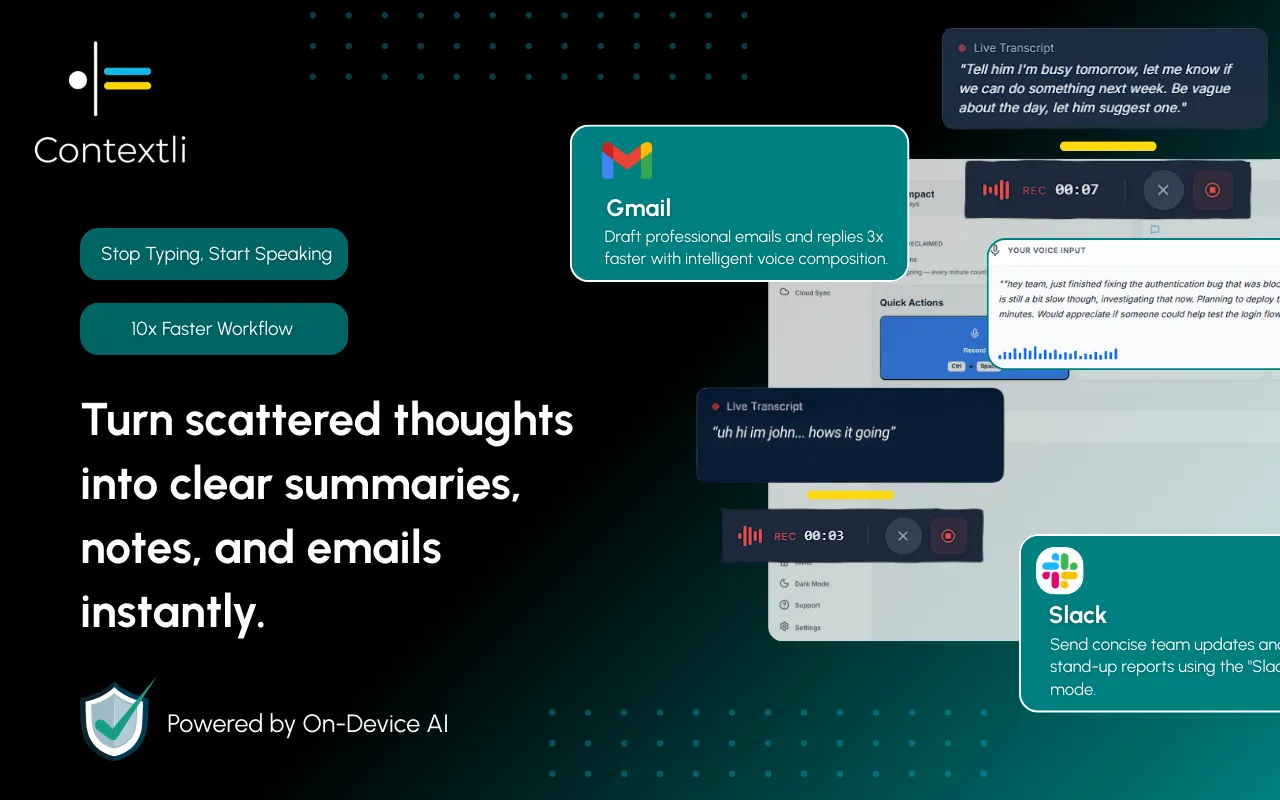
This is where a context-aware dictation app changes the workflow. Contextli is a desktop app that runs at the system level and types into whatever window has focus. Put your cursor in your CRM's email compose box, or a fresh Gmail draft, and speak the recap the way you would explain it to a colleague. It types the finished, structured email in place.
The difference from ordinary dictation matters here. Apple Dictation or Windows Voice Typing will transcribe your words literally, um-ah filler and all, so you still have to clean up the paragraph and add a greeting and sign-off. Contextli's Email Mode does the writing: it drops the filler, forms proper sentences, and adds an opening and a closing without you dictating them.
Other tools transcribe. Contextli writes. For a follow-up that means you read your CRM note aloud, name the next step and the date, and the email is done.
Note the honest limit: Contextli has no CRM or Gmail integration and does not read your pipeline. It is a system-level app that types into the focused field. You still open the compose window yourself. What it removes is the writing, not the clicking.
Make it sound like you, not a template
A template's weakness is that it reads like a template. Prospects have seen "Thanks for the time today" a hundred times. Contextli's customization fixes this by learning your actual voice.
In Email Mode, you feed the Mode three or four examples of emails you have really sent, or plain instructions like "keep it under 90 words," "sign off as Junaid, not Junaid Khalid," or "use UK spellings." After that, every follow-up you dictate comes out in that register. Short if you write short. Warm if you write warm. The customize your Modes by example flow takes a few minutes once and applies to every email after.
That is the part a static template cannot do. The template gives you the skeleton; the Mode gives you your own phrasing on top of it, so the recap reads like you wrote it, because in your voice, you did.
Not every voice tool does the same job. If all you want is raw transcription and speed, Wispr Flow is faster. If you want the email written and styled to your tone, the picture changes. Here is how the common options handle the post-meeting follow-up specifically.
| Tool |
Writes full email + sign-off |
Learns your tone by example |
Types into your CRM window |
Offline / private option |
| Contextli (Email Mode) |
Yes |
Yes, 3 to 4 examples |
Yes, system-level |
Yes, local models or BYOK |
| Apple Dictation |
No, literal transcript |
No |
Yes, system-level |
Yes, on-device |
| Windows Voice Typing |
No, literal transcript |
No |
Yes, system-level |
Partial |
| Wispr Flow |
Cleans up text, faster |
Limited |
Yes, system-level |
Cloud-based |
| Otter.ai |
No, meeting transcript |
No |
No, separate app |
Cloud-based |
The row that matters for a follow-up is "writes full email + sign-off." A literal transcript still leaves you editing. That editing is the ten minutes that kills the same-day send.
The privacy question deal notes raise
Follow-up notes contain deal size, names, and sometimes things a prospect said in confidence. Where that text goes matters, and Contextli gives you three levels of control that stack.
Level one, local models: transcription and the AI writing both run on your own machine. You can turn the internet off and the app still writes your email. The honest trade-off is that local models need a reasonably modern Mac or Windows laptop; an old machine will run them slowly.
Level two, bring your own key: you supply your own provider API key, your audio and text go from your machine straight to that provider, and Contextli never sees either. You pay the provider directly.
Level three, disable cloud sync: turn it off and Contextli stores nothing in its own database. Your notes live as local files on your machine. Stack all three and the whole thing runs offline and private. The full picture is in the dictation privacy guide. If your firm has a data policy on where client information can be processed, confirm it against the level you choose.
Two follow-ups, side by side
A sales rep finishes a discovery call. Her CRM note reads: "mid-market, wants SSO, worried onboarding eats a week, buying decision Friday, send security one-pager." Typing that into a proper recap email by hand takes about nine minutes with the greeting, the recap, the next step, and the sign-off.
Instead she puts her cursor in the CRM's email box, opens Email Mode, and speaks the note as a recap: the problem, the SSO detail, the worry about onboarding time, the Friday decision, and that she will attach the security one-pager. The typed-out email lands in about 25 seconds, structured and in her usual tone, ending with one question about who else should be on the next call. She reads it once and sends. The best dictation setup for this daily task is covered in the sales reps guide.
Second scene: a founder doing his own sales after back-to-back calls. He has four follow-ups owed and no appetite to write four emails. He dictates each recap from its CRM note in under half a minute, one after another, in the voice-to-text workflow founders use. All four go out the same afternoon, which is the whole point of a follow-up. For the internal recap he keeps in his own docs, he reuses the same spoken-notes approach.

FAQ
What is the best sales follow-up template for after a meeting?
A five-part structure works best: a specific subject line, a one-line reference to the call, a recap of what was agreed, the exact next step with a date, and one clear question. The five-part template above is built for exactly this post-meeting email.
How do I write a follow-up email faster without losing quality?
Remove the retype step. Read your CRM note aloud with your cursor in the email field and let Contextli's Email Mode write the full email, greeting and sign-off included. A recap that takes nine minutes to type takes about 25 seconds to speak.
Does Contextli connect to my CRM or Gmail?
No. Contextli has no CRM, Gmail, or Slack integrations. It is a system-level desktop app that types into whatever window has focus, so you open your CRM's email box or a Gmail draft yourself and it fills the text.
Will the follow-up sound generic, like a template?
Only if you leave it generic. Feed Email Mode three or four examples of emails you actually send, or instructions like "sign off as Junaid" or "keep it under 90 words," and every follow-up comes out in your own voice on top of the template structure.
Is it safe to dictate deal notes with names and numbers?
You control where the text goes. Run local models so nothing leaves your machine, use your own API key so Contextli never sees the text, or disable cloud sync so notes stay as local files. You can stack all three to work fully offline.
How is this different from Apple Dictation or Windows Voice Typing?
Those transcribe your words literally, including filler, so you still write the greeting, structure the paragraphs, and add a sign-off. Contextli's Email Mode does that writing from your spoken notes.
What does Contextli cost to try?
The free tier is 100 credits/month, no credit card required. That is enough to test the follow-up workflow on real emails before deciding.
Which platforms does Contextli run on?
Contextli is a desktop app for Mac and Windows. Confirm current platform support on the download page before installing.
Stop letting the recap sit in your head for three days. With Contextli's Email Mode you speak the follow-up from your CRM note and the finished email is typed into your compose window, in your tone, in about 25 seconds. Download Contextli and send your next post-meeting follow-up the same afternoon. See more library contexts on the Contextli contexts hub.




 Junaid Khalid